Network connection32
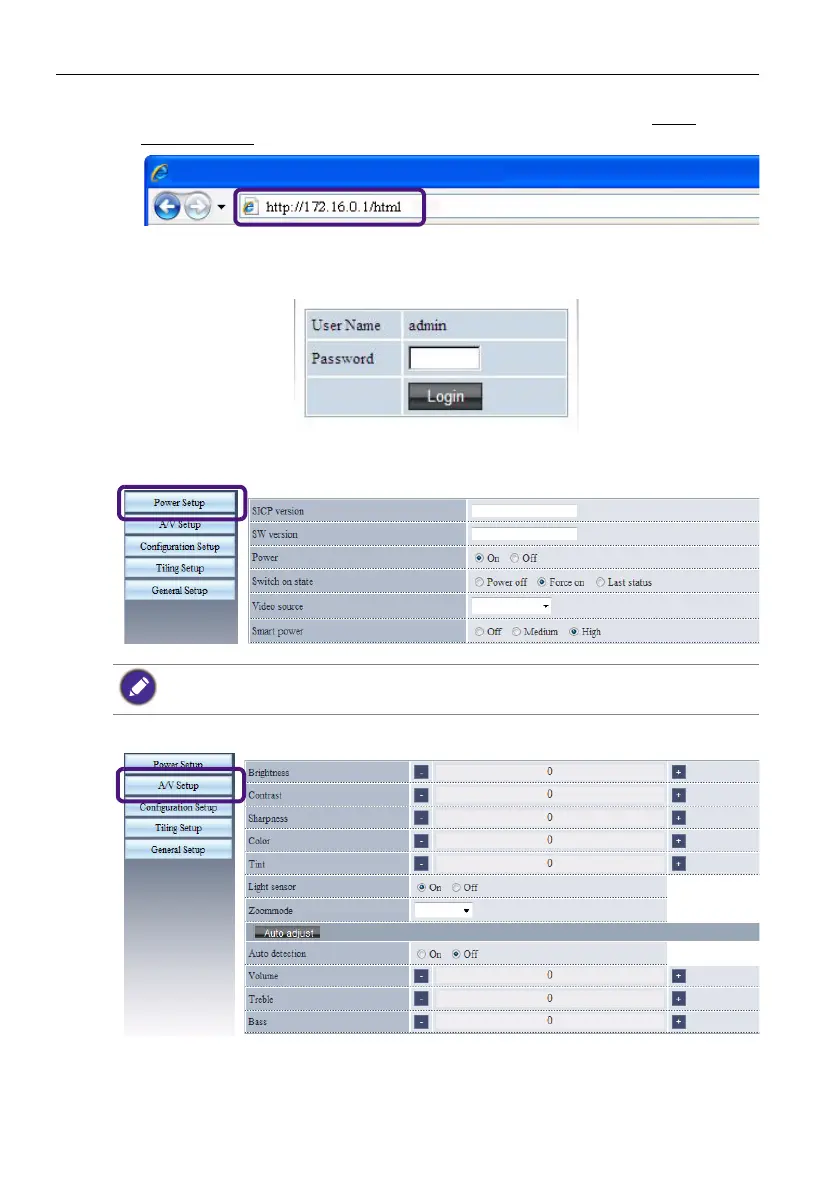
1. Enter the address of the display in the address bar of your browser and press Enter.
The Login page appears. Here is an example of the complete address: http://
172.16.0.1/html.
2. Enter the same password you have set in the Network settings > Login
password menu and press Login. If the password has not been set, enter the default
“000000”.
3. The setting page appears.
• Power Setup: Allows you to manage the power status.
• A/V Setup: Provides various options for video and audio control.
Make sure the LAN control port in the Configuration 1 > Network settings menu is set to
Enable if you would like to turn on the display from this web page.


 To Next Page