22
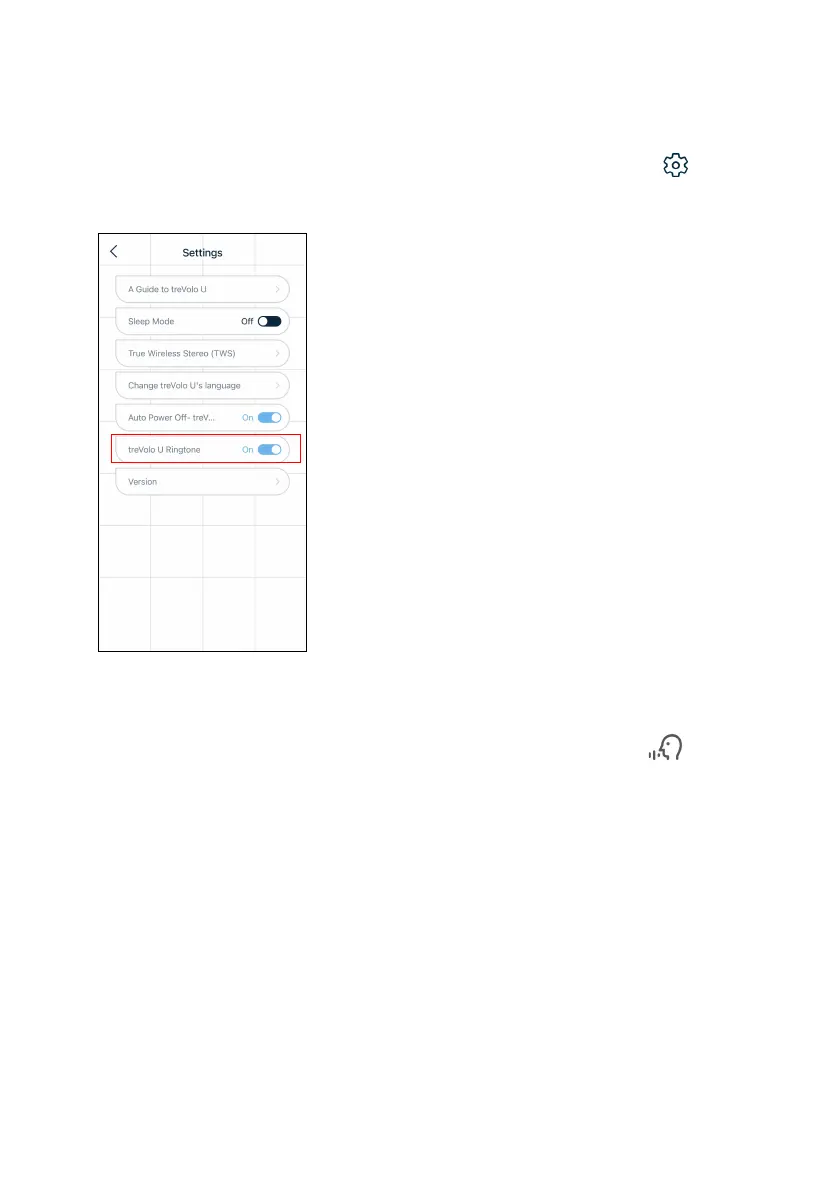
Adjust treVolo U Ringtone
The default mode is On. If you wish to close treVolo U Ringtone,
on the top right corner of the home page, click Settings () >
treVolo U Ringtone to close this function.
After turning off treVolo U ringtone, you will only hear related
interactive voice and sound effects when the speaker is under voice
control mode (press and hold the Sound Modes button to light
up the green LED) and when calling "Hey Tredo" or "Tredo, Go", you
will hear related interactive voice and sound effects. For more
information regarding voice control, see Voice control on page 25.



 To Next Page