17 Positioning your projector
• To correct keystoning at the left side of the image, use .
• To automatically correct the vertical and horizontal sides of the distorted image, press OK for 2
seconds.
3. When done, press to save your changes and exit.
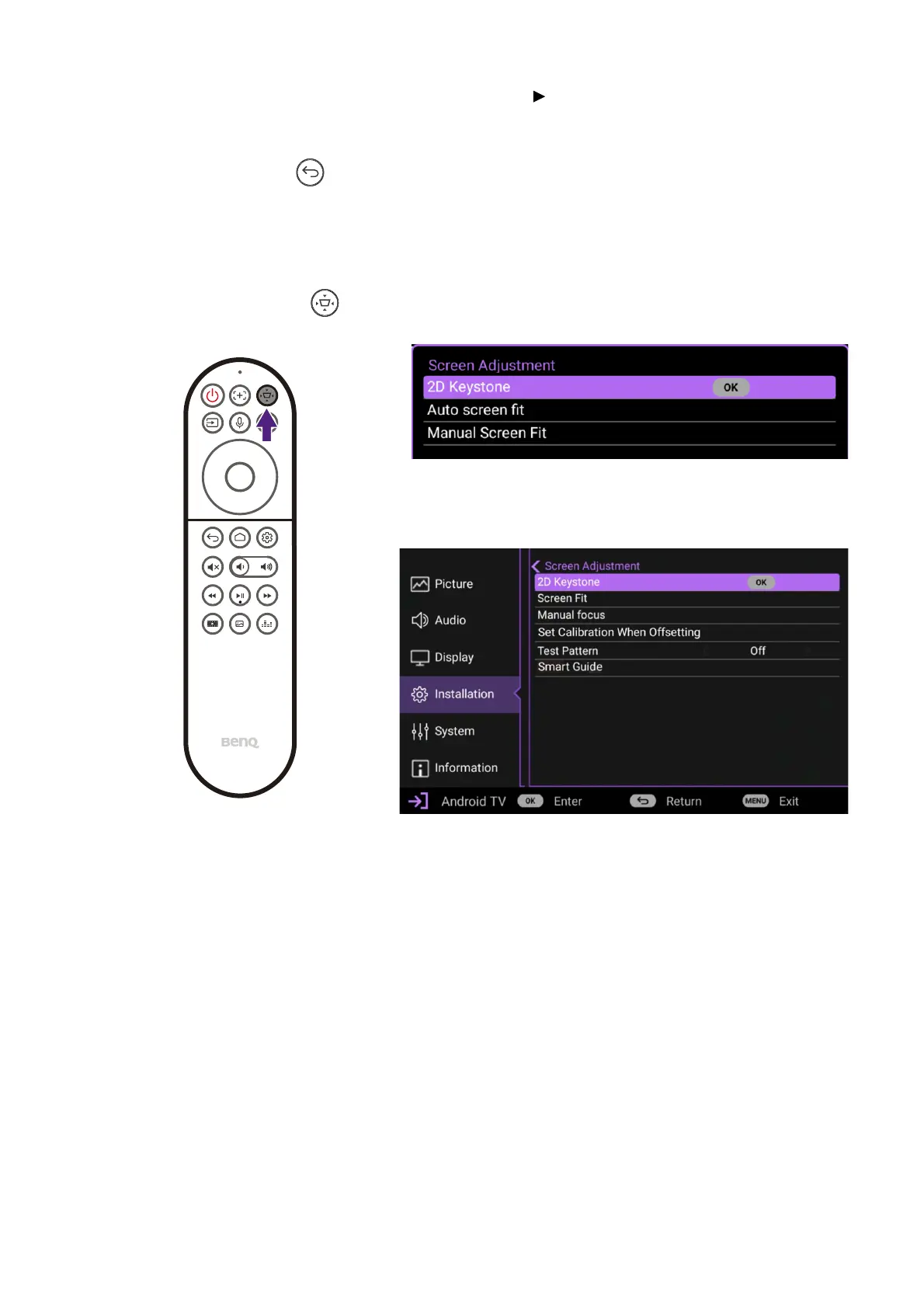
Screen Adjustment
To make manual adjustments to the projected image and correct for any distortions or to
fine-tune the image, you can use the Screen Adjustment menu. To access the menu press
the Screen Adjustment button on the remote control.
The menu allows you to configure settings such as the screen fit, image focus, and
keystone among others. For detailed information on the various settings, see Installation
menu on page 40.
Basic OSD Menu
Advanced OSD Menu


 To Next Page