Connection 18
Connection
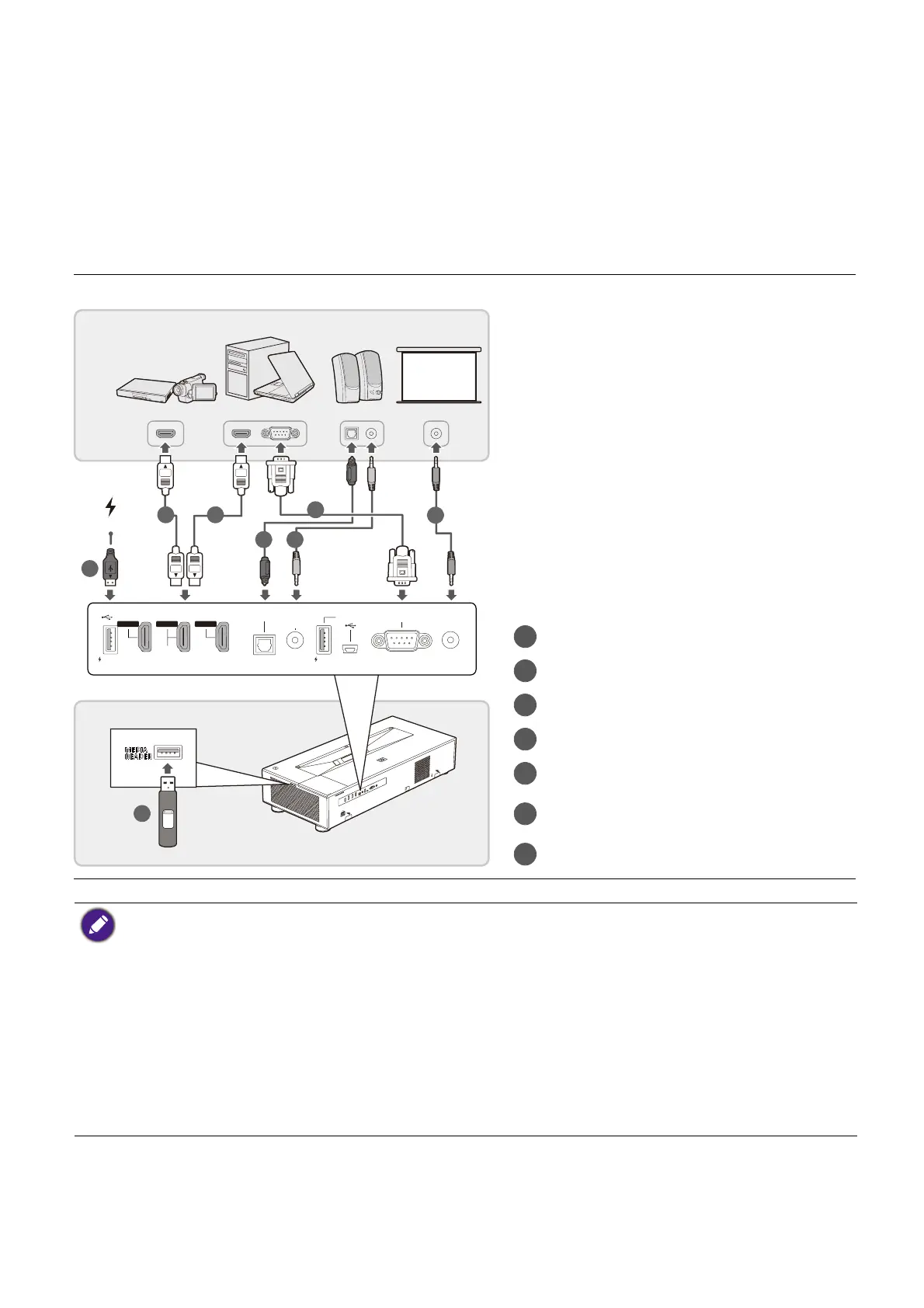
When connecting a signal source to the projector, be sure to:
1. Turn all equipment off before making any connections.
2. Use the correct signal cables for each source.
3. Ensure the cables are firmly inserted.
MEDIA
READER
12V
TRIGGER
RS-232
1.5A2.5A
HDMI 1
H
P
HDMI 2
P
HDMI 3
P
AUDIO
OUT
SPDIF
SERVICE
AUDIO
RETURN+
2.5A
HDMI cable
SPDIF audio cable
RS232 cable
3.5" audio cable
3.5" cable for trigger signal
USB cable (for 2.5A power output
only)
USB flash drive
1 1
42
3
5
7
6
A/V device
Speakers
Notebook or
desktop computer
Projection
Screen
• In the connections above, some cables may not be included with the projector (see Shipping contents
on page 8). They are commercially available from electronics stores.
• The connection illustrations are for reference only. The rear connecting jacks available on the projector
vary with each projector model.
• Many notebooks do not turn on their external video ports when connected to a projector. Usually a key
combo like FN + function key, or Windows + F9 with a monitor symbol turns the external display on/off.
Press FN and the labeled function key simultaneously. Refer to your notebook's documentation to find
your notebook's key combination.
• If the selected video image is not displayed after the projector is turned on and the correct video source
has been selected, check that the video source device is turned on and operating correctly. Also check
that the signal cables have been connected correctly.


 To Next Page