Introduction 12
Controls and functions
Remote control
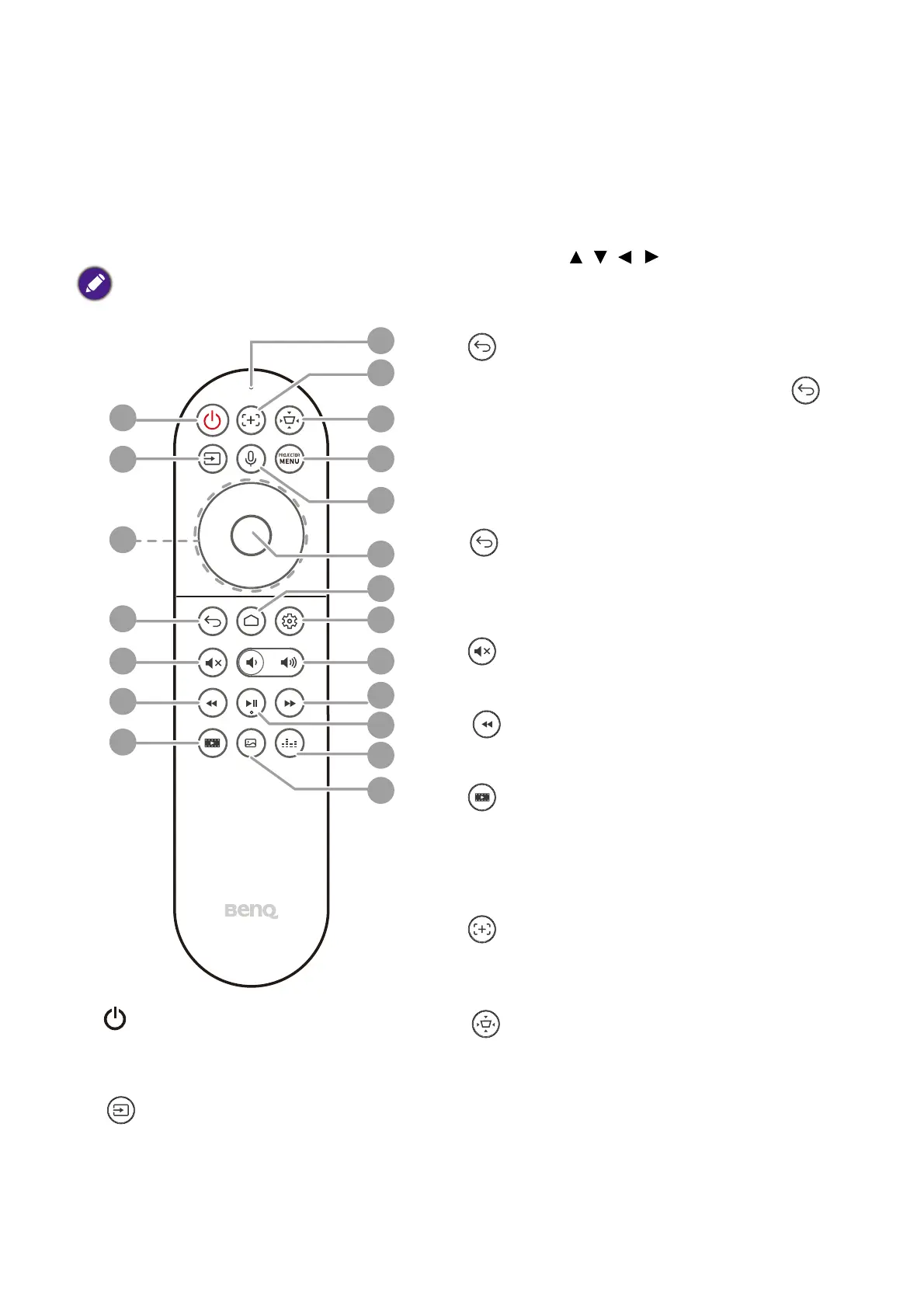
Only use the remote control provided with the projector. Do not use the remote control
included in the QS02 Android TV dongle packaging (availability of the QS02 remote
control may vary by country/region).
1. Power
Toggles the projector between
standby mode and on.
2. Source
Displays the source selection bar.
3. Arrow keys ( , , , )
Navigates up/down/left/right to select a
desired ATV or projector OSD menu item.
4. Back
When the input source is in ATV, press
to go back to the previous ATV option, close
an ATV warning or reminder pop-up menu,
or exit the current Android application under
the ATV source.
When the projector OSD menu is on, press
to go back to the previous projector
OSD menu, close a projector warning or
reminder pop-up menu, or exit and save
projector menu settings.
5. Mute
Toggles projector audio between on and off.
6. Rewind
Rewinds video or audio playback.
7. Filmmaker
Switches Picture Mode to Filmmaker mode.
8. Microphone
Receives voice commands.
9. Focus
Press to open the focus page. Available on
compatible projectors only.
10. Screen adjustment
Displays the Screen Adjustment menu.
8
9
10
1
2
3
4
5
6
7
11
12
13
14
15
16
17
18
19
20
All the key presses described in this
document are available on the remote
control.


 To Next Page