23 Operation
Playing media files on a USB flash drive (Media
Reader)
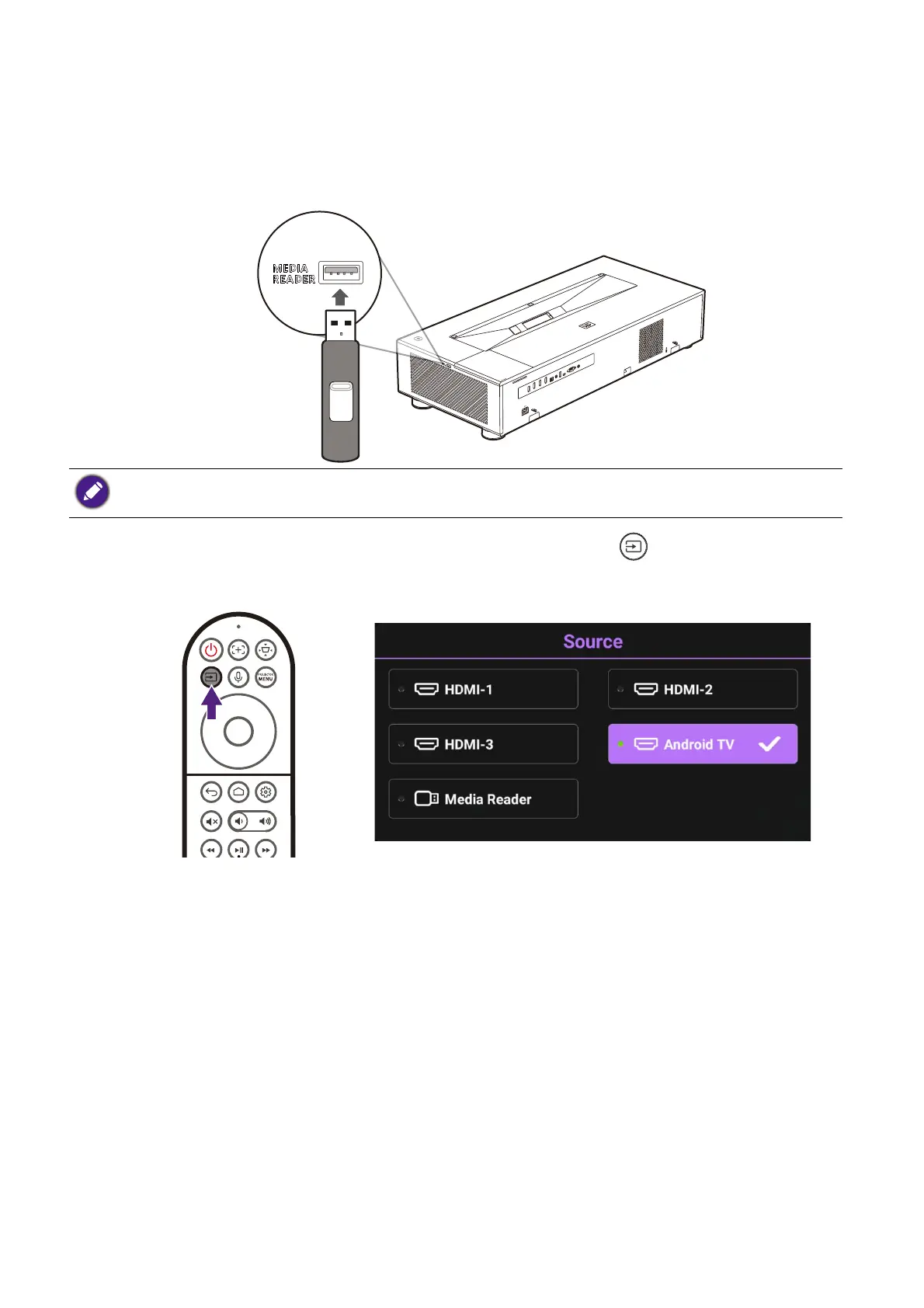
To play media files stored on a USB flash drive you must use the Media Reader USB
Type-A port on the right side of the projector.
Once you insert the flash drive into the port press the source button on the remote
control and select Media Reader in the Source menu. The projector will switch to the
Android TV interface.
From the Android TV interface, open a media player or file manager app that supports the
format of your media file to begin playing the file.
Do not use the USB Type-A port at the rear of the projector to play media files, it does not support data
transfer and is only used to supply power.


 To Next Page