52
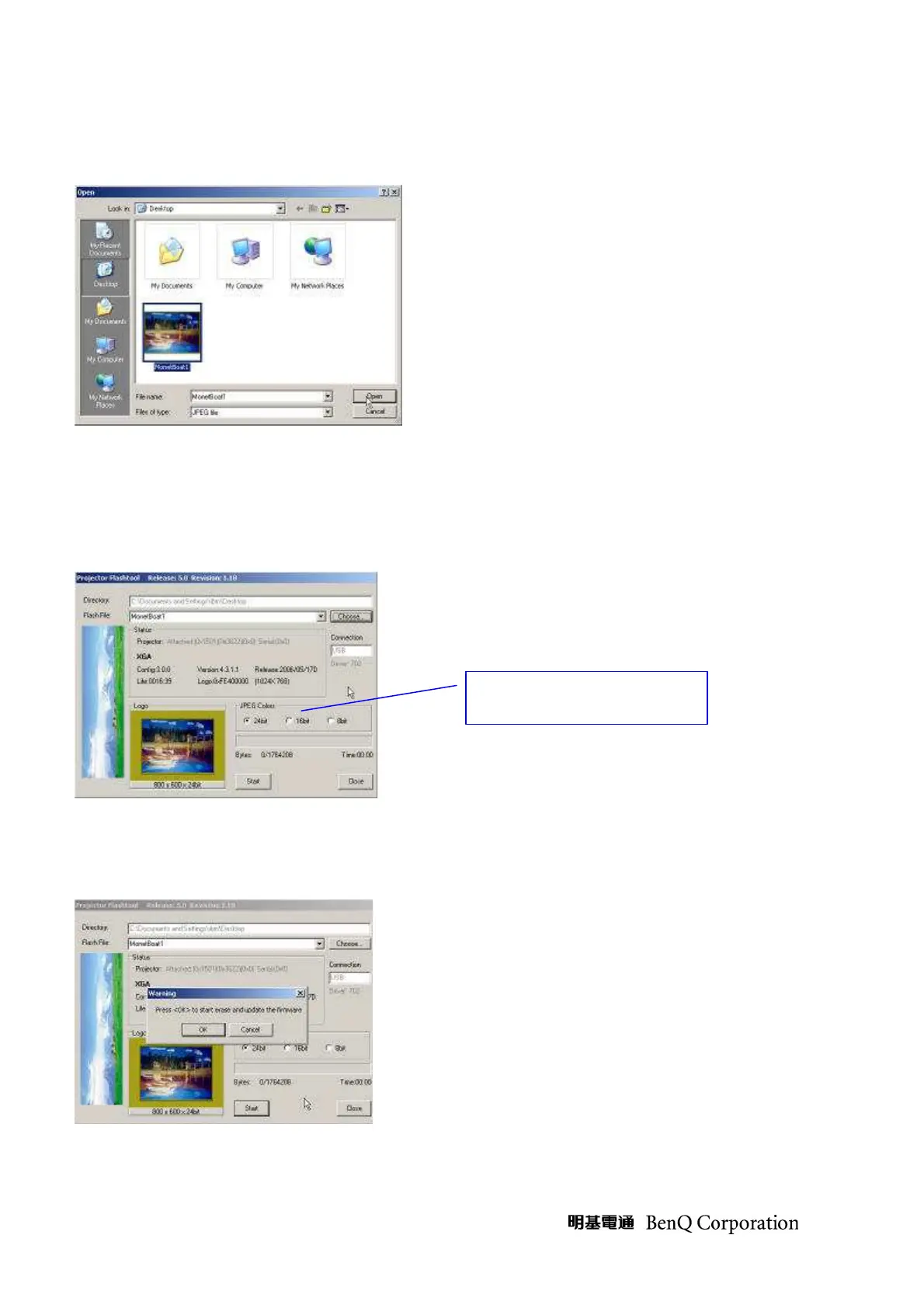
Step 5: Double click the desire logo file or press the “open” button to load the file.
Step 6: The Flash-Tool will validate the size of the logo file, which will be converted to RLE
format and stored to the projector’s flash memory.
The compressed RLE size cannot exceed the flash memory limitation; otherwise, try to
reduce the colors by selecting the JPEG colors option in the tool. (For JPEG files only)
Step 7: Press the “Start” button to update the flash with the chosen firmware.
A warning message box will appear for confirmation. Press <OK> to continue.
JPEG color selection for



 To Next Page