65
YUV Calibration Procedure
Equipment: DVD player and Disc must be taken S-video single from.
Step 1:
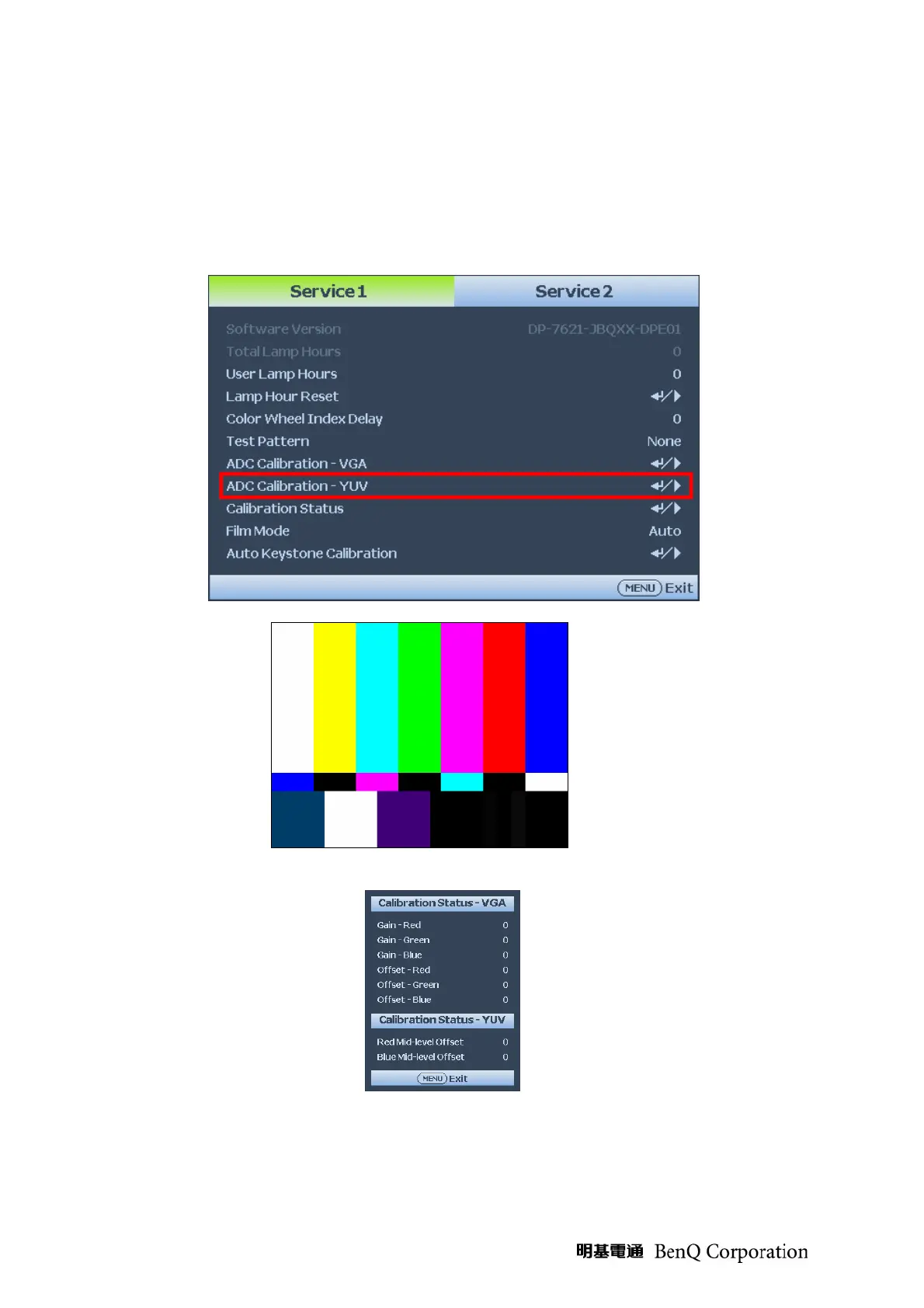
In Service Mode1 select ADC Calibration - YUV. In this menu input pattern with 75 SMPTE.
Pattern for calibrate YUV Source and notice that the input source must be 480i format.
After input ready press “Enter” key to proceed.
Input Pattern
Step 2: After complete the OSD will show the picture as follow, if not complete, just close the
OSD.
NOTE: You can select Calibration Status – VGA or Calibration Status – YUV item to watch
the calibrated value at any time



 To Next Page