66
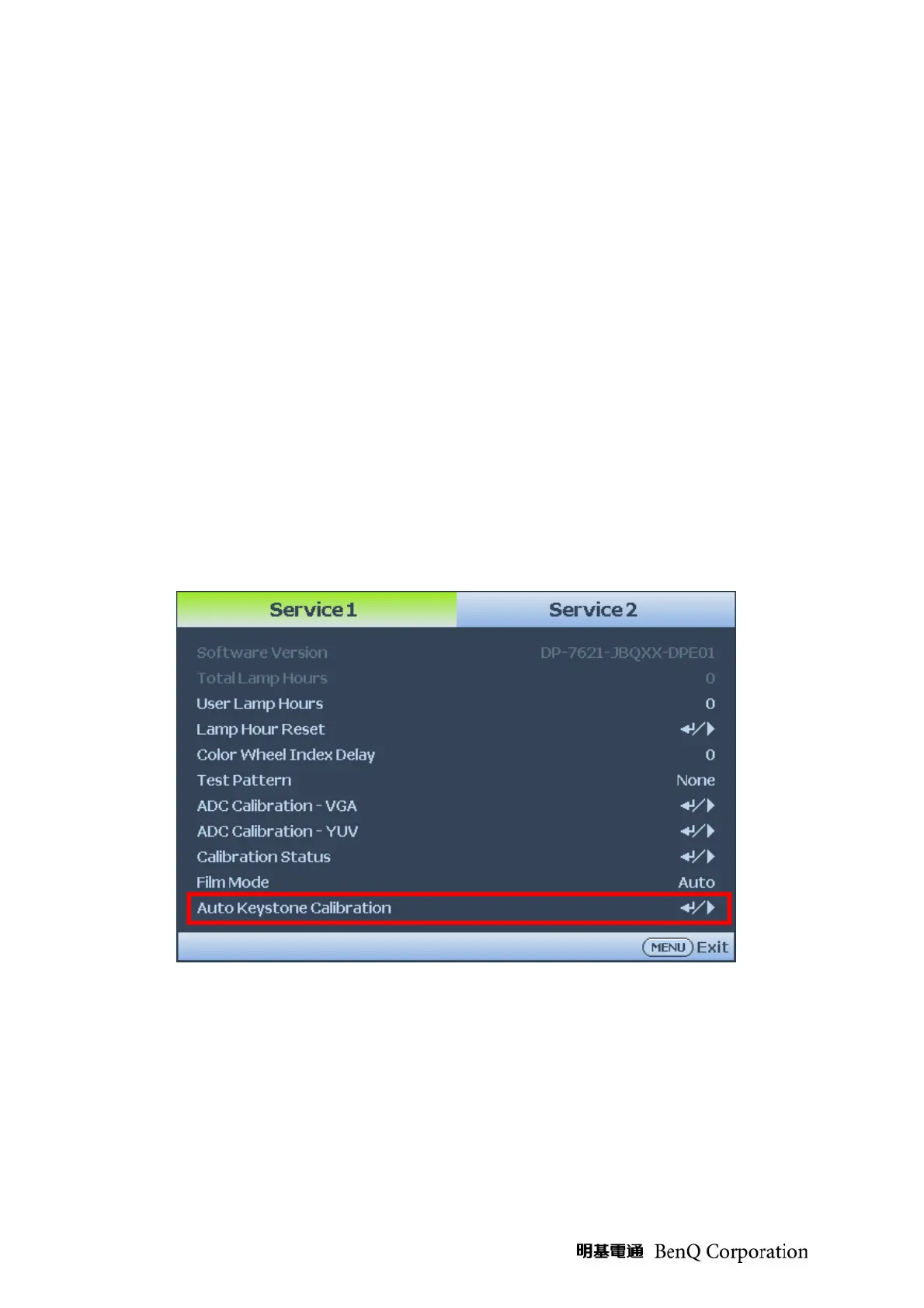
Auto Keystone Function
Auto Keystone Calibrate Adjust Procedure
Step 1 : Confirmed the full set is already.
Step 2 : Turn on the Projector.
Step 3 : From keypad, You can enter service mode by press the “MENU” key
firstly and press (Enter + Source) keys together at the same time.
Step 4: If password is correct then go into Service Mode.
Step 5 : Adjust the “adjustment foot” of the projector, confirm the “adjustment foot”
already adjusts to the bottom nearly. Make it to put the projector on a
stability Horizontal tabletop. (0°±1°).
Step 6 : Into runs the service mode, after ready press the “A/K Calibration” item to
act the Auto Keystone Calibrate
Note:
In order to shake to the projector while pressed according to the “Enter” key,
Please use the remote controller to operate while in the “Step 4”.



 To Next Page