25
Using the projector
Adjusting the projected image
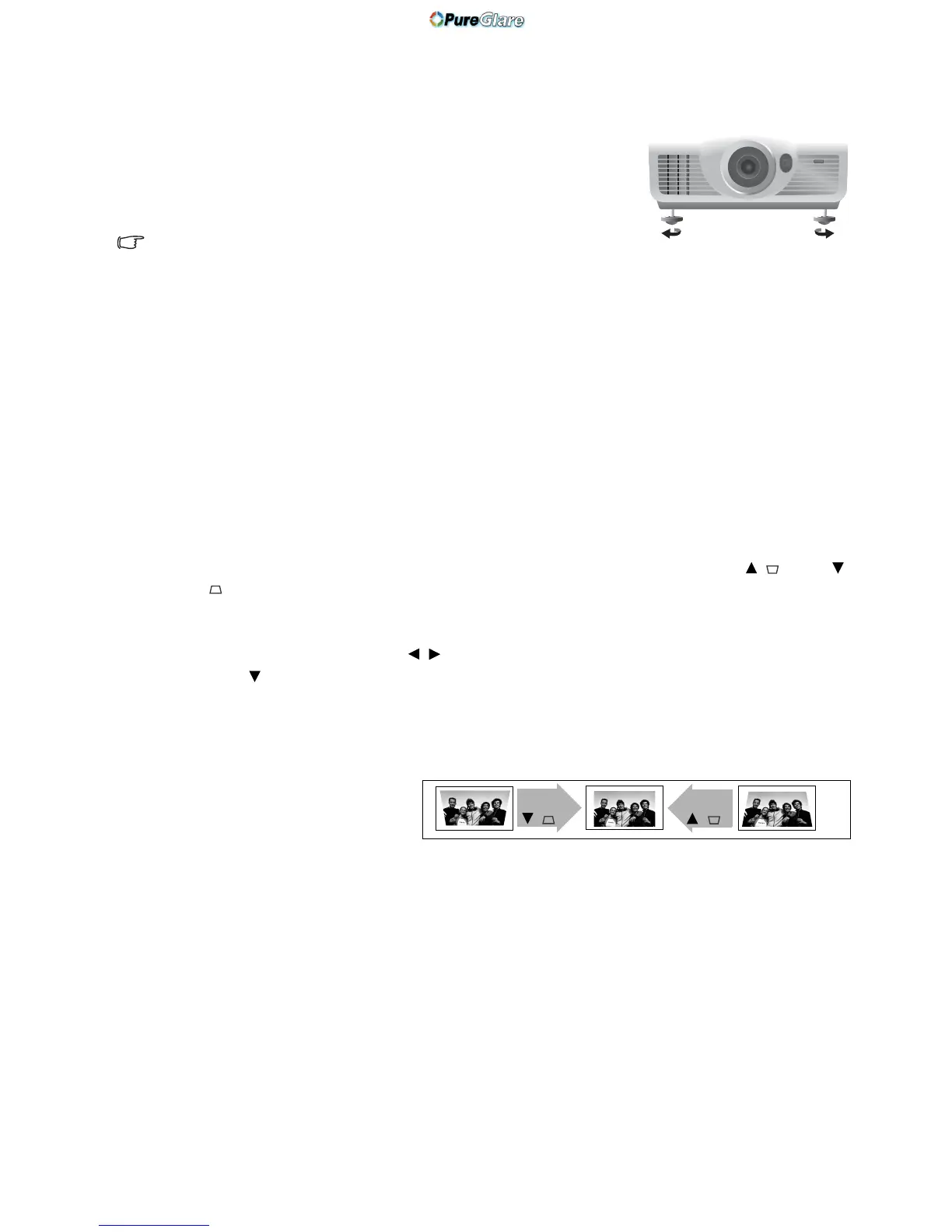
Adjusting the projection angle
There are four adjuster feet on the bottom of the projector. These can be
used if necessary to change the projection angle. Screw the feet in or out
as appropriate to aim and level the projection angle.
If the screen and the projector are not perpendicular to each other, the
projected image becomes vertical trapezoidal. To correct this problem, see "Correcting picture distortion"
on page 25 for details.
Correcting picture distortion
Keystoning occurs when the projector is not perpendicular to the screen and is where the projected
picture displays visible as a trapezoid shape like either of the following:
• Two parallel sides (left and right, or top and bottom) but is noticeably wider on either side.
• No parallel sides.
To correct the picture’s shape, you can perform the following steps.
1. Adjust the projection angle. Move the projector to be in front of the center of the screen with the
center of the lens level with the screen.
2. If the picture is stilled distorted, or the projector is unable to be positioned as described above, you
will need to manually correct the picture.
• Using the remote control or projector
i. Press one of the Arrow/Keystone keys on the remote control or projector (Up / , Down /
) to display the Keystone page.
ii. See step iii below for further operation.
• Using the OSD menu
i. Press MENU and then press / until the Display menu is highlighted.
ii. Press to highlight Keystone and press ENTER. The keystone correction page displays.
iii. Press the key whose keystone icon is opposite to the shape of the projected picture. Continue
pressing the same key or press the other keys until you are satisfied with the shape.
The values on the lower portion of the page change while pressing. When the values reach their
maximum or minimum with repeated key presses, the picture’s shape will stop changing. You will
not be able to change the picture further in that direction.



 To Next Page