9
Overview
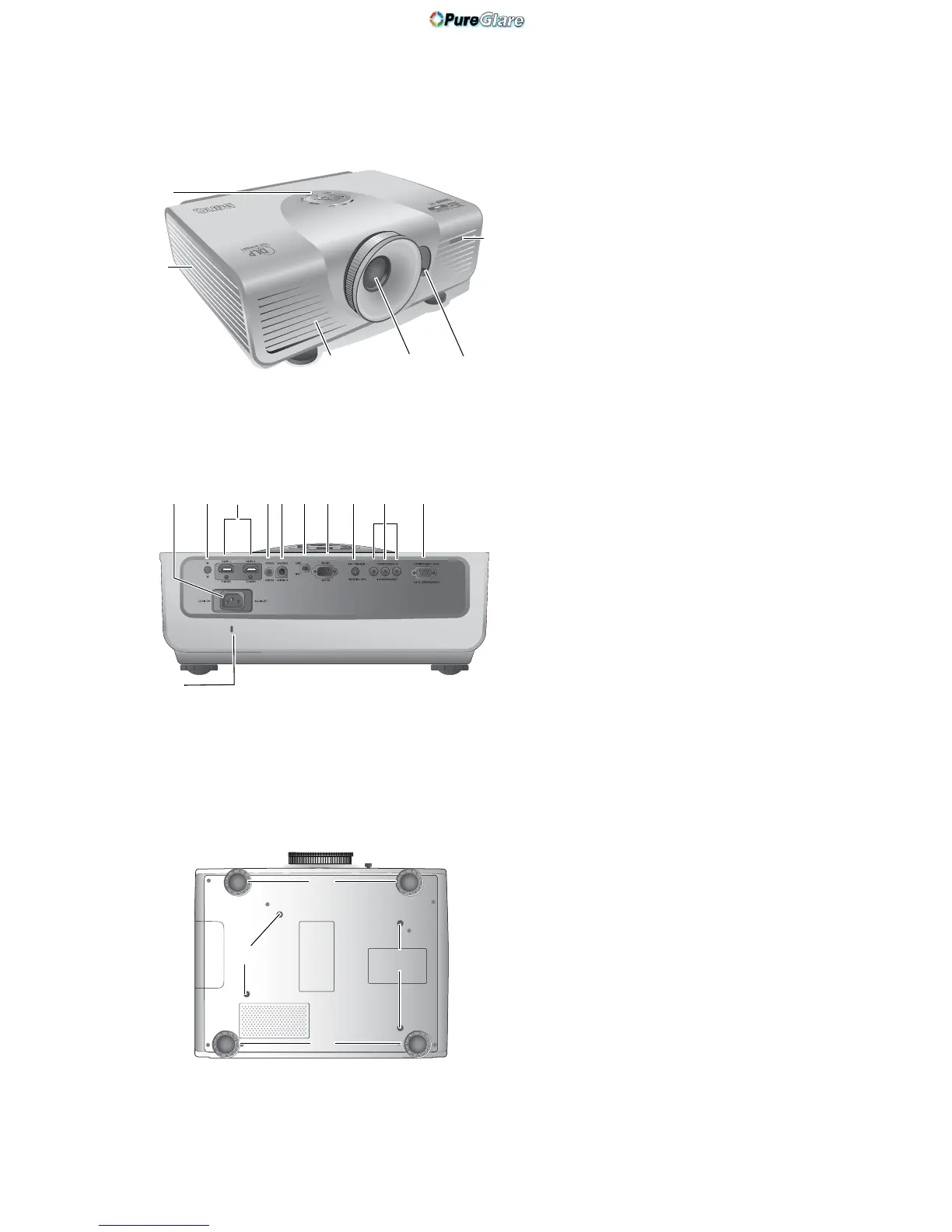
Projector exterior view
Front and upper side view
Rear view
Under view
1. Control panel (See "Control panel" on
page 10 for details.)
2. Lamp cover
3. Front IR sensor
4. Vent (heated air exhaust)
5. Projection lens
6. Lens shift lever
7. AC Power cable inlet
8. Rear IR sensor
9. HDMI ports
10. Composite Video input (RCA)
11. S-Video input (mini 4-pin DIN)
12.USB port
13. RS-232 control port
Used to interface with a PC or home
theater control/automation system.
14. 12VDC output terminal
Used to trigger external devices such as
an electric screen or light control, etc.
Consult your dealer for how to connect
these devices.
15. Component Video inputs (RCA)
support Y/P
B/PR or Y/CB/CR video signal
16. RGB (PC)/Component video (YPbPr/
YCbCr) signal input jack
17.Kensington lock slot
18.Adjustable feet
19.Ceiling mount holes



 To Next Page