220 Series 15
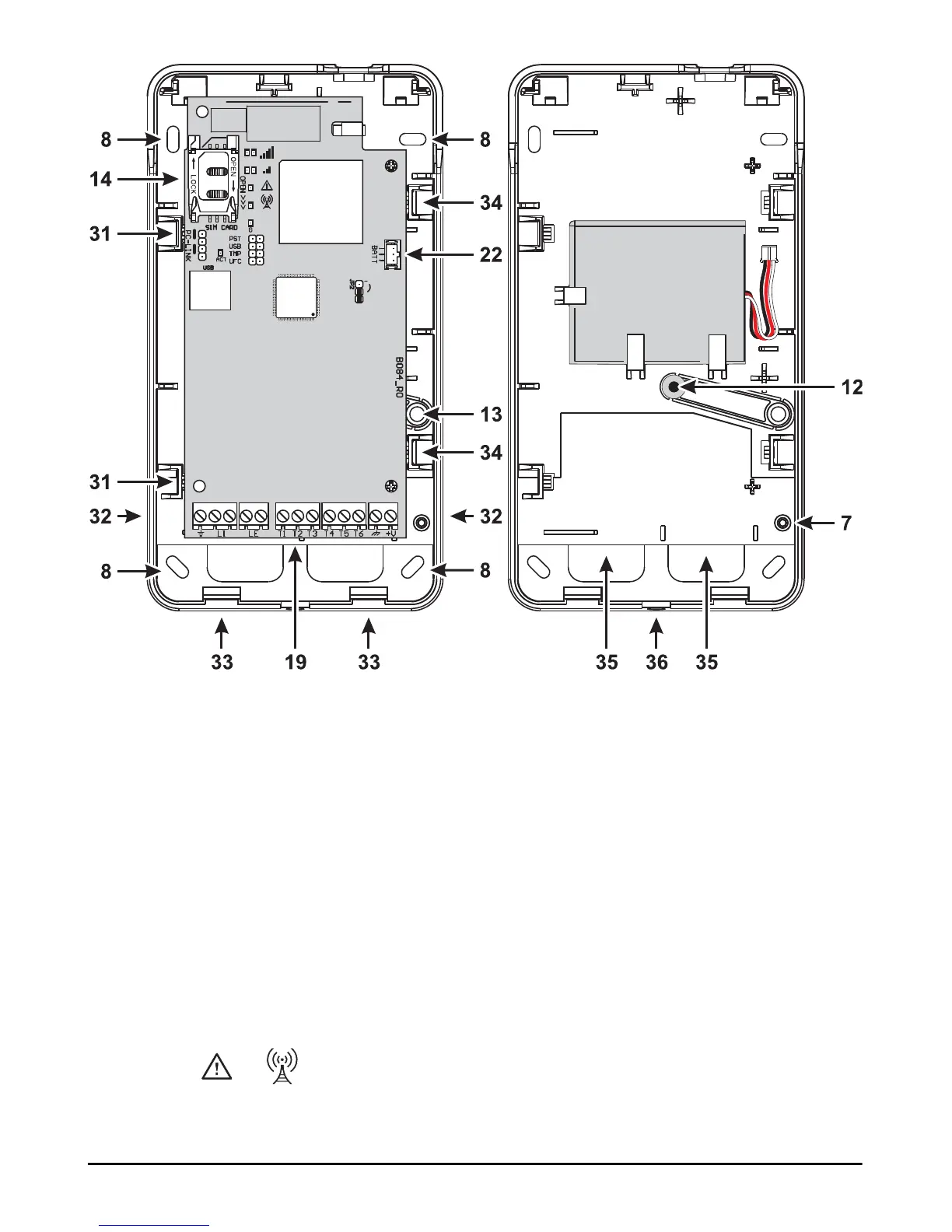
Figure 4 – Installing the communicator with housing.
The communicator complies with the EN 50136-2 standard and, for this reason, its access codes have to be set at the first
power up, by means of the Console, in this way the communicator functionality will be enabled.
If you do not need the compliance with the EN 50136-2 and like to start working without the Console, please proceed as
follows.
1. Make sure that the communicator settings are at default (read “Restore Factory Settings” on page 38 to restore the default
settings).
2. Insert the PST jumper.
3. Connect the communicator to the power.
4. Wait until the and LEDs switch off, then remove the PST jumper.



 To Next Page