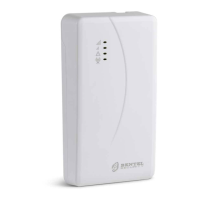
220 Series 55
APPENDIX
Conformity with EN 50136-2:2013
To be compliant with EN50136-2:2013, the communicator must be configured and connected to a burglary alarm panel in one of
the two following ways (A and B) only:
A) PSTN connection (the panel must monitor the receiver's response directly via PSTN)
PSTN: The communicator's LI terminals are connected to the panel's external phone line terminals.
Terminal T4, configured as the Tamper output, is connected to the panel input (models with plastic housing only).
Terminal T5, configured as the GSM Fault output, is connected to the panel input.
Terminal T3 configured as Interconnection Present, is connected to the panel signal, to report that the panel is present,
or phone line present signal.
Terminal T6, configured as IP Receiver Communications Failure, is connected to the panel's Jamming input.
In the communicator's programming page IP Receivers—specify an IP receiver.
B) no PSTN
Terminal T4, configured as the Tamper + Jamming output, is connected to the panel input (models with plastic housing only).
Terminal T5, configured as the GSM Fault output, is connected to the panel input.
Terminal T1, configured as the Alarm/Tamper input, is connected to the panel's intrusion alarm/tamper output.
Input 1 Event is used to send the intrusion alarm code.
Terminal T2, configured as an input, is connected to the panel's fault output.
Input 2 Event is used to send the fault code.
Terminal T6, configured as IP Receiver Communications Failure, is connected to the panel's input.
Terminal T3 configured as Interconnection Present, is connected to the panel signal, to report that the panel is present.
The communicator's earth terminal must be connected to a panel input, to detect the connection between the panel and the
communicator.
In the communicator page Central Station Calls, for the two events Input 1 Event and Input 2 Event, set a Customer
Code and set Channel Type to CID/SIA: over Data Network. In the IP Receivers page, specify an IP receiver.



 To Next Page