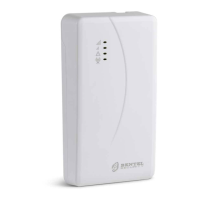
12 Universal Cellular Communicator
Installation
! Connect the power supply and telephone circuits after the communicator is mounted and connected to the building
ground circuit.
Before fitting or removing the SIM card, make sure the communicator is NOT powered up.
The communicator shall be installed only by a QUALIFIED TECHNICIAN, indoors, in a safe, dry position, away from RF
transmitting equipment.
Position the communicator for good GSM signal coverage.
DO NOT route any cable over the circuit board.
Do not use power cables which are more than 3 m long.
Installing the kit version
The kit version is composed of a board for mounting inside a burglar alarm panel, preferably in a metal enclosure, and an antenna
for connecting to the board with a coaxial cable.
In normal operation, the board, antenna and cable may generate electromagnetic fields and may disturb nearby electronic
equipment which is not immune to such fields.
We therefore recommend that the board be positioned as far away as possible from such equipment and the antenna be mounted
to the enclosure's outer surface or far away from it, using the appropriate bracket.
Route only a minimum amount of coaxial cable into the metal enclosure; gather any excess outside the enclosure.
To install the kit version, proceed as described below and in figure 3.
1. Open the panel.
2. Find a place inside the panel to mount the board, including its wiring.
3. Mount the 4 provided adhesive plastic mounts into holes 30 of the communicator, as shown in figure 3.
4. Secure the communicator inside the panel.
5. If the panel has a plastic housing, or if you want to place the antenna within 2 metres of the panel, for better GSM signal
strength, mount bracket 27 in the desired position, otherwise go to step 7.
6. Route the antenna cable through hole 26.
7. Position antenna 29 on the panel's metal housing or on bracket 27, so that the magnetic base adheres to the surface.
8. Route the antenna cable through an opening in the housing.
9. Connect the antenna cable to communicator connector 43.
10. Fit the TMP jumper to disable tamper detection.
11. Continue with the installation as described in paragraph “Power and testing” on page 14.
12. Close up the panel.



 To Next Page