220 Series 39
Phonebook
You can save up to 32 phone numbers in this page.
If the periodic pay as you go balance function has been programmed for the communicator's SIM card (see the Options page)
the answering SMS is sent to phone number #1.
Label: enter an alphanumeric string of at most 16 characters.
Phone Number: enter a phone number with the international dialing prefix in the format “+xxx” (e.g.: +39 for Italy). Up to
16 digits at most are allowed (the “+” counts as a character).
The numbers in the phonebook are used to activate outputs, for the SMS communicator, the voice communicator, the
IP receiver and for PTM (Panel Transmission Monitoring).
White List: enable or disable the White List option to enable the communicator to accept or refuse incoming calls.
The Communicator accepts incoming calls, forwarding them to the telephone devices connected to LI terminals (such as a
burglar alarm control panel); this is possible only if LI is active as a simulated line via GSM. The way the White List works
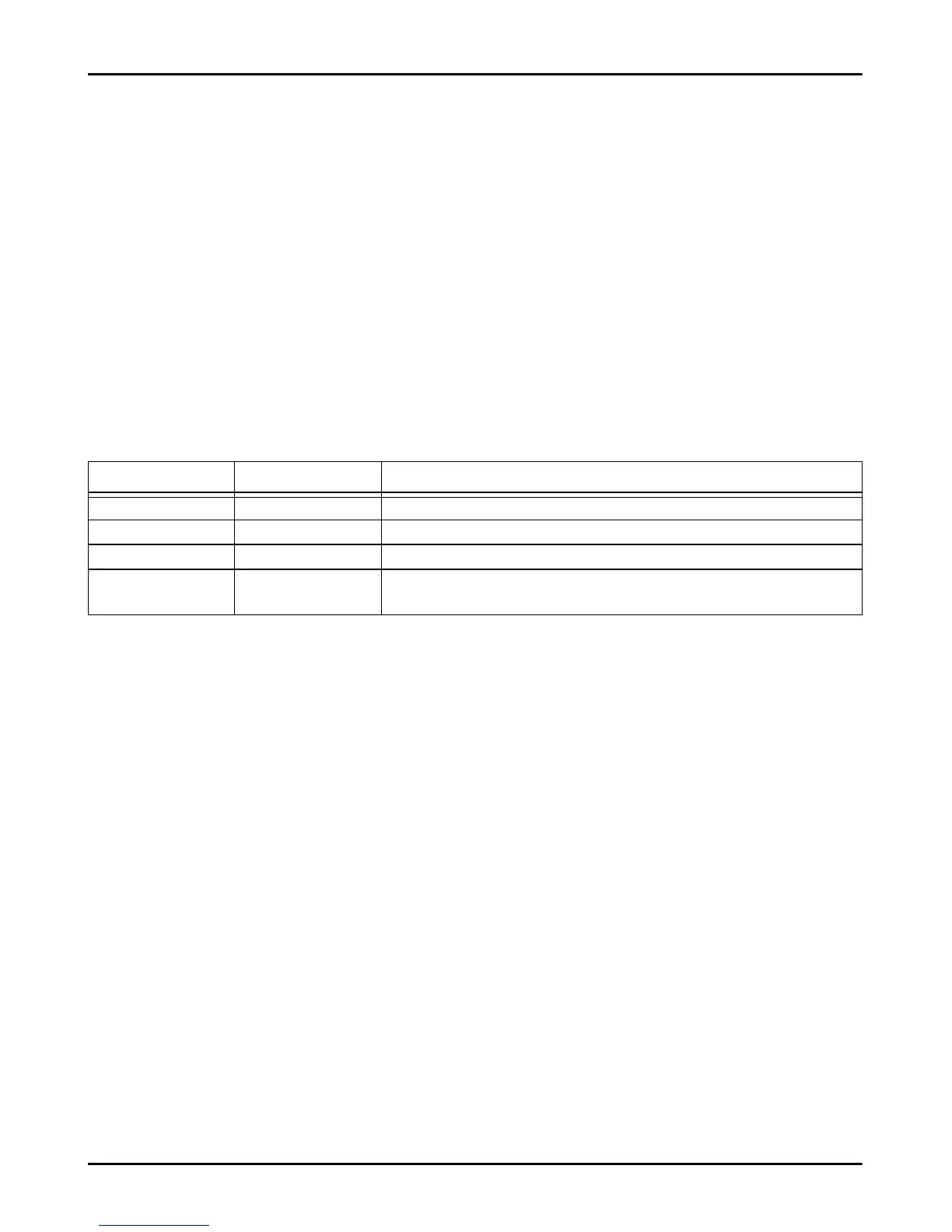
depends on whether the Black List Enabled option is enabled or not (see Options > Dialing Options); see the
following table.
Activate Output: click on [+] to select the outputs (1 = T1, 2 = T2, 3 = T3, 4 = T4, 5 = T5 and 6 = T6) to activate when the
communicator receives a call from the number in question. This function is independent of the White List and Black List
Enabled settings in Options > Dialing Options. To activate the output, Caller ID must be enabled, for the number in
question.
To activate the output, set terminal T1, T2, T3, T4, T5 or T6 as Output and enable Reserved Output option (see Inputs/
Outputs page).
Output Activation Confirmation: check this box to receive a ring tone to confirm activation of the output.
The ringtone will sound 1 minute after the output has been activated.
If the communicator is busy with another operation (for example, the GSM channel is busy with voice communications),
the ringtone will not be sent.
PTM: enable this options to activate the “PTM” function for the number in question. Use this option to monitor the panel's
calls to a PSTN receiver's number (central station). Factory setting: disabled.
CID/SIA Event Conversion: enables sending of messages by voice or SMS, by decoding the panel's CID/SIA packets
(see table 12 on page 40).
Virtual Receiver on GSM Path: if CID/SIA Event Conversion is enabled and the option IP Receiver on GSM
Path is disabled, this function forces the communicator to simulate a receiver (the communicator sends a handshake and
kissoff to the panel).
IP Receiver on GSM Path: enables decoding of events transmitted by the panel to the phone number and the
transmission of events on the cellular network to IP receivers (central station).
White List Black List Enabled Mode
Disabled Disabled Accepts incoming calls from any number.
Enabled Disabled Accepts incoming calls from any number.
Disabled Enabled Refuses any incoming calls.
Enabled Enabled Accept incoming calls only from numbers having an enabled White List
option, refuse call coming from all other numbers



 To Next Page