220 Series 57
Operations with the USB key
The USB can ONLY be used if the communicator is in USB Host mode (see “Description of jumpers” on page 8) and the
EN50136 option is disabled (see “Options” on page 41).
The USB key allows you to:
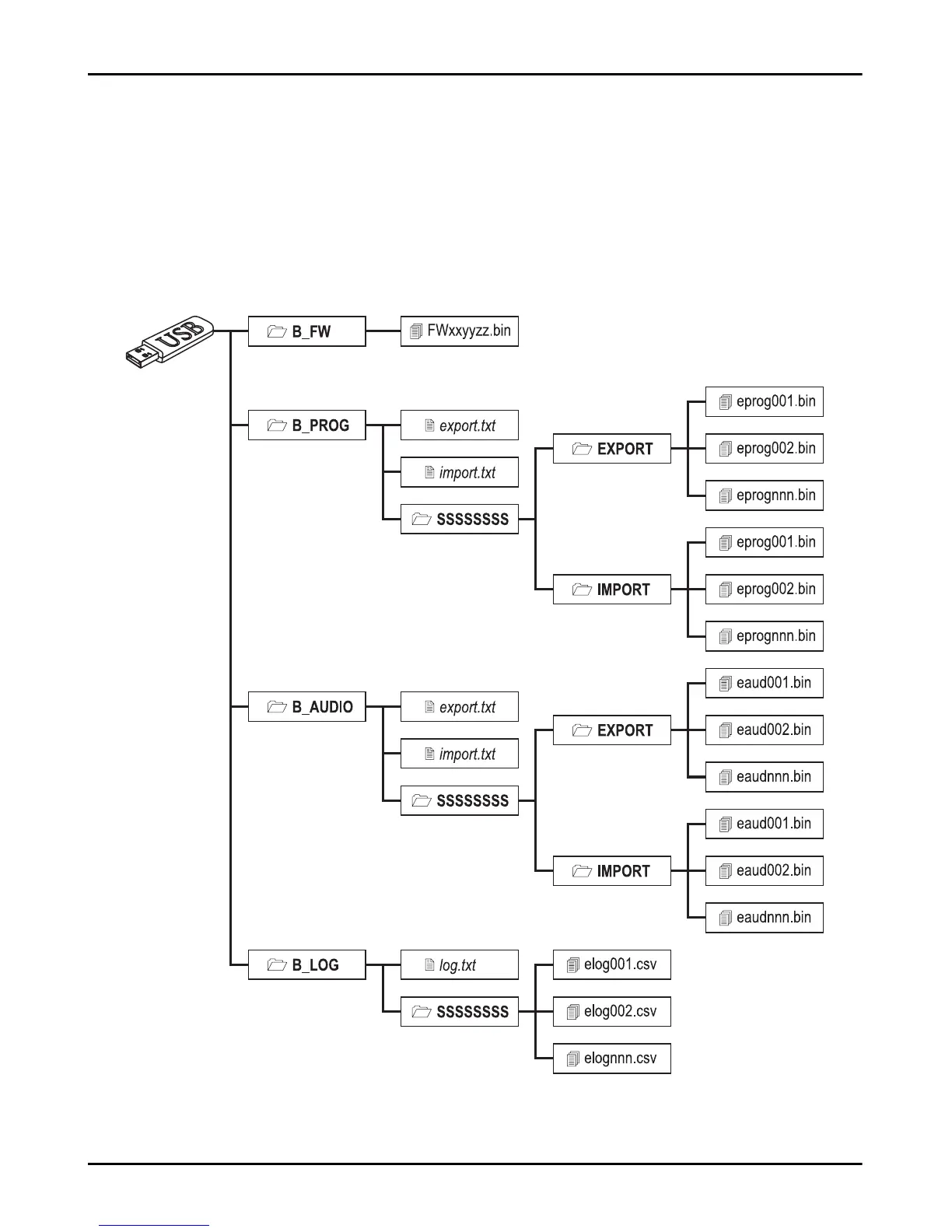
update the communicator's firmware;
export/import the communicator's settings;
export/import the communicator's voice messages;
export the communicator's event buffer.
When a USB key is inserted into the communicator's USB port, the following folders are created (marked with the symbol ).
Figure 8 – File structure of a USB key used with the communicator.



 To Next Page