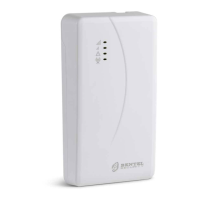
36 Universal Cellular Communicator
Description of the menus
File menu
New Account: Creates a new account and assigns the factory settings to all parameters.
Account Group Maintenance: groups several accounts into a group.
Recent Files: selects an existing account.
Exit: Exits the program. You will be prompted to save any changes made to the current installation.
View menu
Start Page: equivalent to clicking on the Start Page tab.
Toolbar: opens the Account Group Maintenance field.
Operators Online: list of connected users.
Open Accounts: list of saved accounts.
Communication Jobs: lists the communication sessions; you can also click on .
Recent Activity: list of recent activity.
Tools menu
Language Manager: modifies, imports/exports, creates new languages.
Bentel Operating Security Software 4.0 operator Maintenance: in this window, the administrator can modify his
password and set the password for a user (with possible functional restrictions—Edit Operator Roles) for the Console.
Modem Manager Configuration: sets the type of connection: PCLINK or COM port.
Edit Current Operator: see previous page for changing the Console language.
Backup/Restore Database: sets the database management options.
Recycle Bin: select the account and delete it.
Window menu
Close All Tabs: closes all open account tabs.
Start Page: equivalent to clicking on the Start Page tab.
Help menu
About BOSS: displays the Console version.
End User License Agreement: displays the text of the license agreement.
Updates: Check For Updates
—Show Installed Updates—Manually Install Update.
Send Feedback: send a comment to the manufacturer
Description of icons
Global Upload: displays the communicator's settings on the PC.
Global Download: once a new account has been programmed (or an existing account has been modified), sends the new
settings to the communicator.
Save: if you change the settings for the existing account, click on Save to save the new configuration.
Connect Only.
Communicate Tags.
Upload Event Log.
Clear all tags.
Disconnect When Complete.
Programming/Audio Import/Export.
Select User: displays only information relating to the Normal User, Installer or Level4 Installer.
Option Name Search: enter the name of the option to the left of the icon.



 To Next Page