26 27
MAINTENANCEMAINTENANCE
CLEANING AND LUBRICATING
To keep the machine running smoothly, keep it
clean and lubricated at all times.
FIRST DISCONNECT MACHINE FROM POWER
SUPPLY BY REMOVING PLUG FROM SOCKET-
OUTLET.
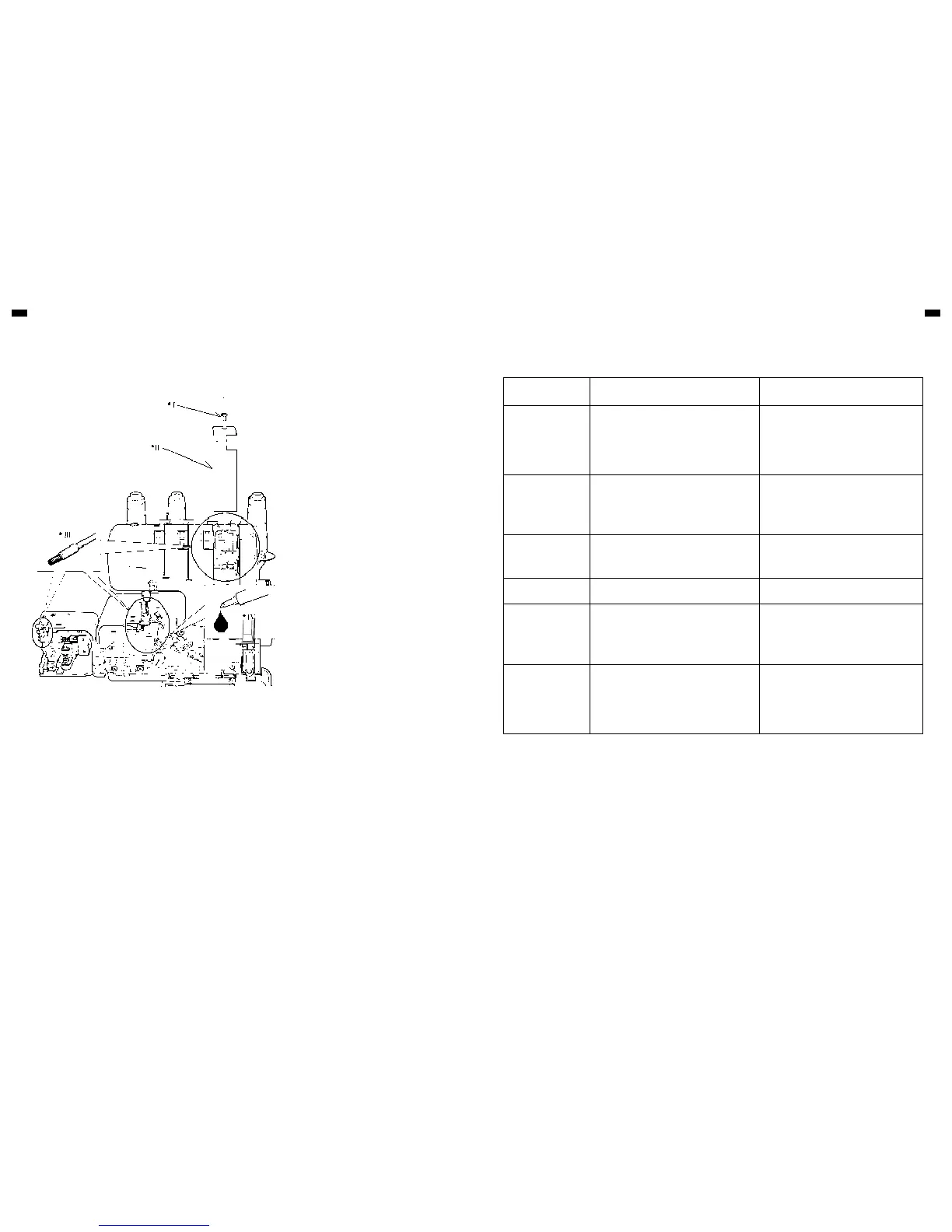
1. Open the front cover and working table. Using
the brush provided, remove dust and lint that
have accumulated.
2. Apply a few drops of oil to the points indicated
by arrows.
ALWAYS USE A GOOD QUALITY Overlock
machine OIL.
3. Remove front cover with screw driver and
remove dust and lint of inside with the brush.
PROBLEM PROBABLE CAUSE CORRECTION
Irregular Stitches
Incorrect Thread Tension(s).
Incorrect size Needle.
Improper Threading.
Pulling Fabric.
Loose Presser Foot.
Reset Thread Tension(s).
Choose correct size Needle for Thread and
Fabric.
Re-thread Machine.
Do not pull Fabric; guide it gently.
Reset Presser Foot.
Breaking Needle
Pulling fabric.
Incorrect size Needle.
Incorrect setting of Needle.
Loose Presser Foot.
Do not pull Fabric; guide it gently.
Choose correct size Needle for Thread and
Fabric.
Reset Needle.
Reset Presser Foot.
Puckering
Incorrect Thread Tension(s).
Bent or blunt Needle.
Differential feed is set incorrectly.
Reset Thread Tension(s).
Insert new Needle.
Set it at less than 1.
Wavering Differential feed is set incorrectly. Set it at 1 or at more than 1. for knitted fabrics.
Skipping Stitches
Incorrect size Needle.
Improper Threading.
Bent or blunt Needle.
Incorrect setting of Needle.
Re-thread Machine.
Choose correct size Needle for Thread and
Fabric.
Insert new Needle.
Reset Needle.
Breaking Threads
Improper Threading.
Bent needle.
Thread Tension(s) too tight.
Incorrect setting of Needle.
Thread Spool tangled.
Thread Guide Pole not extended.
Re-thread Machine.
Insert new Needle.
Reset Thread Tension(s).
Reset Needle.
Reset Spool properly.
Fully extend Guide Pole.
TROUBLESHOOTING GUIDE
Illustration
I. Screw
II. Front cover
III. Brushing
IV. Oil


 To Next Page