Setting up the sewing computer 12
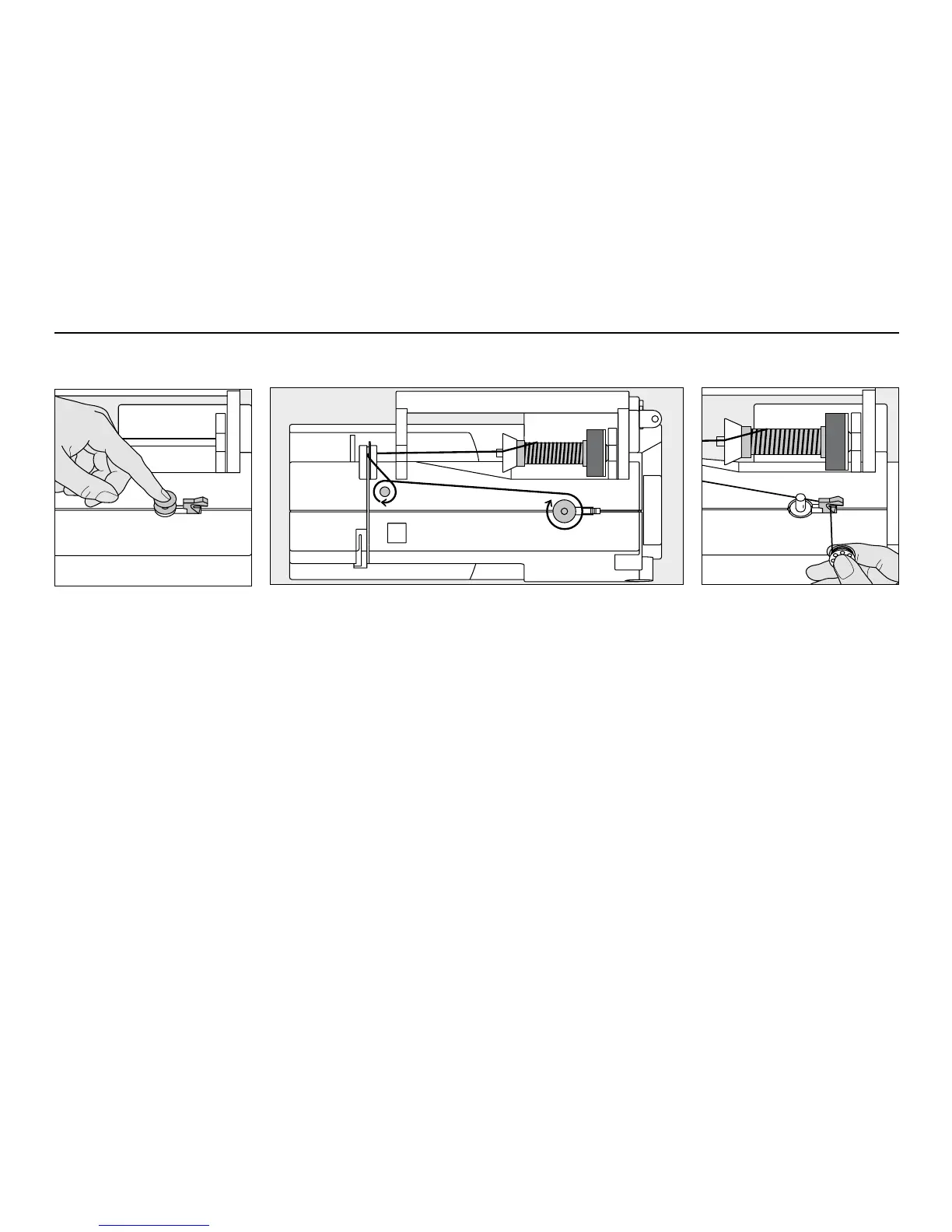
Winding the bobbin
•
turn power switch on
•
place empty bobbin on
spindle
•
following the direction of the arrow take thread through the rear
guide and round the pre-tension stud
•
wind the thread two to three times around the empty bobbin
and cut off any excess thread on the thread cutter
•
press the engaging lever against the bobbin
•
press the foot control
•
the motor will stop automatically when the bobbin is full
•
remove the bobbin
Thread cutter
•
cut the thread on the thread
cutter
Winding the bobbin
Note:
When winding the bobbin
on the vertical spool holder
(p. 15), it may be necessary to
adjust the speed.



 To Next Page