33 Maintenance
Cleaning the LCD display and the sewing
computer
•
wipe with a damp cloth
Cleaning
If the sewing computer is stored in a cold room, it should be
brought to a warm room about one hour before use.
Clean the sewing computer after every use
•
turn power switch to «0» (off) and pull out
plug from electric outlet
•
remove presser foot and needle
•
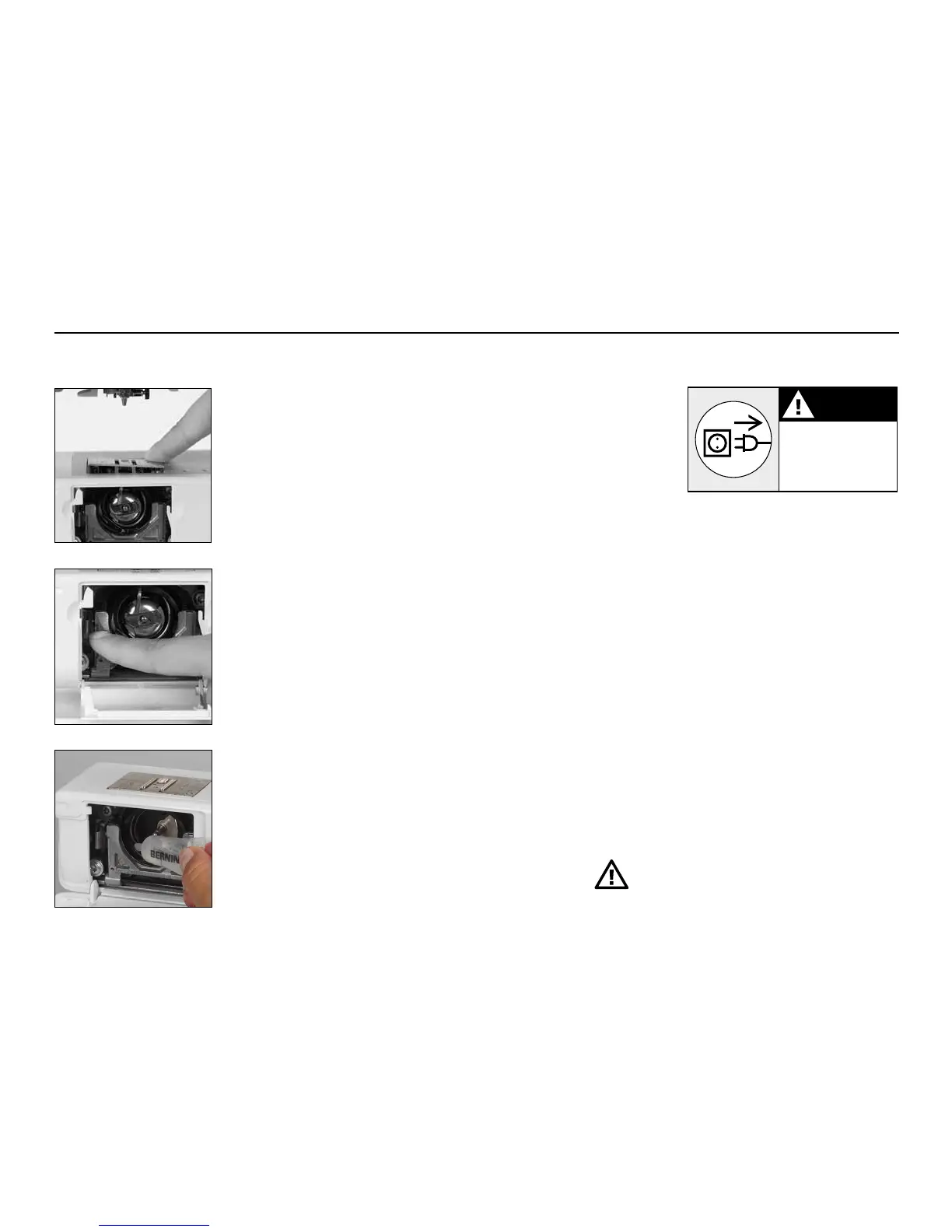
open the free-arm cover
•
press the stitch plate down at the back right
corner, lift and remove
•
clean the area with the lint brush
•
replace the stitch plate
Cleaning the hook
•
turn power switch to «0» (off) and pull out
plug from electric outlet
•
remove the bobbin case
•
push the release lever to the left
•
push the locking lever to the left and fold
down the hook race cover
•
remove the hook
•
clean the hook race with a cloth or brush,
never use a sharp instrument
•
replace the hook, turning the handwheel if
necessary so that the hook driver is on the left
•
close the hook race cover and secure with the
locking lever, the locking pin must engage
•
check by turning the handwheel
•
insert the bobbin case
Important!
Never use alcohol, petrol, white spirit or any
type of solvent to clean the sewing computer!
Lubricating
•
squeeze 1–2 drops of oil into the hook race
•
run the machine for a short time without
thread to prevent oil soiling your work
Please refer to the safety instruction!
CAUTION
Disconnect plug
from the socket
before cleaning
and servicing



 To Next Page