19 Setting up the sewing computer
A
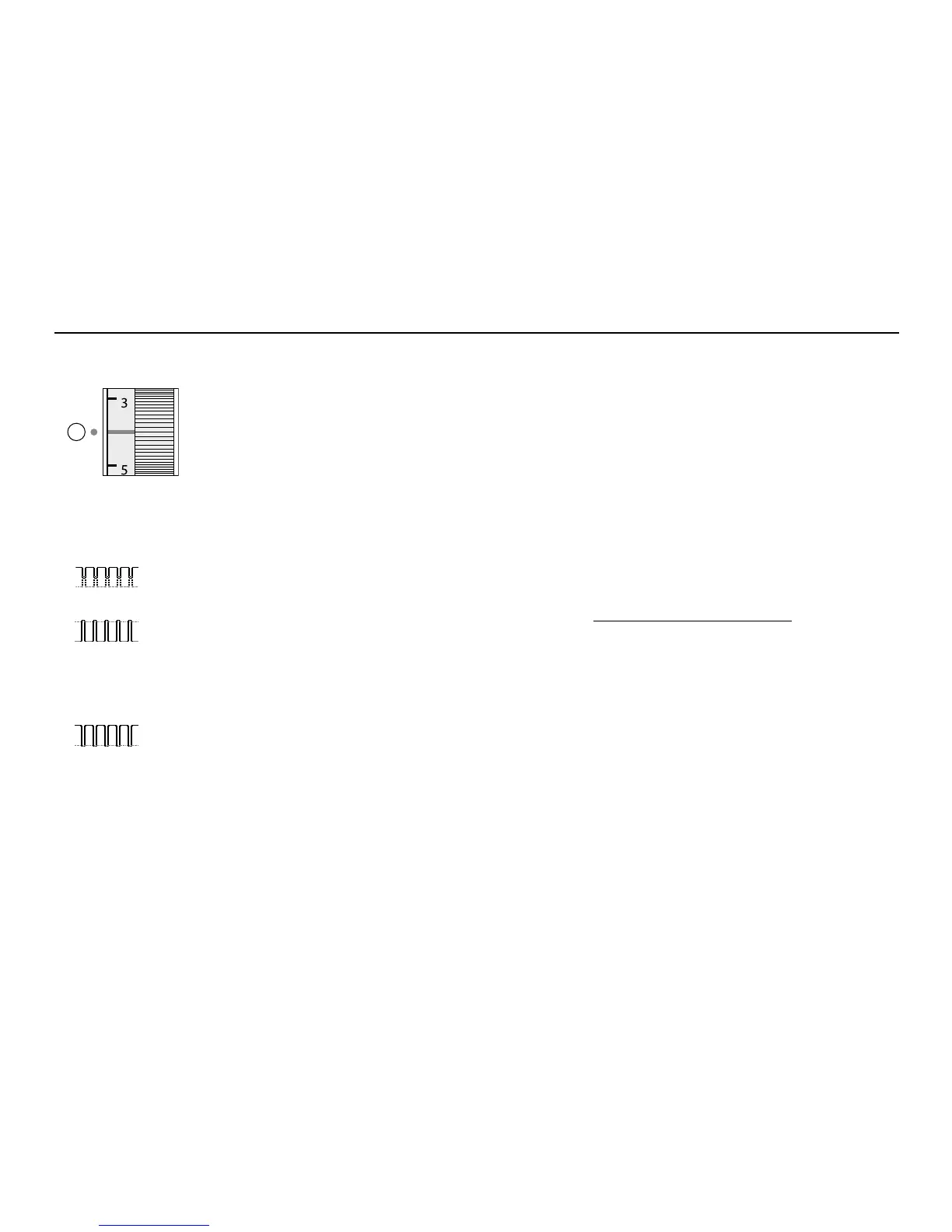
Thread tension
The basic setting
•
is indicated when the red line on the tension
adjustment wheel is in line with the marking A
•
the tension does not need adjusting for normal
sewing work
•
for special sewing work, the tension can be
adjusted to suit the fabric
Perfect stitch formation
•
the stitch formation is in the fabric
Upper thread tension too tight
•
the lower thread is pulled more to the right
side of the fabric
•
to reduce the upper thread tension turn tension
adjustment wheel to 3–1
Upper thread tension too loose
•
the upper thread is pulled more to the wrong
side of the fabric
•
to increase the upper thread tension turn
tension adjustment wheel to 5–10
The tension is factory set for the best results.
Metrosene 100/2 (Arova Mettler, Switzerland)
is used to set both the upper and lower thread
tension.
If other sewing or embroidery threads are used,
the tension may need adjusting to suit the fabric
and chosen stitch.
For example:
Tension
Metallic thread approx. 3
Monofilament approx. 2–4



 To Next Page