13 Setting up the sewing computer
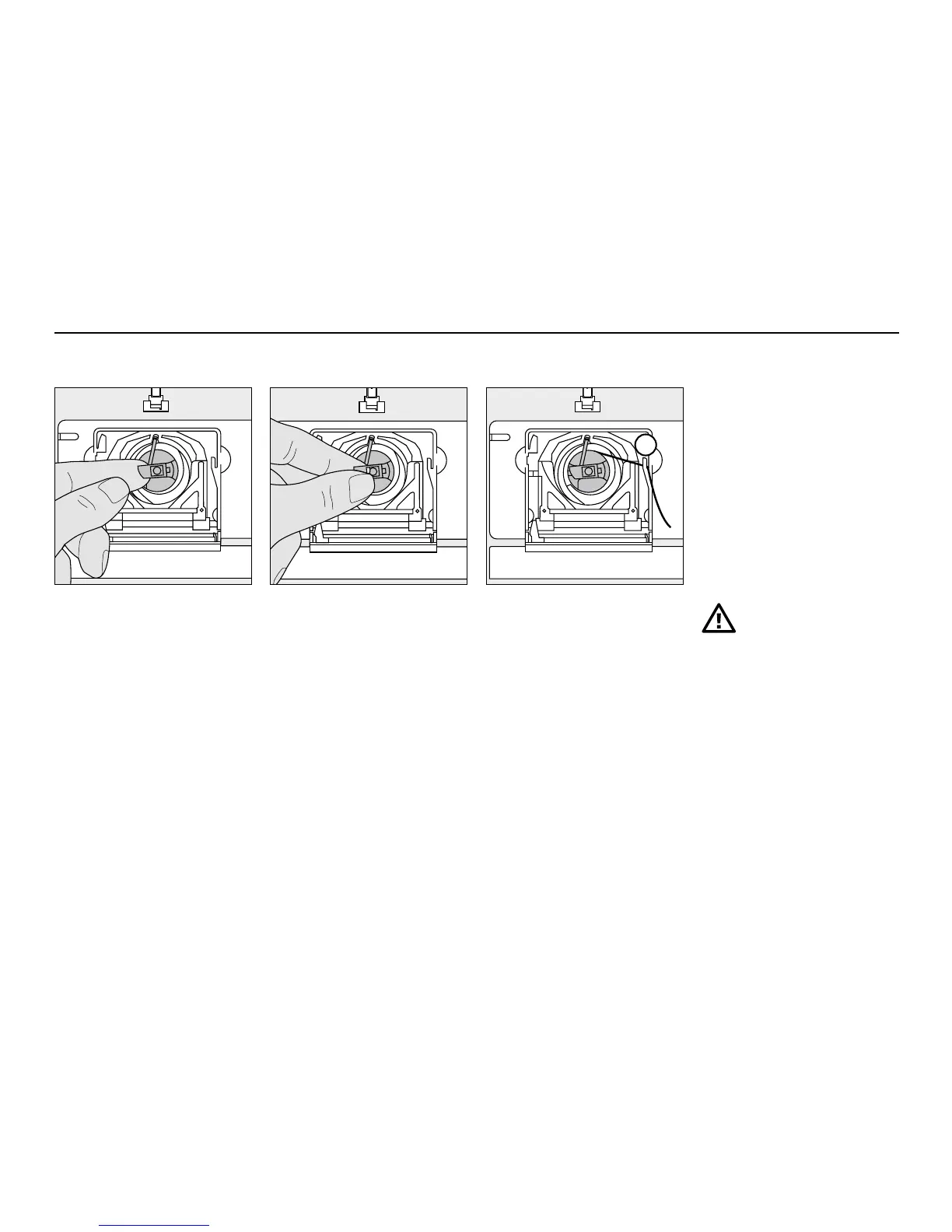
To remove the bobbin case
•
raise the needle
•
turn power switch to «0»
•
open the bobbin cover
•
grasp the latch of the bobbin
case
•
remove case
To insert the bobbin case
•
hold the bobbin case latch
•
the finger on the case should
point upwards
•
insert so that it clicks into
place
Bobbin thread cutter
•
insert the bobbin case
•
take the thread over cutter A
•
thread is cut
•
close the bobbin cover
Note:
The bobbin thread does not
have to be brought up as
the loose end is just the right
length to start sewing.
Please refer to the
safety instruction!
A
Bobbin case



 To Next Page