My BERNINA
17
BERNINA SEWING MACHINE WORKBOOK
PERMANENT REVERSE/BACKSTEPPING
NOTE:
• Backstepping is not an option for the B 435
• The B 480 and B 475 QE do not have Backstepping as an option
in the Information menu. However, the Quick Reverse can be
programmed in Setup as Backstepping; touch the Quick Reverse
icon to activate permanent reverse sewing (Backstepping).
• The Quick Reverse button on the machine can be programmed
in the setup menu to operate as Quick Reverse or Backstepping.
Firm woven fabric, 4” x 6”*
Lightweight tear-away stabilizer 4” x 6”*
80/12 Universal
Polyester or cotton embroidery thread
Default
Reverse Pattern Foot #1/1C/1D
or Clear Foot #34/34C/34D
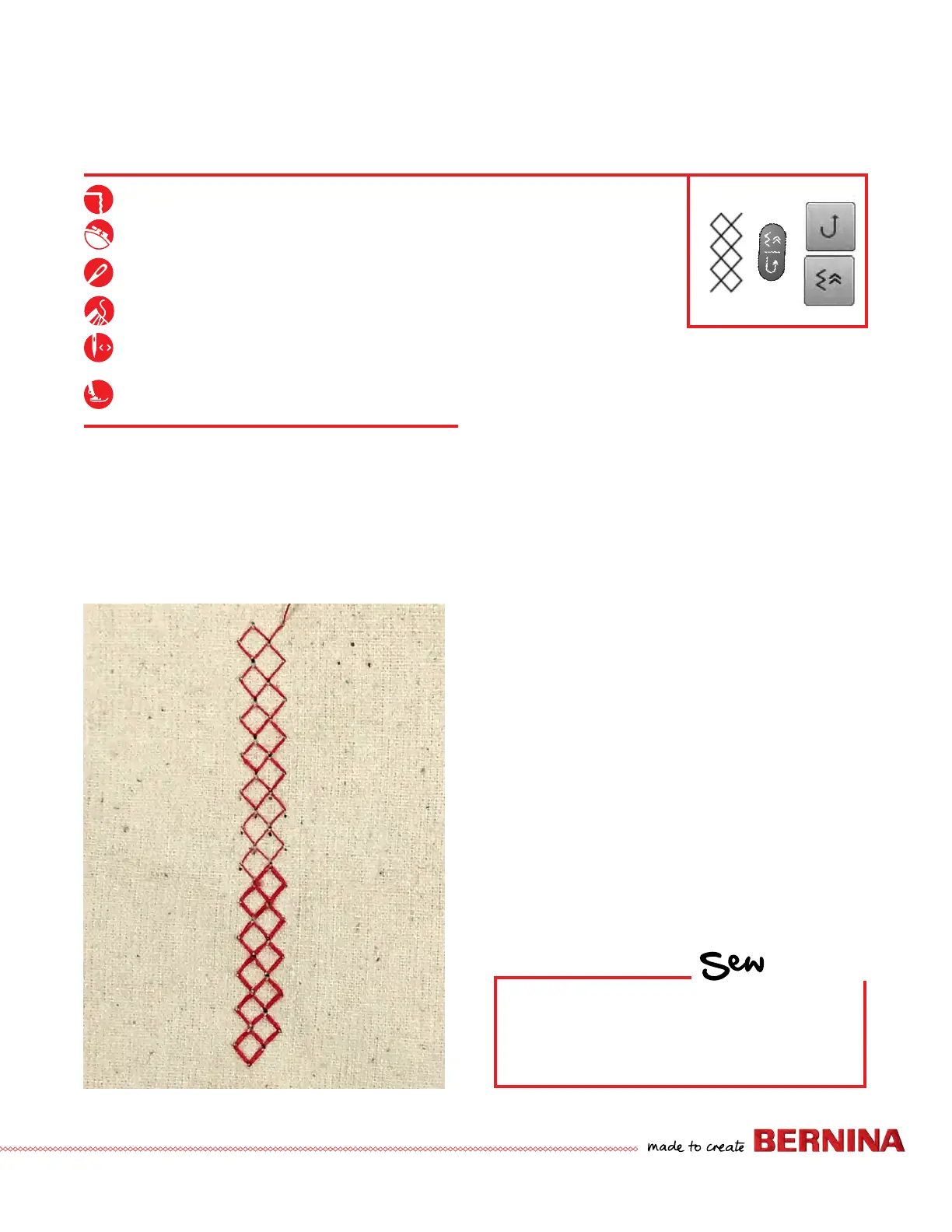
Permanent (Continuous) Reverse sews the selected stitch
pattern in reverse.
Backstepping is more precise, as it will retrace the last 200
needle penetrations to give accurate stitch-by-stitch reverse
sewing.
This feature is great when you have a thread break or
unknowingly run out of bobbin thread. You can re-thread
and backstep to the exact location of the last sewn stitch.
1. Place the stabilizer behind the fabric.
2. Select the Honeycomb Stitch #8. Engage the Needle
Stop Down function.
3. Stitch about two inches on the fabric and stop with the
needle down; do not move the fabric.
4. Select the "i" menu. Select Permanent/Continuous
Reverse or Backstepping:
• Permanent Reverse can be accessed with the button
on the machine, or select "i"; Permanent Reverse
Sewing.
• Backstepping can be accessed by selecting "i";
Backstepping.
• Continue stitching; the machine will now stitch
backward, forming the stitches precisely on top of
the previous ones. While the machine is stitching,
engage the Pattern End function; the machine will
stop at the end of the pattern.
5. Clip threads. Select the Backstepping icon again to
disengage the function.
HOW
Do you know how to:
• Sew backward on your model?



 To Next Page