My BERNINA
46
BERNINA SEWING MACHINE WORKBOOK
Stitch Designer Tips
• 20 levels of UNDO.
• Created patterns are limited to 2,000 stitches each.
• Each grid equals 1 mm.
• The line in the middle of the stitch designer drawing area represents the center needle position.
• Use Snap to Grid for precise placement.
• Created stitches are sewn only from the sew out screen after conrming with the check in Stitch Designer.
• Created stitches can be 1) saved to the machine memory through Personal Program, 2) imported into embroidery and
embroidered, or 3) saved to a USB stick for swapping or imported into the BERNINA Embroidery Software.
• Stitches from the BERNINA Embroidery Software can be imported into the B 880 PLUS/790 PLUS via a USB Stick and
Personal Program. This includes stitches not found on the machine such as candlewicking or blackwork stitches, as well
as any stitches designed in the software.
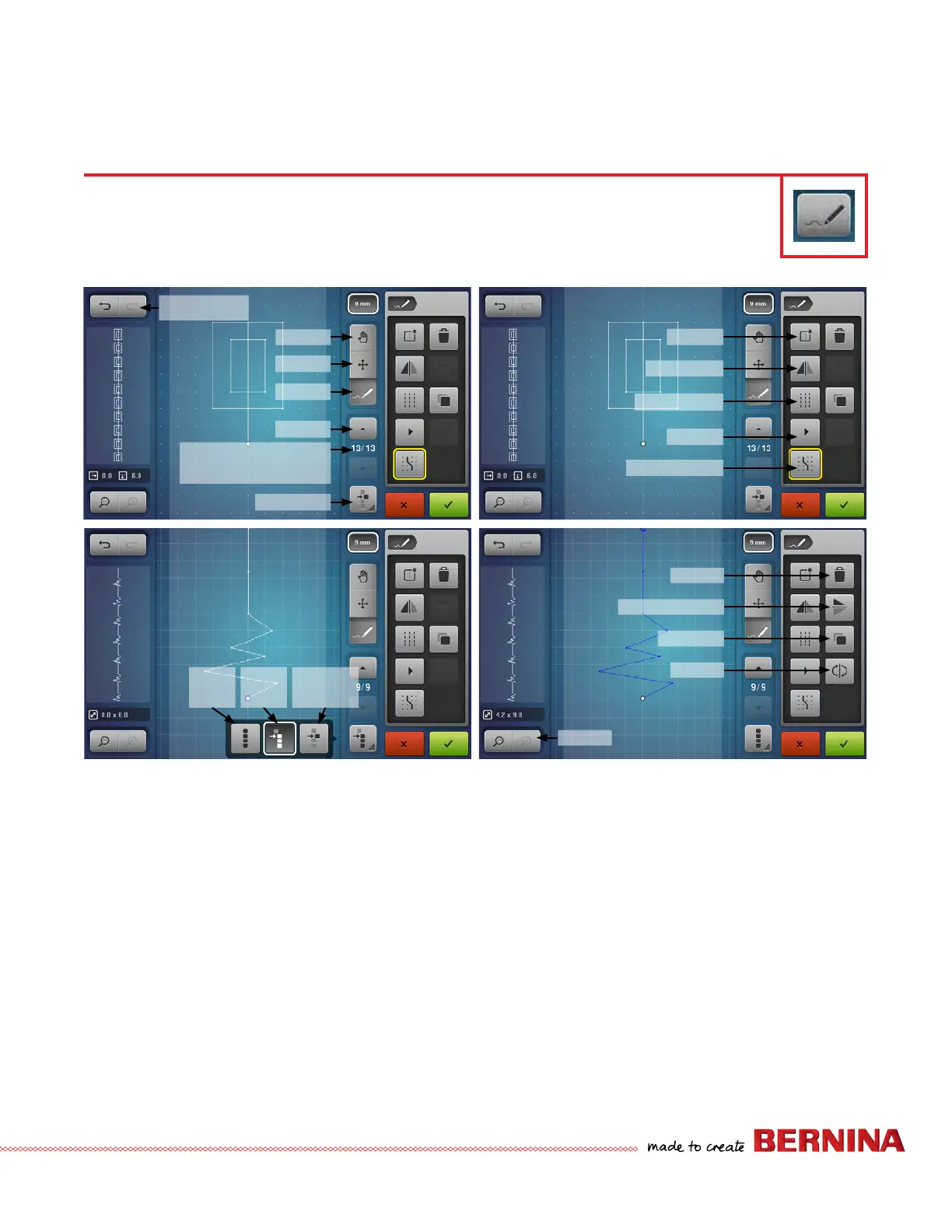
STITCH DESIGNER OVERVIEW
B 880 PLUS, 790 PLUS Only
Stitch Designer has the ability to create entirely new stitches or to modify existing stitches. Stitches can be created
by tapping points or drawn free-hand with the stylus or ngertip. Stitches of varying size are possible.
Pan
Undo/Redo
Move
Draw
Scroll
Active stitch position/
# of stitches
Selection
New
Mirror L/R
Triple Stitch
Play
Snap to Grid
Delete
Mirror Up/Down
Duplicate
Invert
Zoom
Select
All
Select
Some
Current
Selection



 To Next Page