31
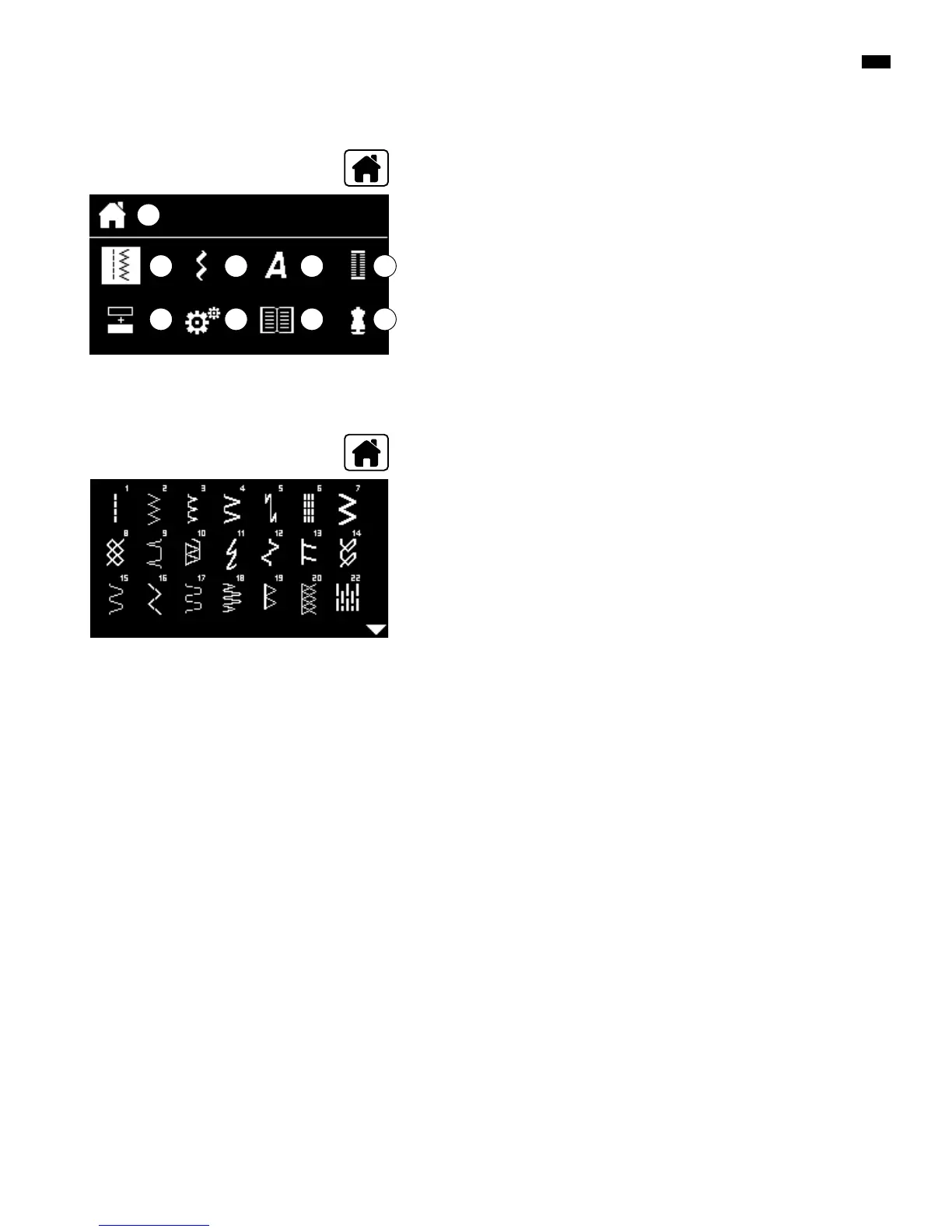
Overview Display
Main menu
E
A
DB C
F
A Selected menu is displayed
B Practical stitches
C Decorative stitches
D Alphabets
E Buttonholes
F Combi mode
G Setup Program
H Tutorial
I Creative consultant
█
select the desired menu via the «Navigation»-buttons
█
press «OK»-button to confirm
█
select practical stitches via «Navigation»-buttons
█
press «OK»-button to confirm
█
select the desired stitch pattern via the «Navigation»-buttons
█
press «OK»-button to confirm
G
Submenu e.g. practical stitches
H I
█
press «Home»-button
█
press «Home»-button



 To Next Page