33
Setup Program
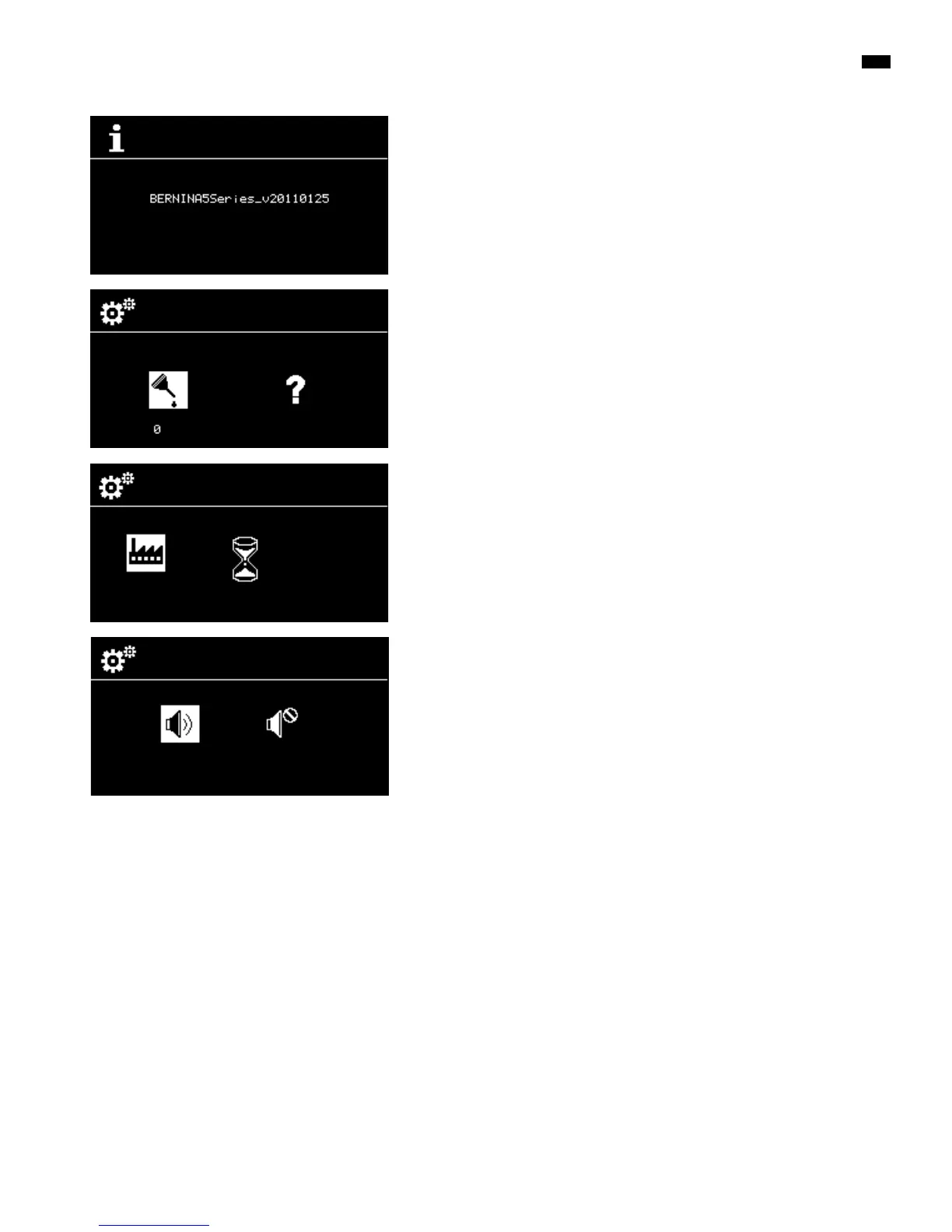
Software version
The current software version of the sewing computer is visible.
Lubricating the sewing computer
►
the icon is displayed when the sewing computer has reached 360,000
stitches
█
select the «?»-icon via the «Navigation»-buttons
█
press «OK»-button
►
an animation shows the lubrication process
█
after lubricating select the «Lubrication»-icon via the «Navigation»-buttons
█
press «OK»-button
█
the counter under the «Lubrication»-icon is reset to 0
Basic Setting
█
press «OK»-button
►
all the sewing settings are reset to the basic settings
Beeper for BSR
█
select left icon
█
press «OK»-button to confirm
►
Beeper is activated
█
select right icon
█
press «OK»-button to confirm
►
Beeper is off



 To Next Page