13
Presser Foot Lever
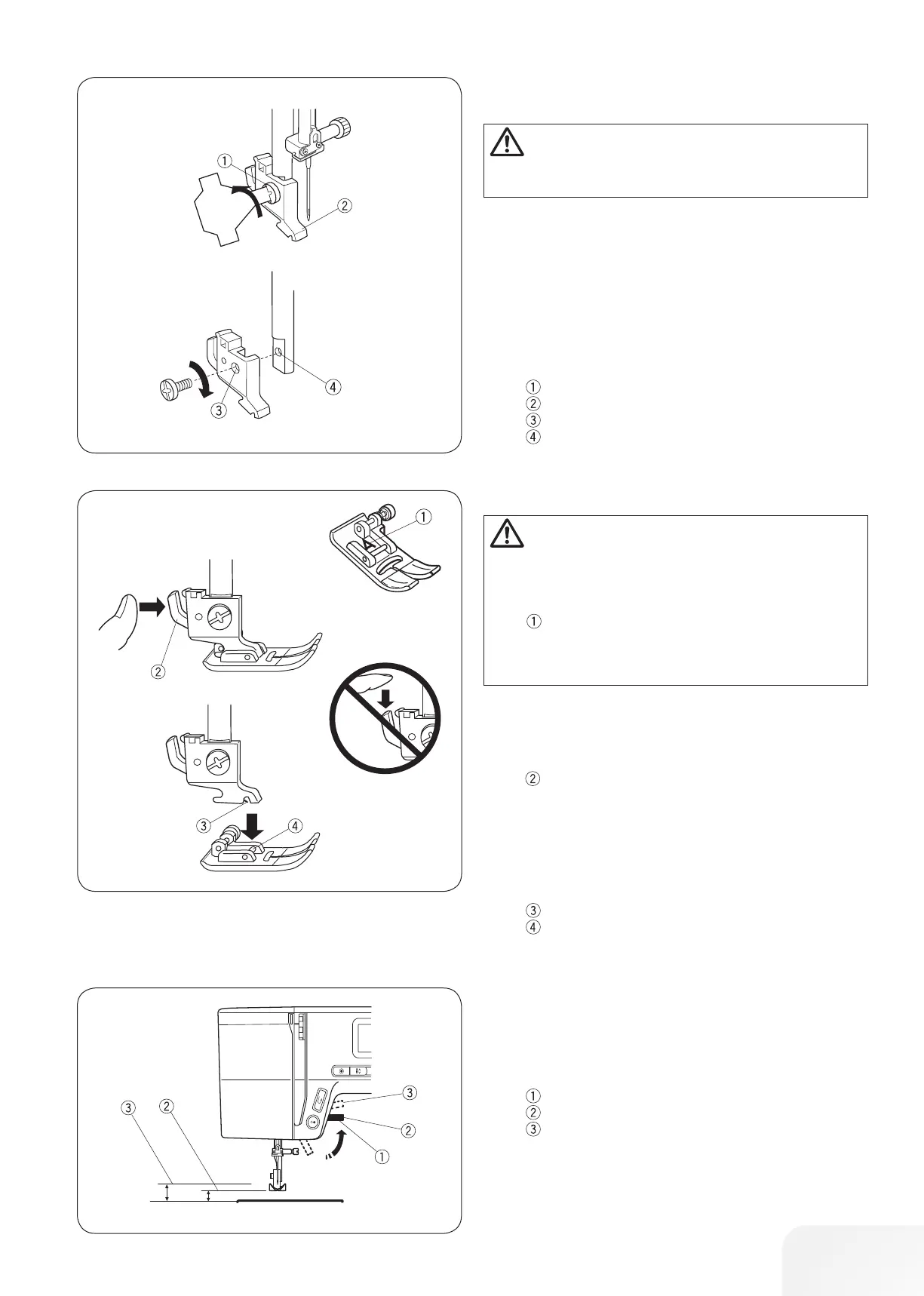
The presser foot lever raises and lowers the presser foot.
You can raise the foot about 1/4˝ (0.6 cm) higher than the normal
up position for easy removal of the presser foot, or to help you
place thick material under the foot.
Presser Foot Lever
Normal up position
Highest position
Changing the Presser Foot
Attaching and removing the presser foot
holder
Removing the presser foot
Raise the needle to its highest position by turning the handwheel
counterclockwise. Raise the presser foot, and press the lever on
the back of the presser foot holder.
Lever
Attaching the presser foot
Place the desired presser foot, so that the pin on the foot lies just
under the groove on the presser foot holder.
Lower the presser foot lever to lock the foot in place.
Groove
Pin
CAUTION:
Turn OFF the power switch before removing or attaching
the presser foot holder.
Removing Presser foot holder
Remove the setscrew by turning it counterclockwise with a
screwdriver.
Attaching Presser foot holder
Match the hole in the presser foot holder with the threaded hole
in the presser bar.
Fit the setscrew into the hole.
Tighten the setscrew by turning it clockwise with the screwdriver.
Setscrew
Presser foot holder
Hole
Threaded hole
CAUTION:
Turn OFF the power switch before changing the foot.
Always use the proper foot for the selected pattern.
The wrong foot can cause the needle to break. Each foot
is marked with an identification letter.
Identification letter









 To Next Page