34
Adjusting the Stitch Width and Density for
Buttonholes
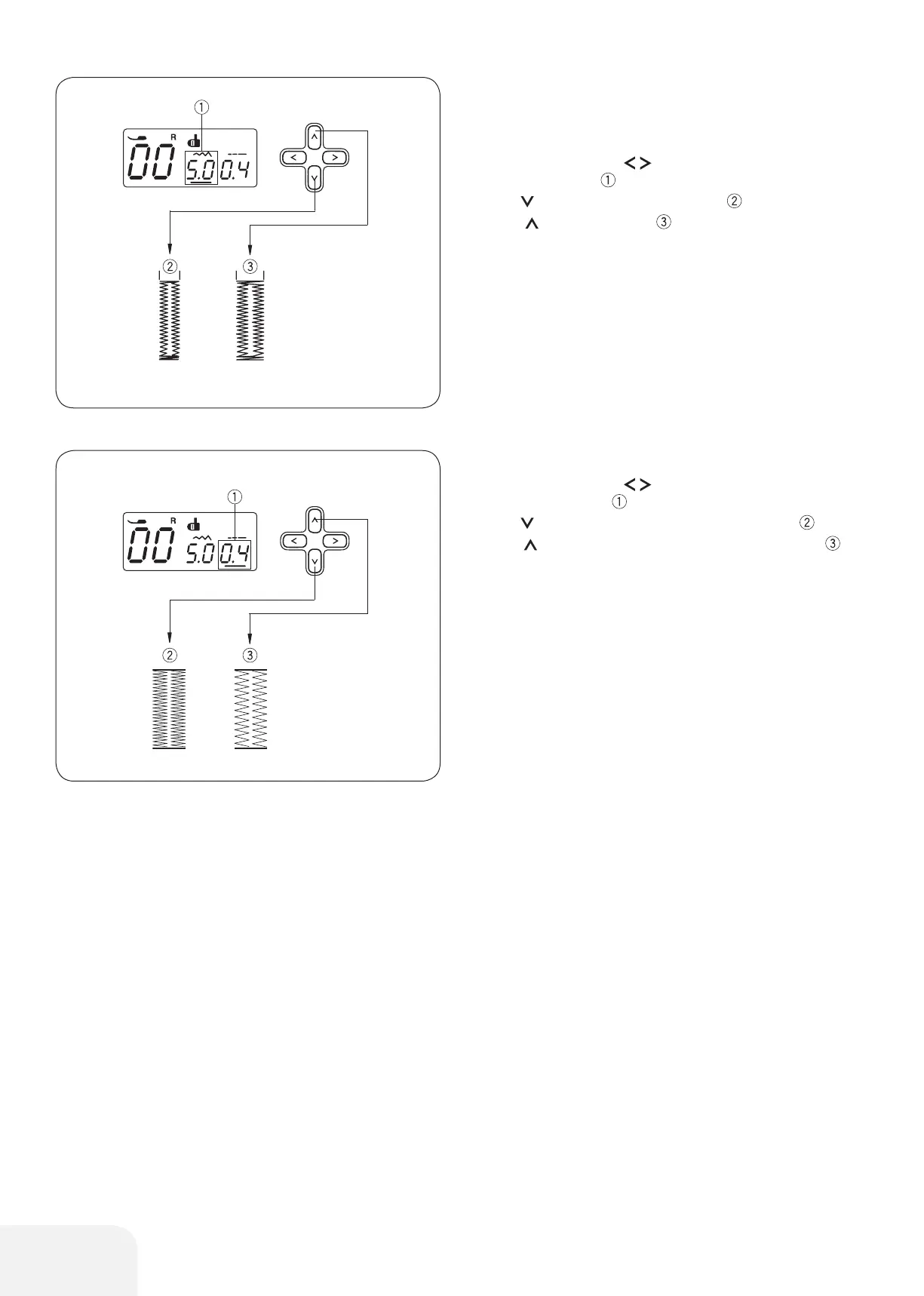
• To adjust the stitch width
Press the cursor buttons to move the cursor under the
stitch width value “5.0” (default setting).
Press the button to decrease stitch width .
Press the button to increase stitch width.
The stitch width can be varied from 2.5 to 7.0 depending on the
selected buttonhole.
• Adjusting the stitch density
Press the cursor buttons to move the cursor under the
stitch density value “0.4” (default setting).
Press the button to make the buttonhole stitch dense .
Press the button to make the buttonhole stitch less dense .
The stitch density can be varied from 0.2 to 0.8 depending on the
selected buttonhole.









 To Next Page