21
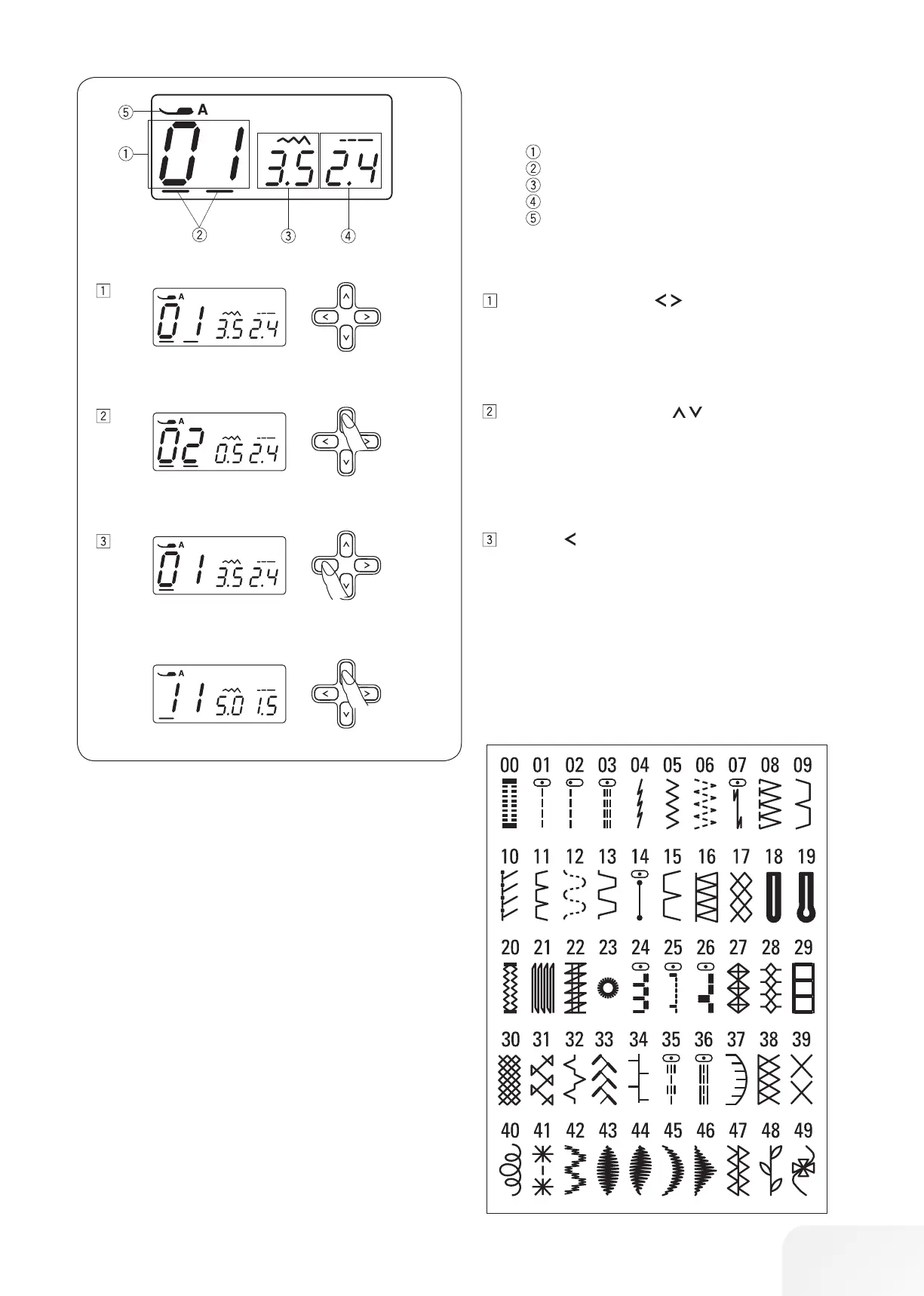
LCD display
The LCD display shows the following information when the
machine is turned on.
Stitch pattern number
Cursors
Stitch width
Stitch length
Presser foot
Press the cursor buttons to move the cursor under the
stitch pattern number.
The cursors appear under both digits when turning the
power on.
Stitch pattern
Press the value set buttons to change the stitch pat-
tern number until the pattern number of the desired stitch
is indicated.
The number will increase or decrease by 1 each time you
press the value set button.
Press the button to move the cursor under the tens digit
of the stitch pattern number.
The number will increase or decrease by 10 each time you
press the value set button.









 To Next Page