My BERNINA overlocker
33
Manual settings
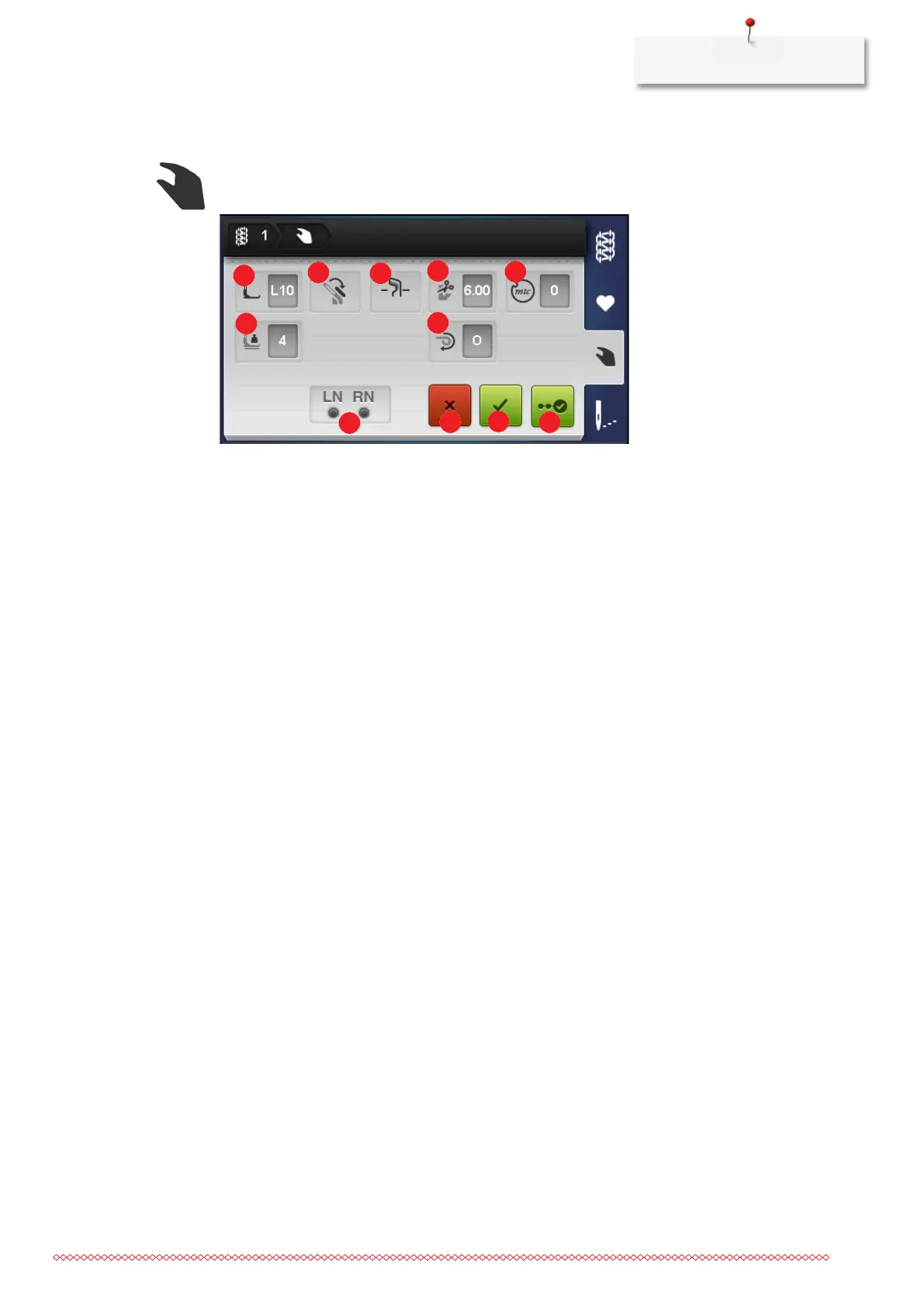
This overview shows which manual settings must be made for the selected stitch. All settings listed here
must be checked and performed in order to sew the selected stitch.
Note Description
1 «Presser Foot» Indicates the presser foot recommended for the
stitch. (see page43)
2 «Upper Looper Converter» Indicates whether the upper looper converter is
hooked in or hooked out. (see page75)
3 «Knife on/off» Indicates the necessary position of the knife. (see
page73)
4 «Cutting width» Indicates the recommended cutting width. (see
page74)
5 «mtc micro thread control» Indicates the recommended default value of the mtc
Micro Thread Control. Setting the mtc micro thread
control. (see page82)
6 «Presser foot pressure» Indicates the value of the presser foot pressure. (see
page83)
7 «Rolled hem selection lever O/R» Indicates the position of the Rolled Hem Selection
Lever. (see page81)
8 «OL needles» Indicates at which positions the needles must be
inserted for the corresponding stitch. (see page44)
9 «Cancel» Closes the screen «Manual settings» and switches to
the previous view.
10 «Confirm» Closes the screen «Manual settings» and switches to
the view of the currently selected stitch in the «Stitch
view».
11 «Wizard» Starts «step-by-step instruction» through the manual
settings that must be made or checked for the
selected stitch.


 To Next Page