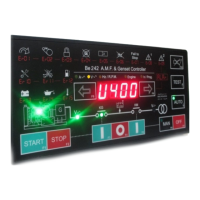
Be242 Be242RB Be242-22 OEM's Manual V4.X.XX - March - 2023 page 6
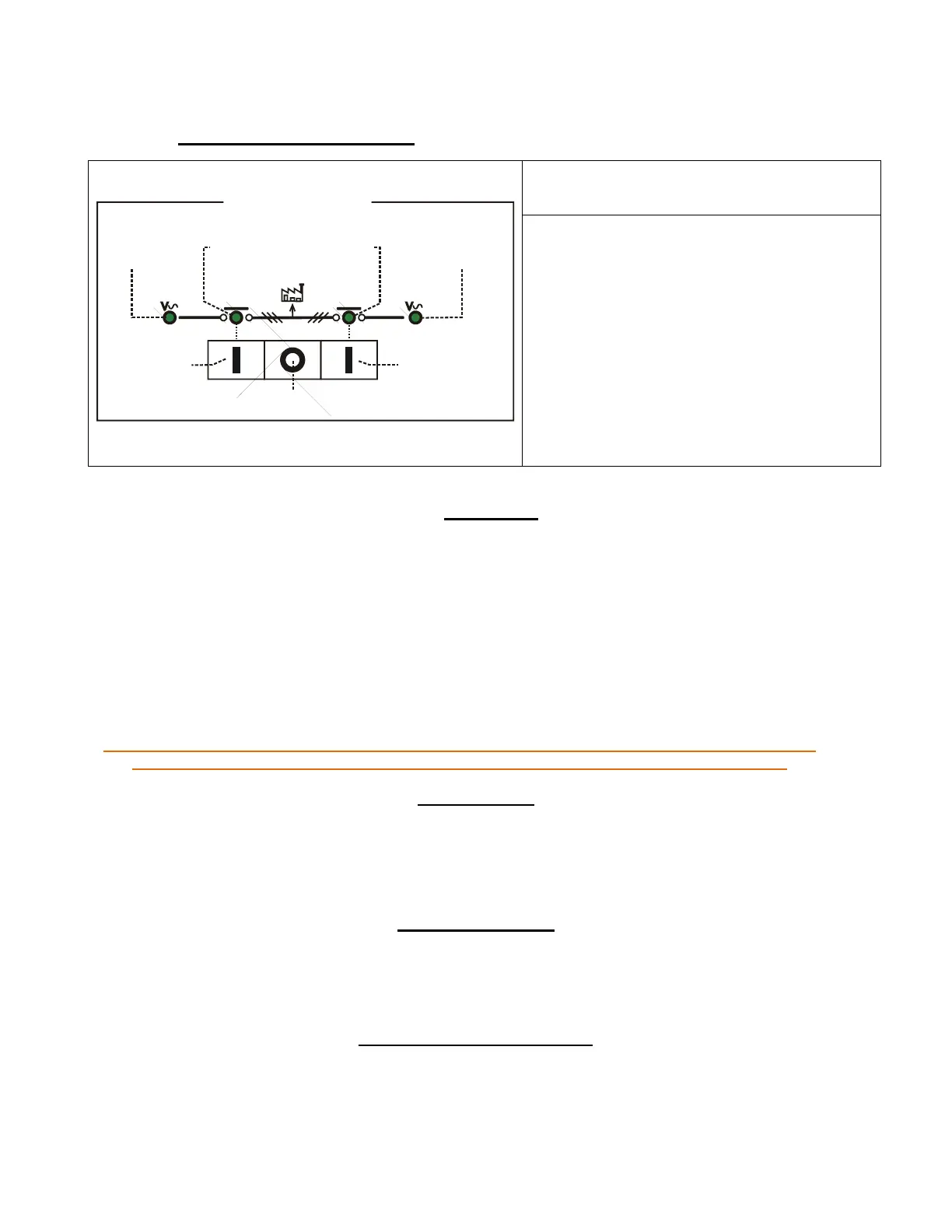
2.21 Contactors: Manual control To control the contactors follow the instructions:
2.3 AUTO mode
Push the [AUTO] push button until the green LED illuminates. The engine starts when the Be242 detects a
Mains failure (see Table 7.01A). The Contactor of the MAINS (KM) opens after the BREAKER timing. After
the warm-up time, if the Voltage and Frequency are within the settings, the contactor of the Generator (KG)
will close. If the Mains restores, the KG will open. The KM will close following a programmed changeover
timing. The Engine will stop after a cooling down time (see tables 7.02 and 7.03). If the engine shuts down,
the KM closes independently of the Mains status if the [P.48] is [ON] (NFPA-110 mode), otherwise, the KM
will close only if the Mains is within programmed settings. In AUTO mode, the Be242 will periodically test
the engine if the parameters [P.41] and [P.42] have been programmed. During this test, the green LED of
the AUTO mode will continue to blink. In AUTO mode, the Be242 can start and stop the engine according to
programmed inputs (see Tables 7.06 and 7.07 options [10] & [11] for example).
Note: when the Mains (or Generator) is in stable condition, the green LED ‘V’ is permanently ON. When
voltage or frequency is outside limits, the green indicator ‘V’ blinks slowly (see table 7.01-7.02).
2.4 TEST mode
Push the [TEST] push button until the green LED illuminates. The Be242 starts the engine and transfers the load
to the Generator if [P.17] is [on]. To stop the engine, select the AUTO mode (if Mains is present) or select the
OFF mode. If you push the [STOP] push button when the Be242 is in AUTO or TEST, the [Er.09] will energize.
To clear the alarm, select the OFF mode (section 8.0).
2.5 PROGRAM mode
The PROGRAM mode allows parameter programming and modifications of settings. A password can be set to
protect the panel from unauthorized access (see 6.0).
2.6 TROUBLESHOOTING mode
The TROUBLESHOOTING mode is used to diagnose system faults (see 13.0).
KM
KG
KG
Pushbutton
(push to close)
Contactors Control Panel
KG-closed
indicator
(Green)
KM-closed
indicator
(Green)
Generator
Presence LED
(Green)
Mains
Presence LED
(Green)
[ O ]Pushbutton
(push to open)
KM
Pushbutton
(push to close)
Select the MANUAL mode, start the engine (see
above) and wait for voltage presence.
Push the [ I ] (KG) push button to close the
contactor of the Generator. To transfer the Load
to Mains, push the [I] (KM) push button (the [KG]
will open). To open a Contactor, push the [O]
push button. In manual mode the
CHANGEOVER timer lasts one second. The
green indicators of voltage (Mains or Generator)
blink when the voltage or frequency is out of limit
(see the Mains and Generator parameters in
table 7.01-7.02). The indicators are off when the
voltage is lower than 48Vac


 To Next Page