Be242 Be242RB Be242-22 OEM's Manual V4.X.XX - March - 2023 page 18
Section 8.0 - Alarms, Warnings and Shutdowns
The Be242 features Shutdowns (the engine stops) and Warnings (the engine will continue to run) and provides:
A) - a general indication of alarm presence by means of the message [ALAr.] on the display
B) - 2 configurable outputs for specific alarm indications with more than 40 options (see 7.08 and 7.09)
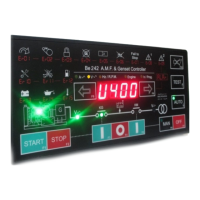
C) - symbols on the front panel to indicate the most important alarms
D) - display messages indicating warnings and shutdowns (see Table 4.1)
E) - a push button to silence the Horn ([ACK-F10])
Terminal #6 is pre-configured for HORN output (Option 39). A HORN should be externally provided. To silence
the HORN, push the [ACK-F10] push button or wait for the [P.50] to expire (see section 7.05). If the [P.50] is set
to [OFF], the only way to silence the Horn is by means of the [ACK-F10] push button.
To browse the alarm memory push the [→F9] push button. To display alarm details, push the [←F8] push button.
To clear the alarm from the panel, remove the cause of the alarm and then press the [OFF] push button. Table
4.10 in section 4.0 indicates all alarms.
Section 9.0 Hour Meter
To clear or pre-load the counter, use the following instructions:
1) - Enter the programming mode as indicated in sections 6.10 & 6.20
2) - Select the parameter [P.51] by means of the [←F8] or [F9→] push button.
3) - Press the [START-F1] and [TEST ↑] to set a value. If you set [0], you will cancel the [h-counter]. If you set a
value between 1 and 50000, you will pre-set the counter. Follow steps 4A) or 4B) according to your needs.
4A) - Press and hold the [ACK-F10] and [F9→] push buttons simultaneously until the [SaVE] message appears
(for about 5 seconds); the Be242 saves the hour counter in the memory and will enter the OFF mode.
4B) - Press the [OFF] push button to exit the procedure without modifying the counter.
Section 10.0 Be242 setting required for PUMP SET application
If you use the Be242 to control a PUMP SET, we recommend the use of the following settings:
Table 10.0: Recommended settings setup
[oFF] (This disables the 'alternator failure alarm')
[ 15 ] (This selects the Mains Simulation input mode). Connect a switch (or level switch) to
terminal #14 in order to control the set by remote
[oFF] (This disables the Periodic Test interval)
[ 0 ] (This disables the Breaker delay time)
According to your needs; the engine will start after a delay
According to your needs; the engine will stop after a delay


 To Next Page