Better Packages Inc. 14
Keypad and Membrane Switch
(Note: Always unplug machine when performing service to machine)
Procedure
1. Remove the water bottle ,tank and brushes
2. Remove the (5) screws that fasten the left side cover
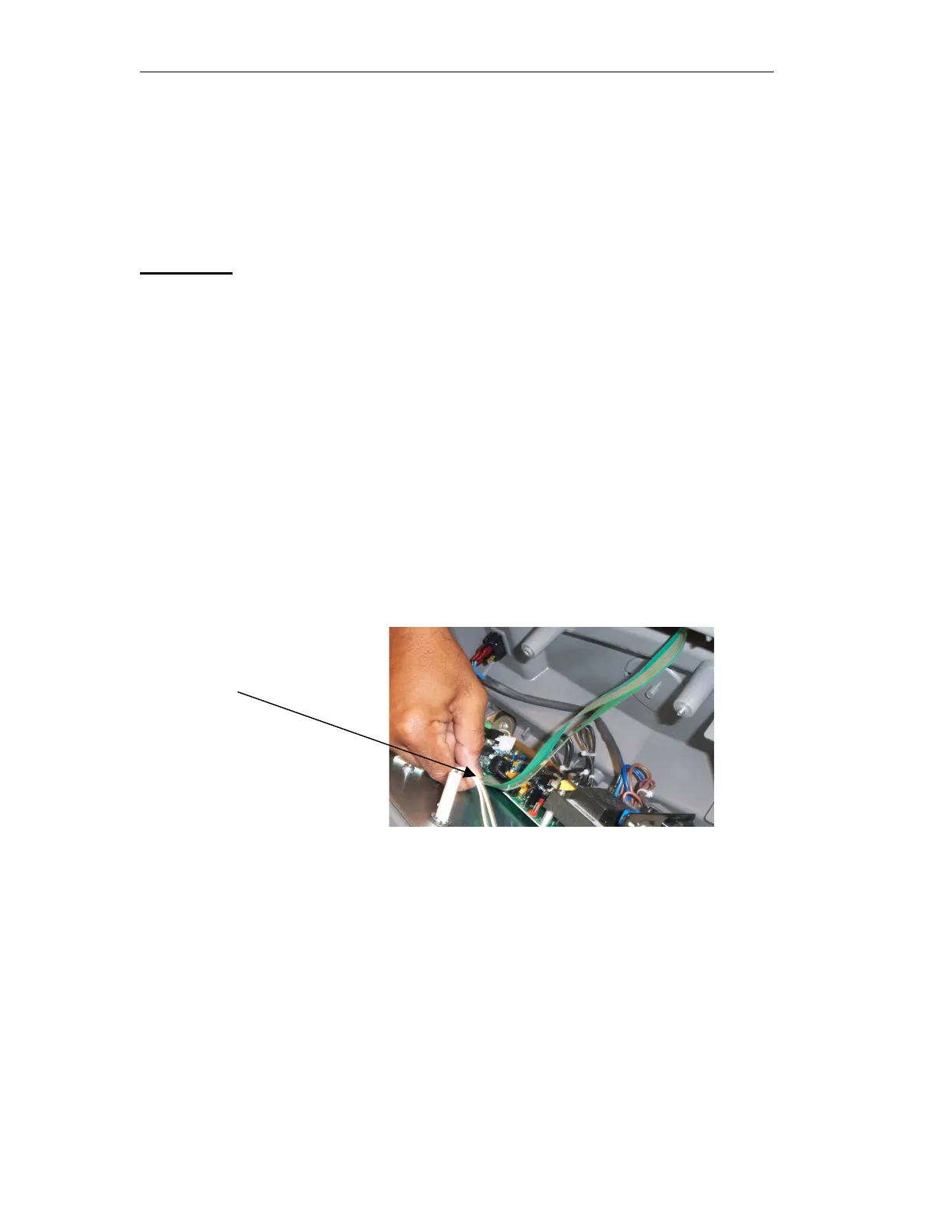
onto the frame. Gently lift the cover and remove the
membrane switch from the pc board.
3. Remove the keypad bezel by inserting a thin flathead
screwdriver in-between the keypad bezel and the cover.
Lift the bezel up and remove it from the cover. Remove
the keypad and membrane switch.
4. Place new membrane switch assembly and keypad back
in and replace bezel back on cover.
5. Connect the membrane switch back into the pc board
and replace left side cover back onto the frame using the
(5) screws.
6. Replace tank, water bottle and plug machine back in.
Remove keypad membrane
From board


 To Next Page