Better Packages Inc. 18
Front and Rear Cover Assembly
(Note: Always unplug machine when performing service to machine)
Procedure
1. Remove bottle, tank and brushes
2. Remove right cover. Remove left cover and remove keypad membrane
from board
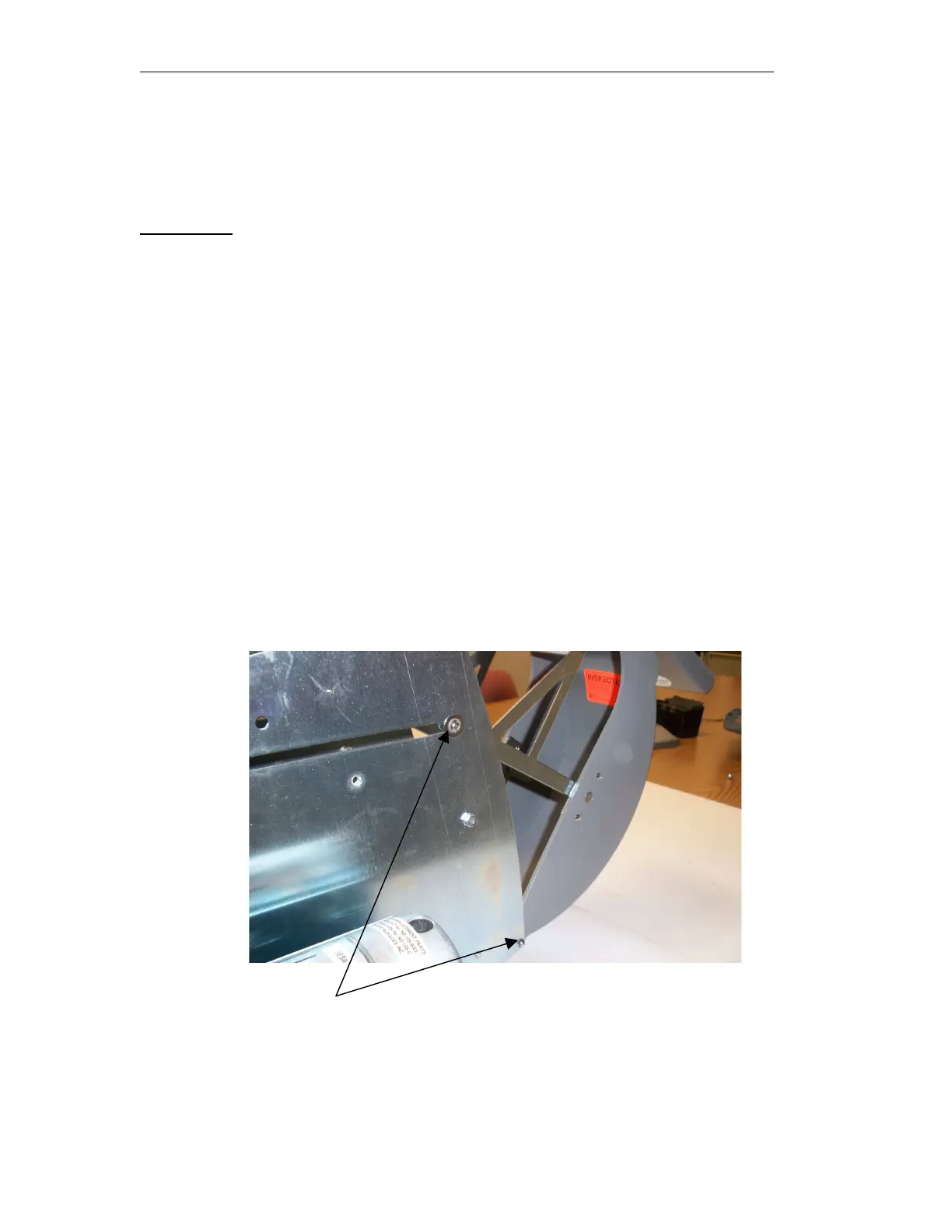
3. Remove the 2 retaining rings holding the bracket assembly to the right
and left frame. Be sure not to lose the washers and retaining rings
4. Remove the retaining ring from the pin holding the rear cover in place.
Slide the pin to the left and remove from machine.
5. Remove the spring from the cover and put it on the new cover
6. Replace the new cover on machine and push the pin through the frame
and cover until it gets through to the other side and than fasten the
retaining ring back onto pin
7. Attach the brackets back onto the side frames using the washers and
retaining ring that were taken off
8. Replace the keypad membrane onto the pc board
9. Replace the right and left side covers
10. Replace the tank, brushes and water bottle
Remove retaining ring
For upper ring remove from both side frames


 To Next Page