11
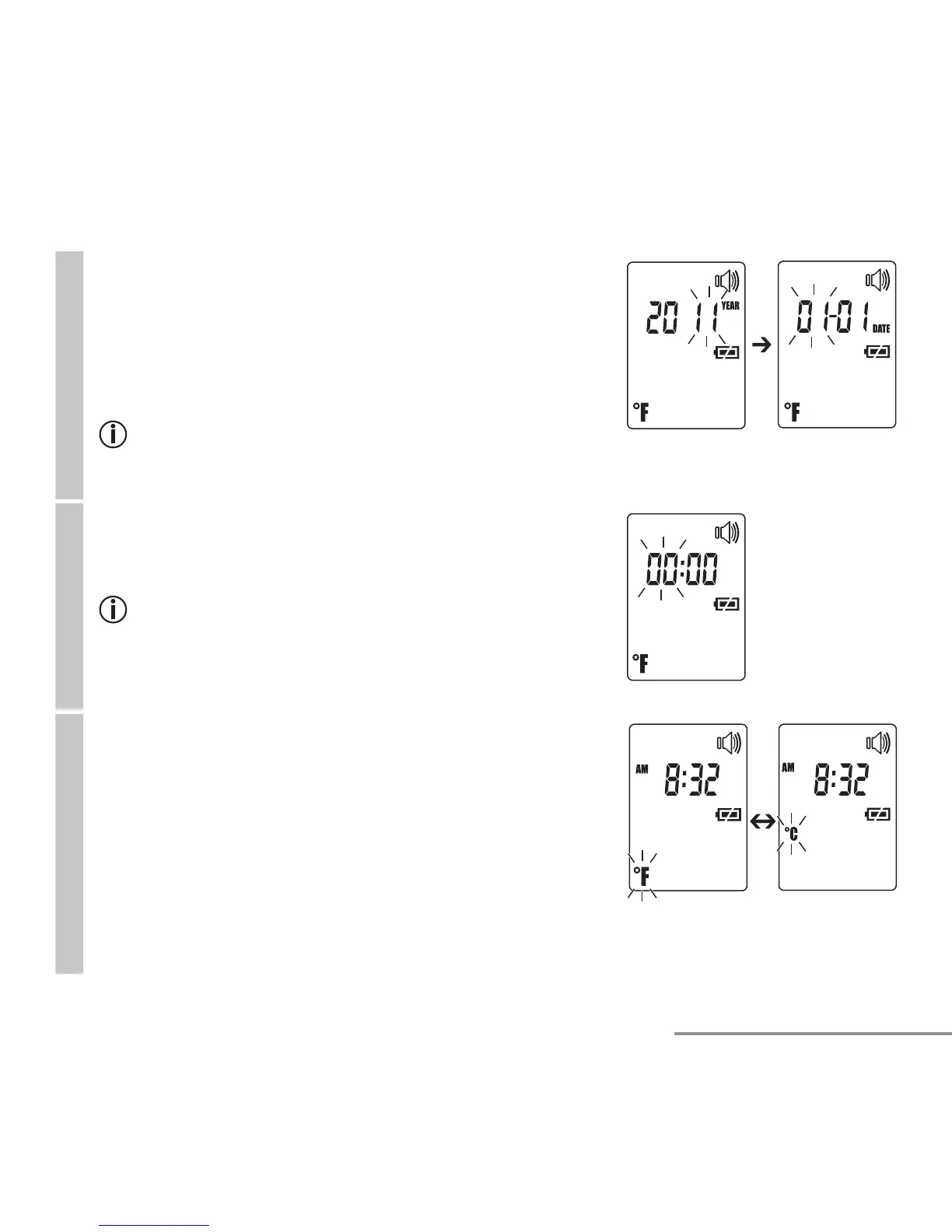
Date
The year fl ashes in the display (fi g. 2).
•
Use the MODE/MEM button to set the year and con-
fi rm with the LIGHT/SET button.
Month/day fl ashes in the display (fi g. 3).
•
Use the MODE/MEM button to set the month and
day, and confi rm with the LIGHT/SET button.
In the 24h format, the date is displayed as day/
month. In the 12h format, it is displayed as month/
day.
Fig. 3
Fig. 2
Time
The time fl ashes in the display (fi g. 4).
•
Use the MODE/MEM button to set the time and con-
fi rm with the LIGHT/SET button.
In the 12h format, the time is displayed as AM/PM.
Fig. 4
Temperature meas. unit
The temperature measurement unit fl ashes in the dis-
play (fi g. 5).
You can set the device to display the temperature in
degrees Fahrenheit (°F) or degrees Celsius (°C).
•
To display the temperature in Celsius, select °C
using the MODE/MEM button and confi rm with the
LIGHT/SET button.
•
To display the temperature in Fahrenheit, select °F
using the MODE/MEM button and confi rm with the
LIGHT/SET button.
Fig. 5


 To Next Page