TG 500 – Handheld transmitter
20
3.3 Initial operation of the handheld transmitter
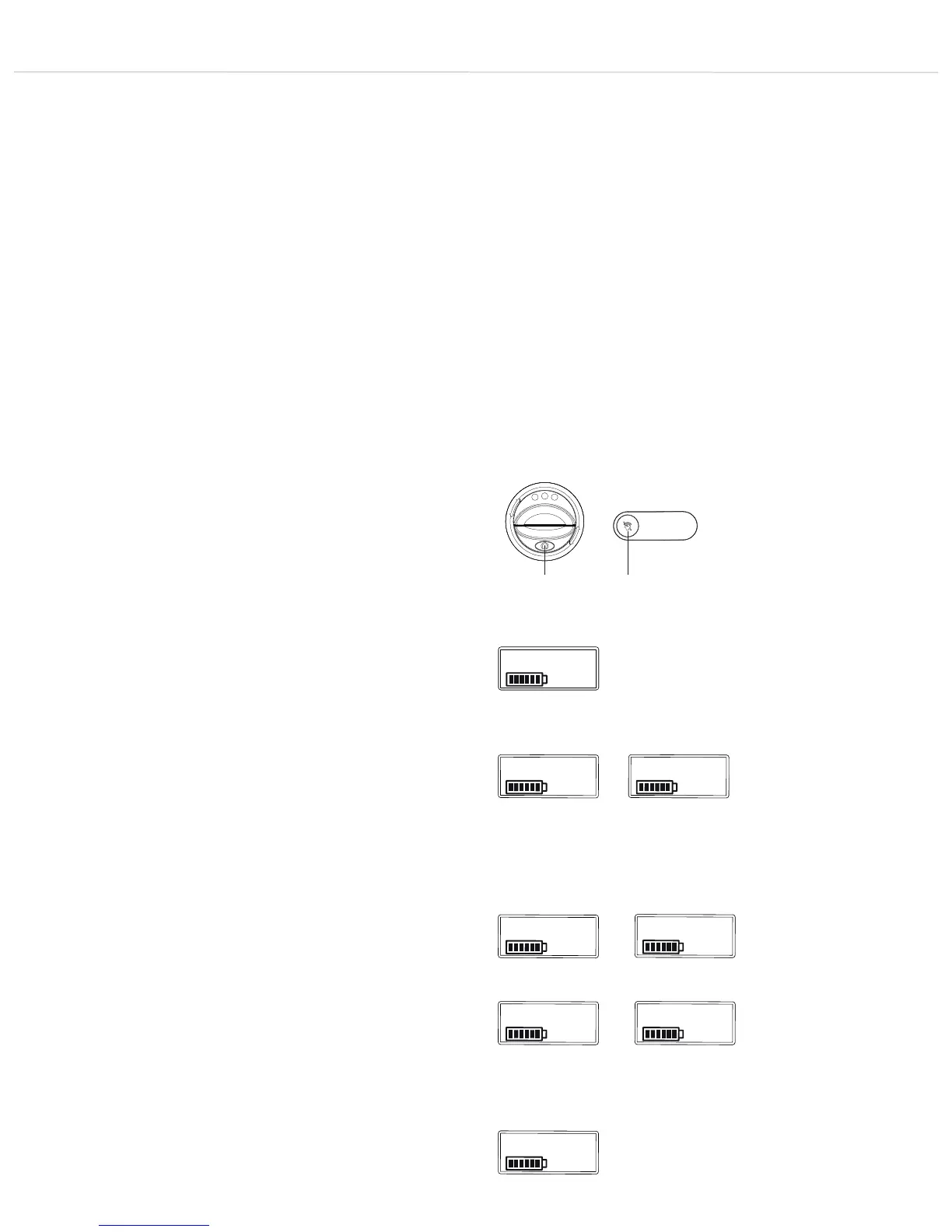
• Switch the handheld transmitter on by pressing and holding the
on/off button until the standard display appears on the
transmitter display . The on/off button lights up green.
• The transmitter display shows the battery status as well as
the name entered on the receiver.
• You can access further display functions such as frequency and
transmission power by repeatedly pressing the on/off button
or the mute button if the mute function on the receiver is not
activated.
• Ensure the transmitter and receiver are working at the same
frequency.
• If you hold down the on/off button when switching on, you
can display the version, hardware type, band and firmware
version.
• To switch off the transmitter, press and hold the on/off button ,
until the message “Off” is displayed.
• The current battery status is shown on the display on the
transmitter and the receiver . Please ensure the correct
battery type is selected in the channel menu on the receiver and
that synchronisation is carried out.
• Flat batteries are indicated by an empty, flashing battery symbol
on the transmitter and receiver display. The on/off button on
the transmitter base also lights up red. In this case, you should
replace the batteries with new ones as soon as possible.
• If you are using NiMH rechargeable batteries for operation, you
can charge these with the optionally available WA-CD battery
charger. The batteries can remain in the transmitter during the
charging process. Further information can be found in the
separate “WA-CD” user manual.
• Important: from time to time, clean the battery and charging
contacts of the transmitter with a soft, lint-free cloth moistened
with spirit or alcohol. Always remove the batteries from the
battery compartment beforehand.
user
794.000
pw std
band 3
rev 1.0
hw hh1
ver
Figure 3-7: Handheld transmitter
Figure 3-8:
Transmitter display – Standard display
Figure 3-9:
Displaying frequency
Figure 3-10:
Displaying transmission power
Figure 3-11:
Displaying version
Figure 3-12:
Displaying hardware type
Figure 3-13:
Displaying band
Figure 3-14:
Displaying firmware version
off
Figure 3-15:
Switching off transmitter



 To Next Page