TG 500 – Diversity receiver
7
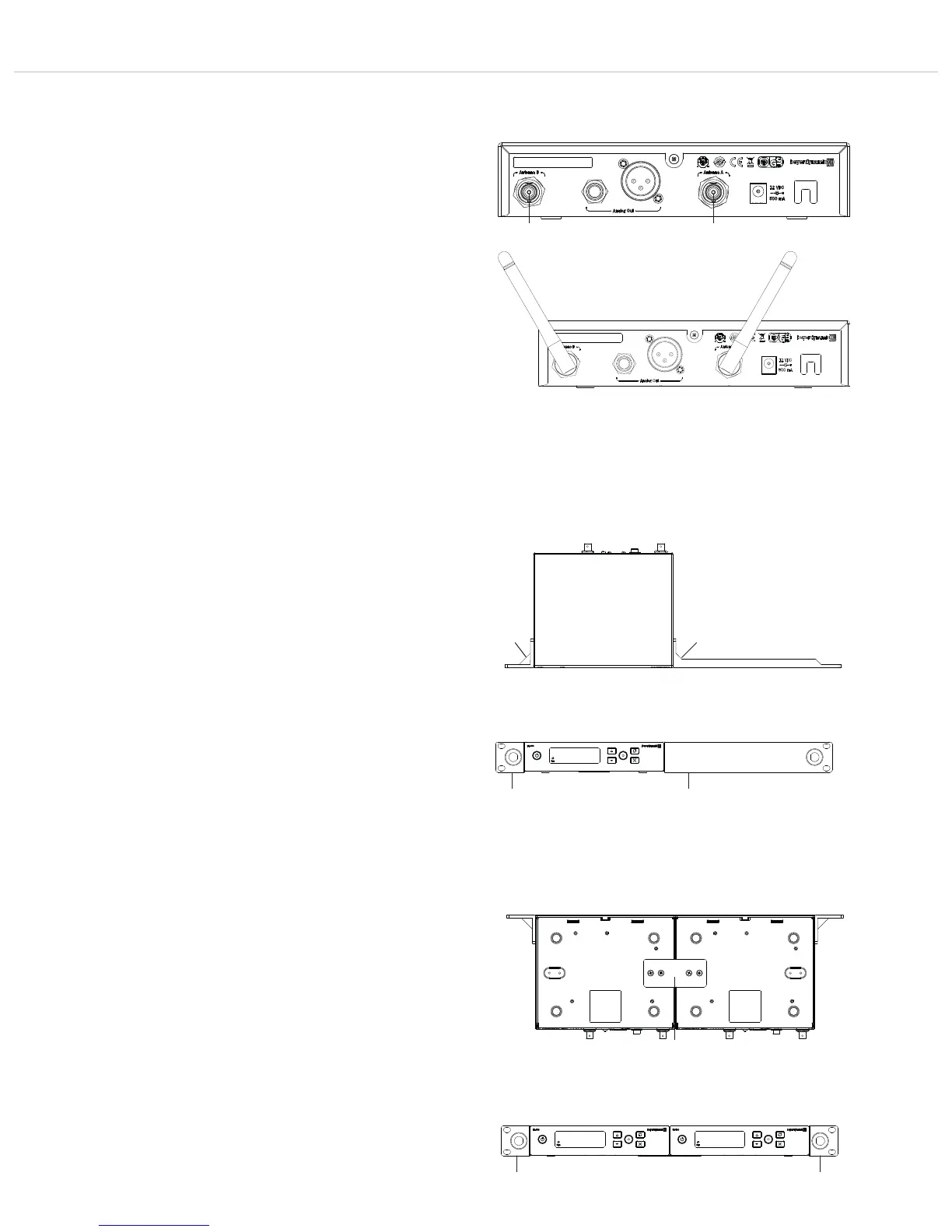
Figure 2-6: Connecting antennas
Figure 2-7: Positioning of antennas
Mounting the Rack Mount Kit on a TG 500SR receiver
• Attach the shorter mounting bracket to one side of the
receiver with the three supplied M4 screws.
• Attach the longer mounting bracket to the other side of the
receiver with the three supplied M4 screws.
Figure 2-8: Mounting the Rack Mount Kit to a receiver, top-down
view
Figure 2-9: Mounting the Rack Mount Kit to a receiver, front view
Mounting the Rack Mount Kit to two TG 500SR single-channel
receivers or a TG 500DR two-channel receiver
• Connect the underside of two TG 500SR receivers to a panel
with four supplied M4 screws.
• Attach one mounting bracket to the right and one to the left of
the two connected TG 500SR single-channel receivers or one
TG 500DR two-channel receiver, each with three M4 screws. .
Figure 2-10: Mounting the Rack Mount Kit to two receivers,
bottom view
Figure 2-11: Mounting the Rack Mount Kit to two receivers, front
view
2.3 Connecting antennas
• Connect the supplied antennas to the antenna inputs A and B
and orient them outwards in a V shape (approx. 60° angle).
Important: For diversity operation, it is essential to connect both
antennas! Evaluation electronics select the antenna that
provides the best signal.
• If the receiver is to be built into a 19” rack, the antennas can
be attached to the front of the receiver. To do this, use the
supplied Rack Mount Kit and the optionally available WA-CKF
antenna front mounting kit.



 To Next Page