How to Connect
12
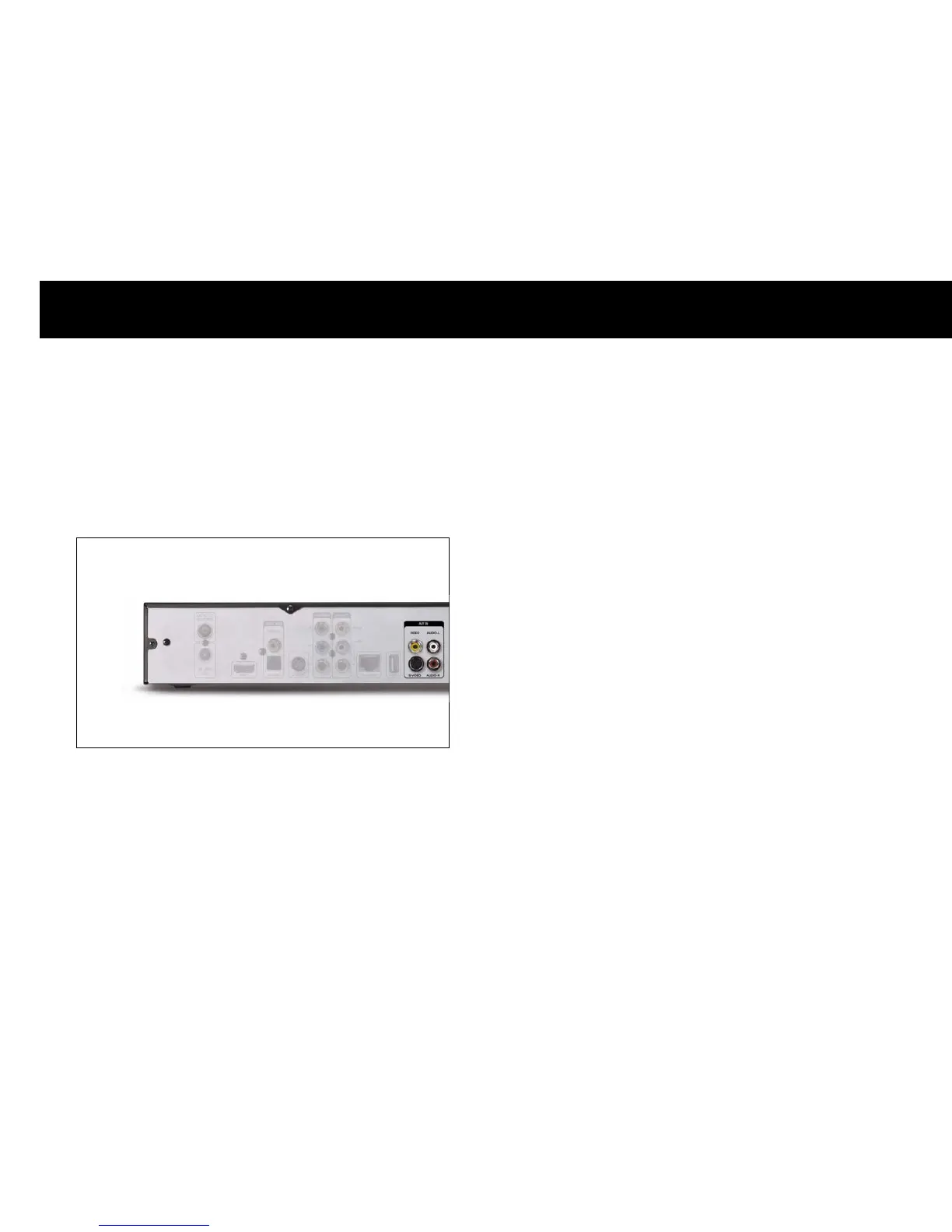
2. A/V Inputs
The DP-P2 has A/V input ports for connecting other A/V device such as
a set-top box. You can record or enable the time-shifting functions for a
pay-TV service with the DP-P2.
NOTE
z
Please refer to Chapter 5. STB & PVR Functions to utilize the time-
shifting functions for the external A/V device.
3. A/V Bypass
In the standby mode, the DP-P2 is designed to bypass the video and
audio signals from the external A/V device connected to the A/V input
ports to TV set through the Composite, S-VIDEO and Analog Audio
output ports. If you do not want to utilize the PVR functions for the
external A/V device, you don’t have to turn on the DP-P2 or re-arrange
the A/V cables.
You can control the operating mode of the Composite, S-VIDEO and
Analog Audio output ports with the
AV bypass
button while the DP-P2
is in the operating mode; once the DP-P2 turns on and operates, the
Composite, S-VIDEO and Analog Audio output ports transmit the A/V
signals from the DP-P2 itself. You can change these ports to bypass the
A/V signals from the external A/V device connected to the A/V input
ports, please press the
AV bypass
button.



 To Next Page