File Playback Function
80
2-4.
Play-list
The play-list is a personal collection of multimedia contents, which
stores the list of files temporarily. You can organize a separate play-list
for each content type: movie, music and photo.
1) Add File to Play-list
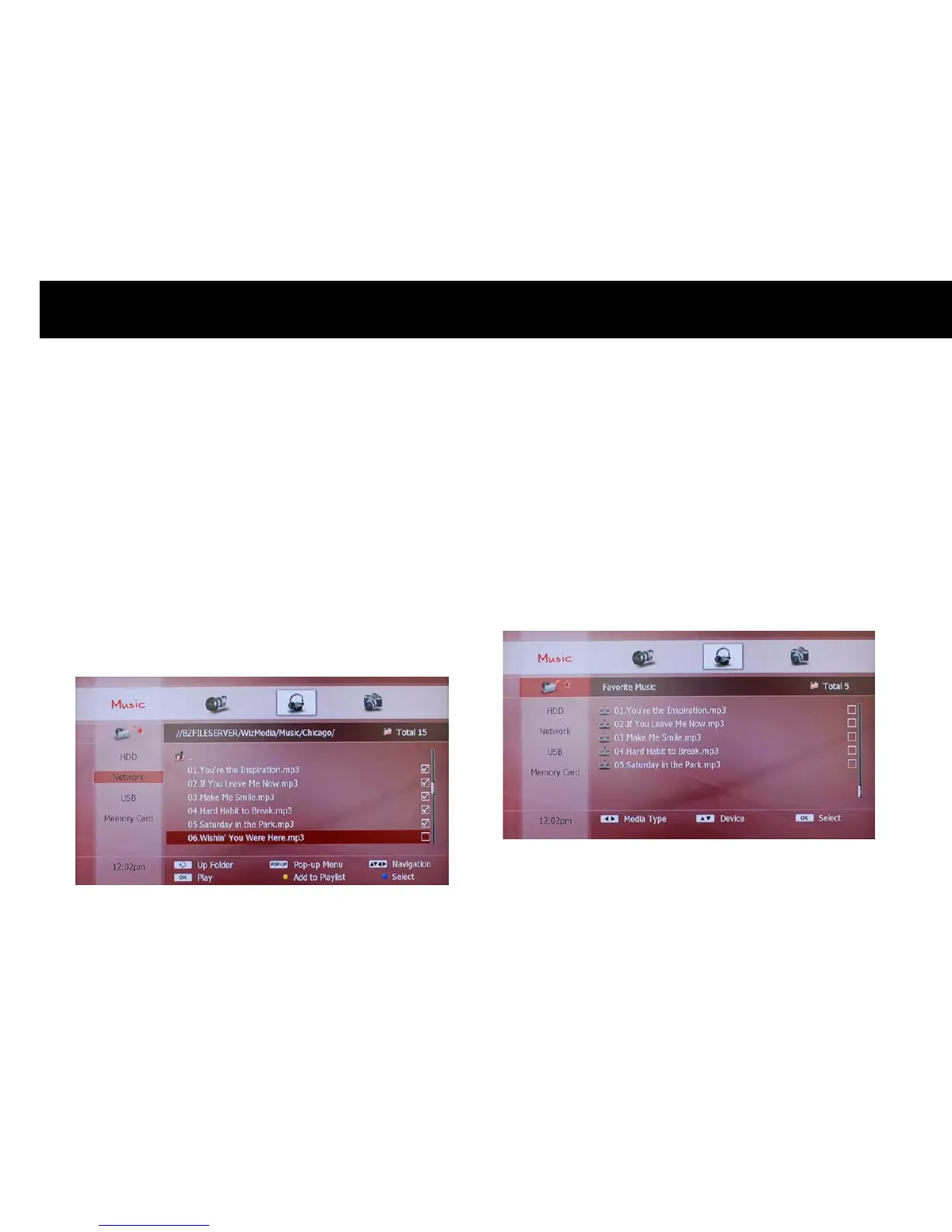
You can organize a play-list and enjoy the contents. Please place the
cursor on a file you want to put to the play-list and press the
YELLOW
button: the file will be listed on the play-list. If you want to put more
than one file to a play-list at once, choose files with the
BLUE
button
one by one and press the
YELLOW
button. “Check” icon indicates that
the file is selected.
NOTE
z
If you can not put a folder on the play-list, you have to select all files
of a folder and put them to the play-list.
2) View Files in Play-list
You can check files in the play-list by selecting the “PLAY-LIST” icon on
the left menu with the
OK
button. Files in the play-list will be listed on
the screen.



 To Next Page