Quick Setup
35
3-5.
WizPNP
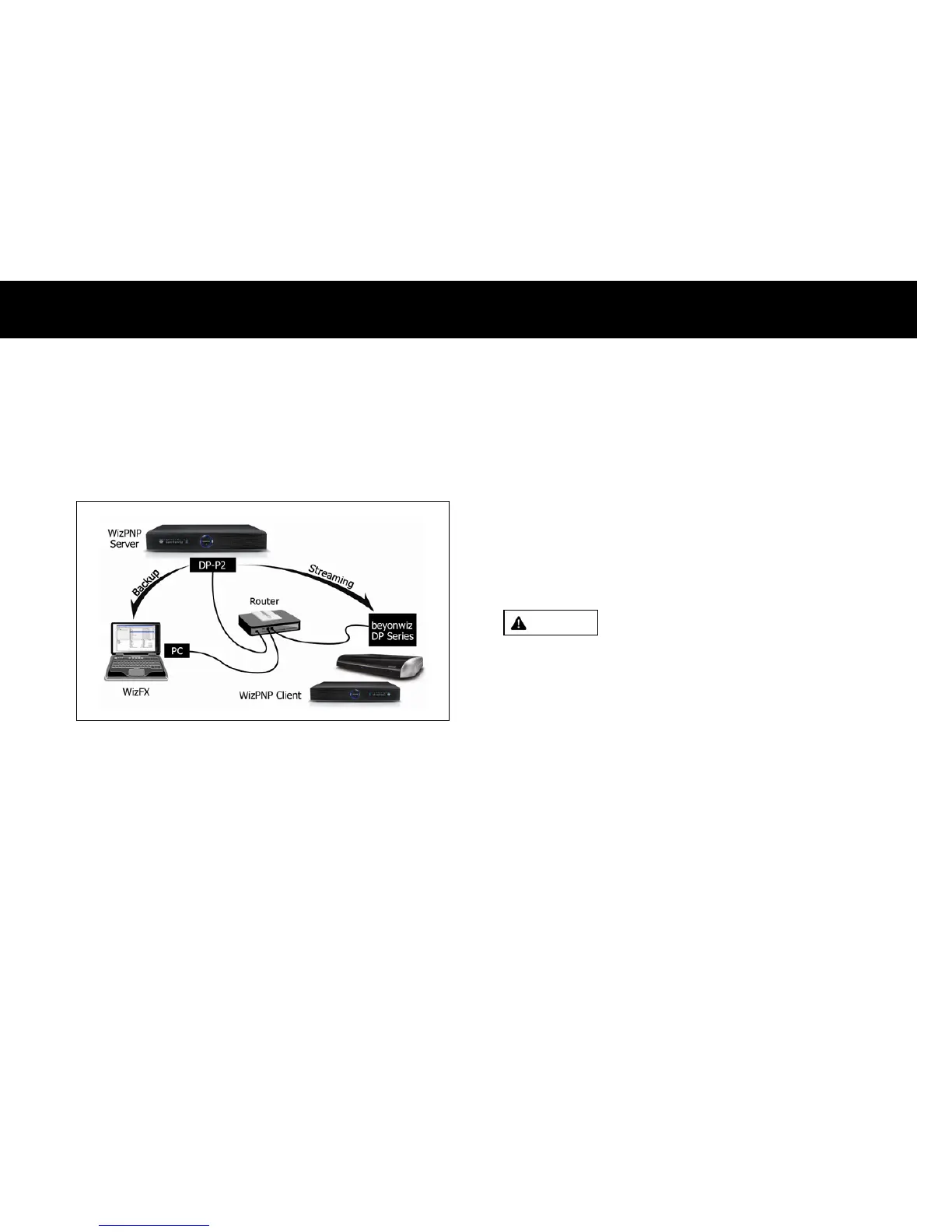
The WizPNP enables to share the recording files with other beyonwiz
products or PCs.
The above picture illustrates how the WizPNP functions;
z
WizPNP Server: if you set the DP-P2 as a WizPNP server, you can
access to the DP-P2 with the other beyonwiz products which enables
the WizPNP client. You can also access to the DP-P2 with your PC,
witch has the WizFX software.
z
WizPNP Client: if you set the DP-P2 as a WizPNP client, you can
access to another beyonwiz product, which enables the WizPNP server,
and play recording files on it.
NOTE
z
You need an application software for your PC to connect to the DP-P2.
Please visit to www.beyonwiz.com.au and download “WizFX” software.
z
The WizPNP server can not get a file from a WizPNP client.
z
The WizPNP client can play recording files from a WizPNP server.
Please refer to Chapter 6. File Playback Function for details.
WARNING
z
If multiple WizPNP clients connect to a WizPNP and stream recording
files from the WizPNP server, the operation of the WizPNP can be slow.



 To Next Page