Quick Setup
22
3) How to Change Configuration
In the setup menu, there are several ways to change the configuration.
This manual explains how to change the configuration, here are three
cases which are used frequently.
z
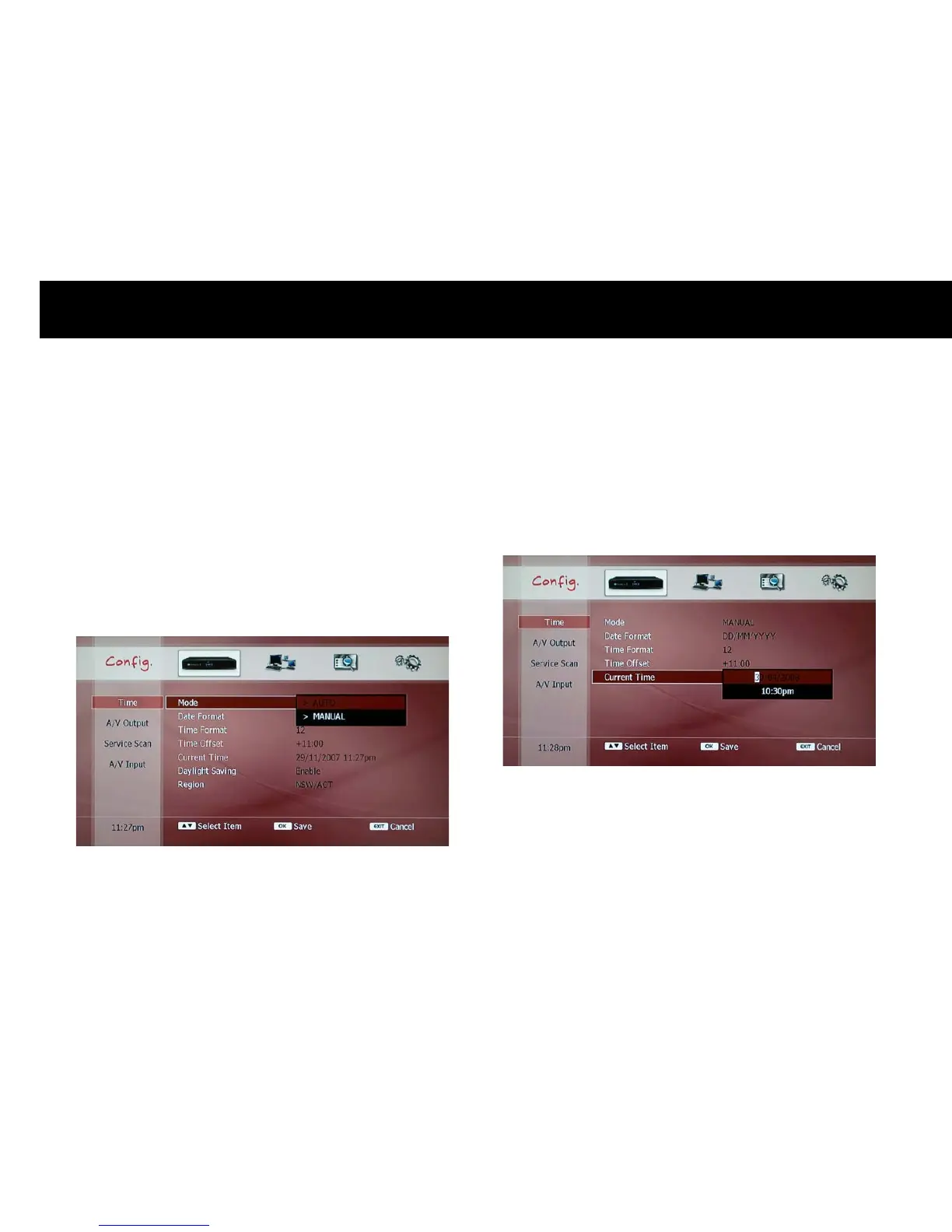
Selection on a pop-up menu: You can choose an option on the pop-up
menu. If you press the
OK
button, the pop-up menu will be displayed.
Select one option with the
UP/DOWN
buttons and press the
OK
button. If you do not want to change settings, press the
EXIT
button.
The pop-up menu will disappear.
z
Setup using the
NUMERIC
buttons: The
NUMERIC
buttons are used
to set a configuration with numbers such as time information. You can
also move the cursor to left or right with the
LEFT
of
RIGHT
buttons
whilst you are editing the configuration. You can set the change with
the
OK
button or cancel it with the
EXIT
button.
NOTE
z
You can also use the
CH +/-
buttons to increase or decrease the
value instead of typing with the
NUMERIC
buttons.



 To Next Page