Shaoxing Bibo Automatic Equipment Co., Ltd.
Tel:+86 575 88918283 Mobile:+86 133 25759139
Url: www.ourbibo.com E-Mail: bibo@ourbibo.com
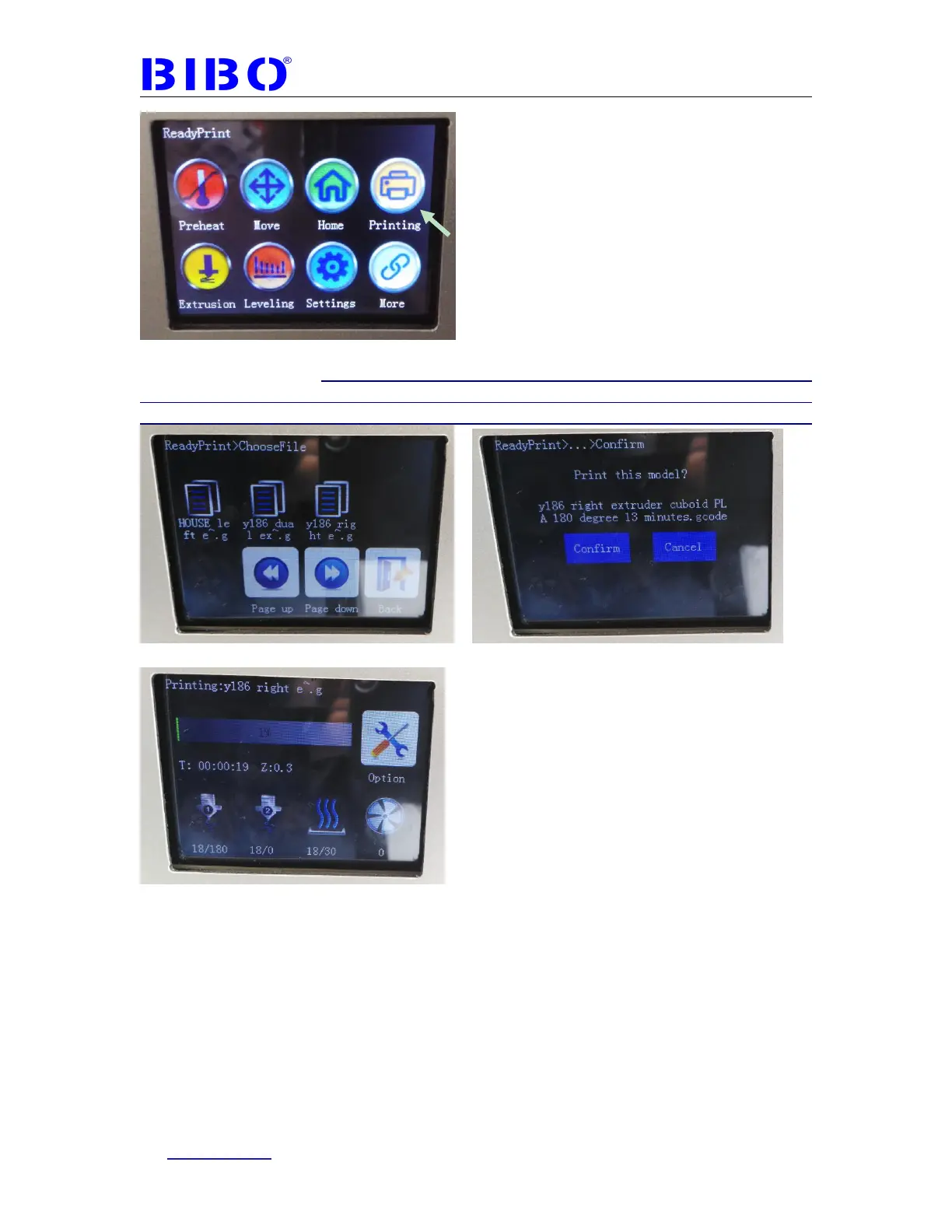
Press “Printing” button and then select the gcode file. Now 3D printing will be
automatically started. If you can’t print from SD card, please remove all the files in
the SD card to the computer. Then format the sd card on the computer into FAT32,
finally copy the test gcode to SD card. Usually the SD card will work on the printer.
Now your first print test is finished.



 To Next Page