Shaoxing Bibo Automatic Equipment Co., Ltd.
Tel:+86 575 88918283 Mobile:+86 133 25759139
Url: www.ourbibo.com E-Mail: bibo@ourbibo.com
7. Slicing for A Gcode File
Repetier-host is an open-source software and is supplied software with our
printers. We will give you repetier-cura settings, and you can import these settings
to repetier-host to slice the printable object.
Single extruder printing:
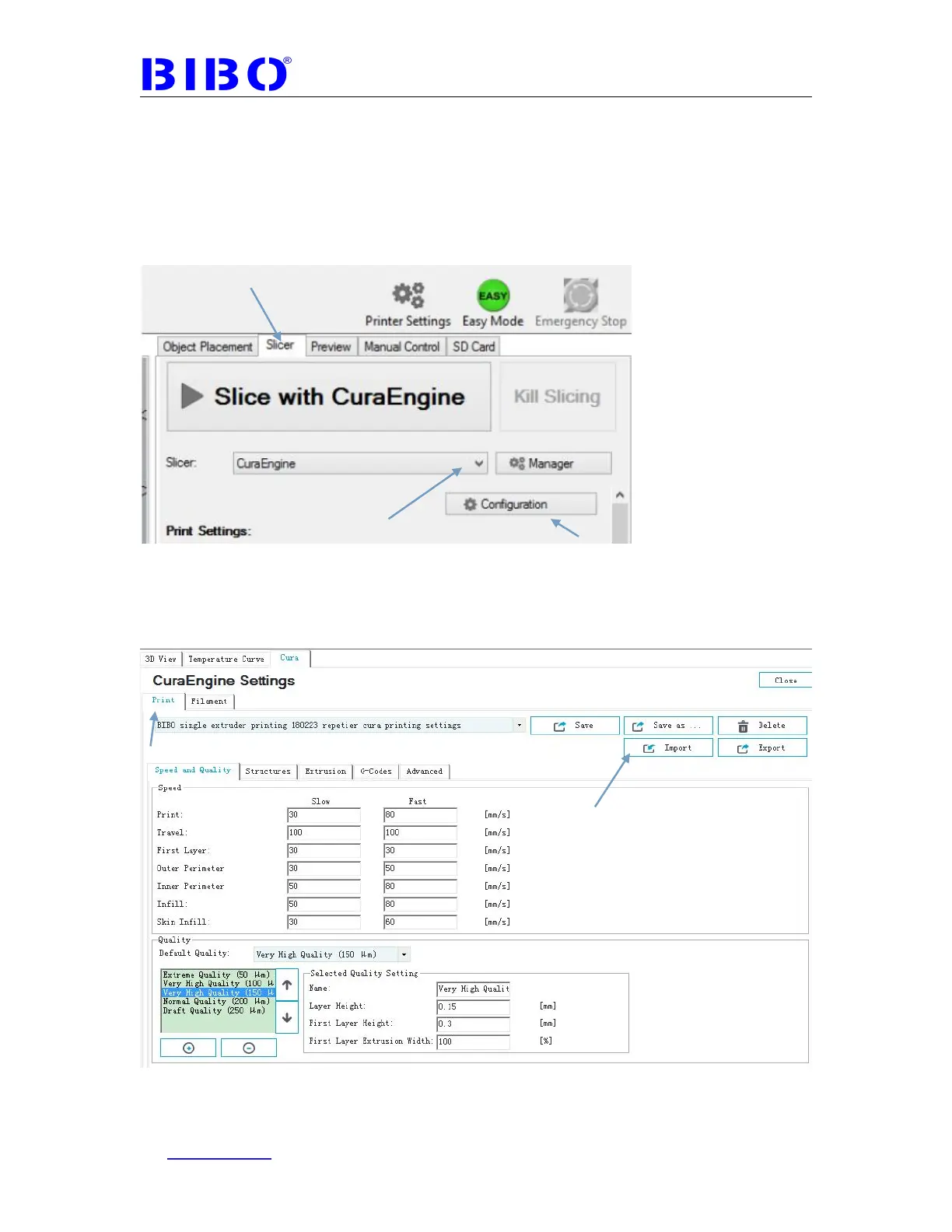
Now start the Repetier-host, click the Slicer tab, and choose the slicer to be
CuraEngine.
Then click Configuration, choose the Print tab. Click Import button, then import
“BIBO single extruder printing 180223 repetier cura printing settings.rcp” from SD
card’s “1 BIBO touch maker repetier host settings” folder. You will see our
printing settings as the photo below:



 To Next Page