Shaoxing Bibo Automatic Equipment Co., Ltd.
Tel:+86 575 88918283 Mobile:+86 133 25759139
Url: www.ourbibo.com E-Mail: bibo@ourbibo.com
5. Some Notices for Printing
1. Some filament were not good winded on rolls in order by filament
manufacturer or the user, so it will be tied a knot. See the photo as below:
So please keep an eye on the filament roll and loose the filament if there is a knot.
If not, you will see the base of printed object is ok, but the top part is bad in
printing.
2.When you hear extruder gear clicks and no filament come out from the nozzle
during printing, it may be caused by the filament is broken into two pieces in the
extruder. Some filaments has good hardness but too fragile. Now you should
unload the filament out. Sharp the filament head with scissor and let the filament
as straight as you can to ensure it come to the hole of extruder smoothly. Loading
the filament into the extruder again.
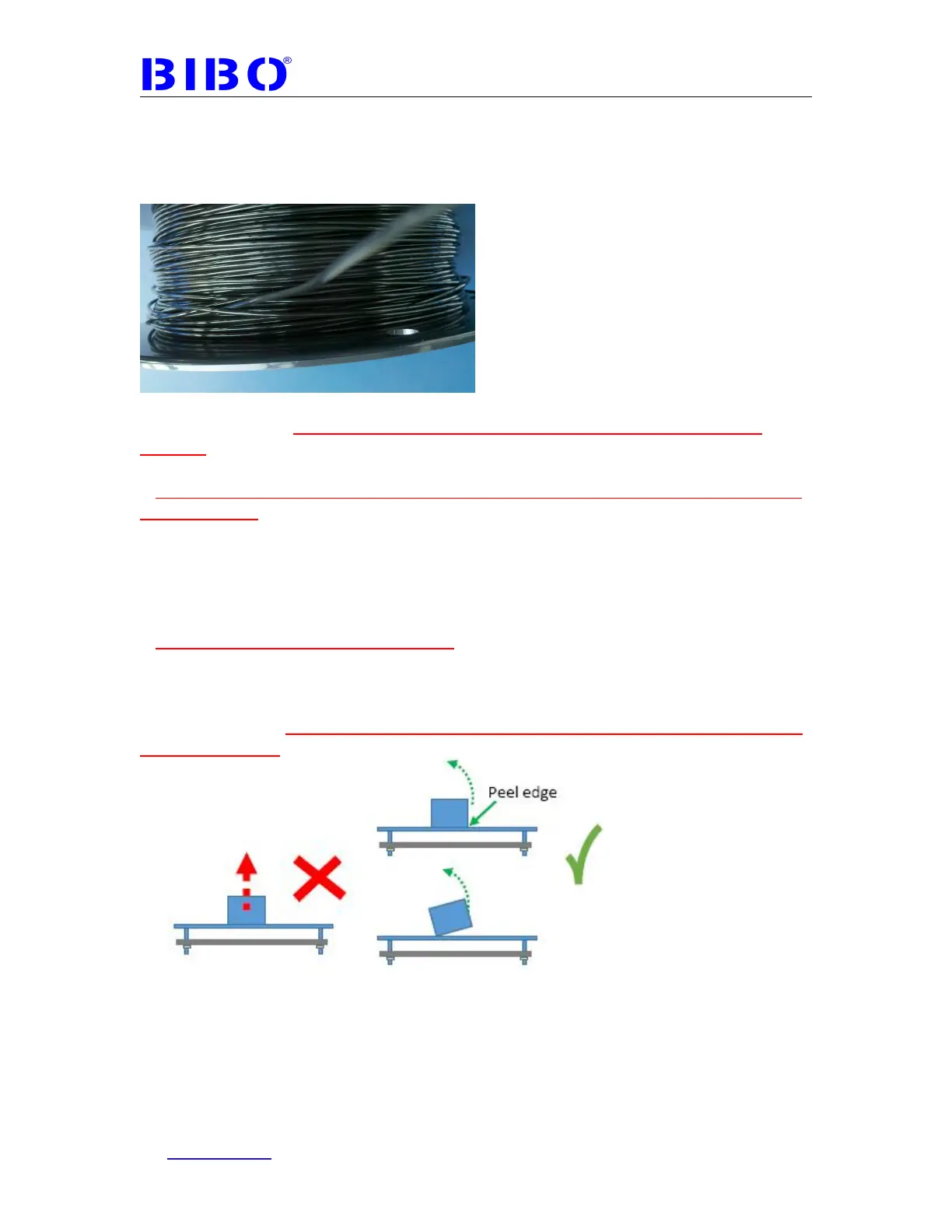
3.Remove object after print completes, please Let bed cool down; Don’t vertically
pull object away from print bed; Start peeling at edges by Diagonal Cutting Pliers
or something else ; After peeling edge, try to twist it from bed. You can take the
glass plate down form the printer for easier removal. Sometimes it is hard to
remove the print, please heat the glass bed to 60 degree, and it will be easier to
remove the print. Please wear glove to hold glass bed as it is very hot.



 To Next Page