Shaoxing Bibo Automatic Equipment Co., Ltd.
Tel:+86 575 88918283 Mobile:+86 133 25759139
Url: www.ourbibo.com E-Mail: bibo@ourbibo.com
6. Software Installation
Repetier-Host and Cura are the best software to use with BIBO 3D printer. They
can process your CAD files (STL files) and make them printable.
For software-Cura, please check another operation manual in SD card’s “BIBO
maker touch cura settings” folder, Mac system users are recommended to
use Cura, as it is more friendly than Repetier-Host.
Simplify 3D settings and instruction are also in the folder named “BIBO simplify
3d setting” in the SD card sent with the printer.
Please kindly use the newest slicing software settings here (have solved so
me bugs, better than the settings in the sd card):
https://drive.google.com/file/d/0B76TjeOkslHlZ2VBLXBSdzJYdms/view?usp
=sharing&resourcekey=0-boJmBv7vQyKVocbp8qtJRw
To install Repetier-Host on your PC take the following steps:
1. Copy the installation document of Repetier-Host in the SD card sent with the
printer to your PC. You can also download the latest version of Repetier-Host
from http://www.repetier.com/downloads/ .
2. Run the installation document of Repetier-Host and follow the installation
instructions. During installation it will ask to install a driver. This is recommended
to do. For how to install and use Repetier-Host on your PC for windows, Linux,
check the link below:
http://www.repetier.com/documentation/repetier-host/
For Mac users, please kindly check the link below:
http://www.repetier.com/documentation/repetier-host-mac/
3. Start Repetier-Host.
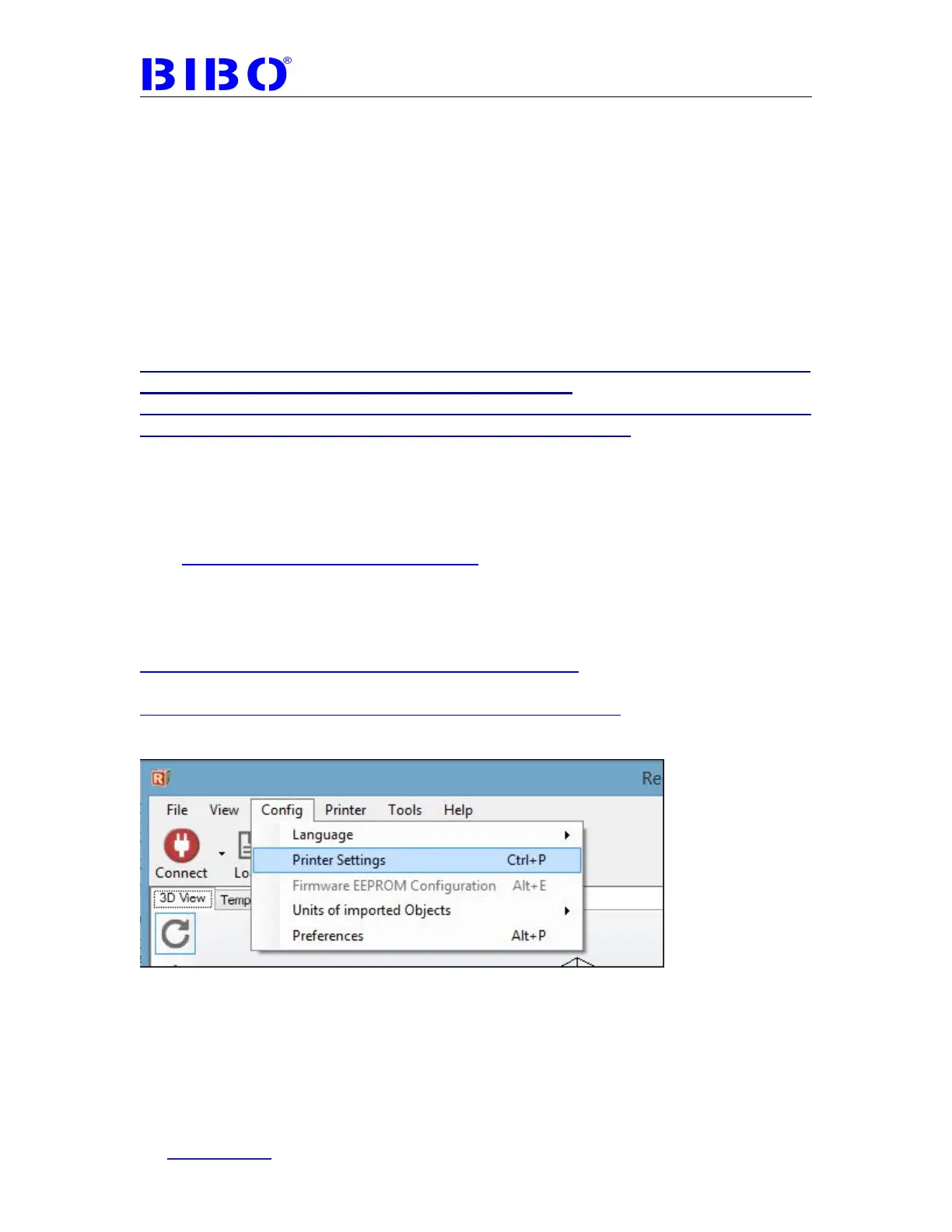
4. Go to Config -> Printer settings.
5. Once you see the printer settings window, please fill out the parameter as
photo below:



 To Next Page