124
5.3.9.8 Remote Access
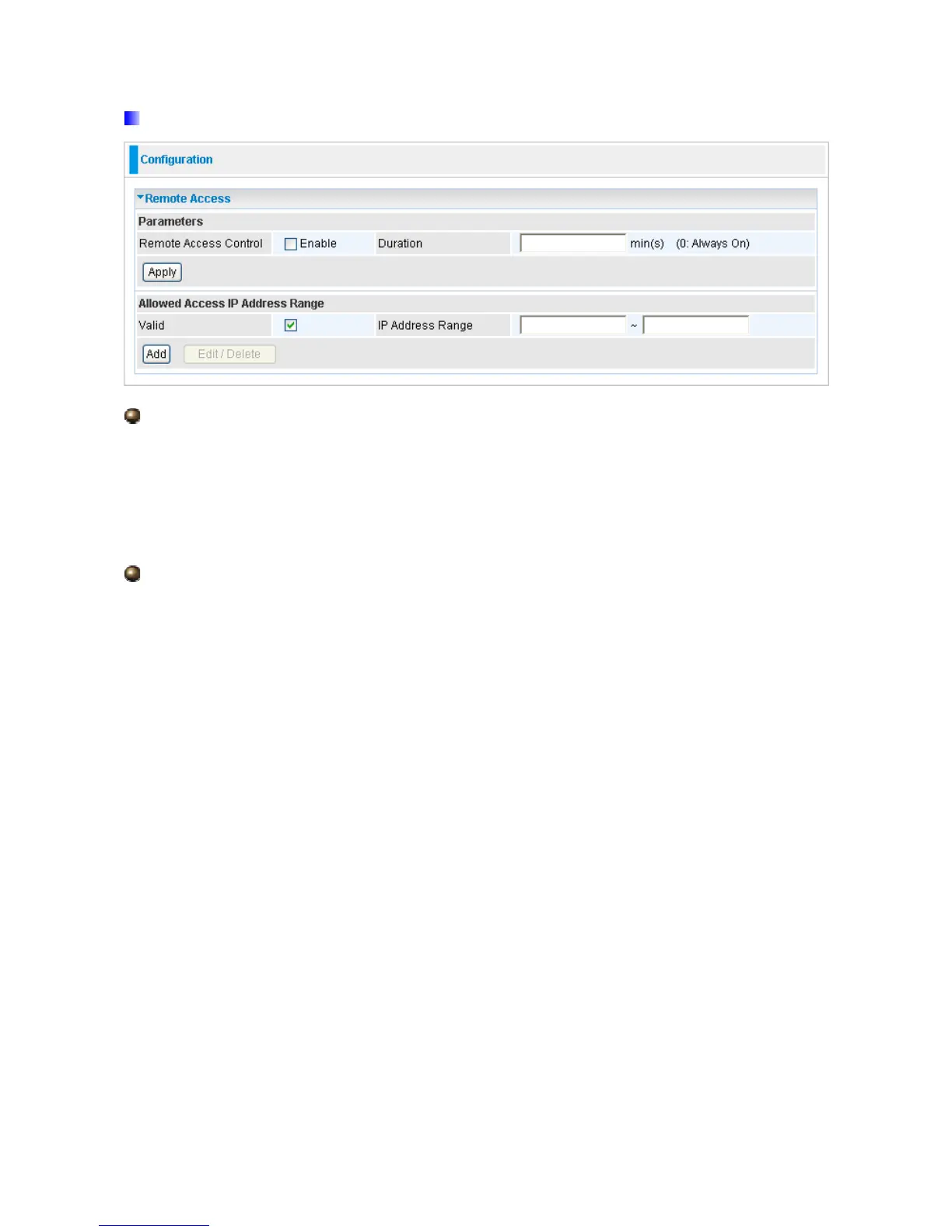
Remote Access Control:
Enable: Select Enable to allow management access from remote side (mostly from
internet).
Duration: Set how many minutes to allow management access from remote side. Zero
means always on.
Allowed Access IP Address Range:
Valid: Select Valid to allow remote management from these IP ranges.
IP Address Range: Specify what ip address to be allowed to access device from remote
side. Clink Add to insert management ip address list.













 To Next Page