10
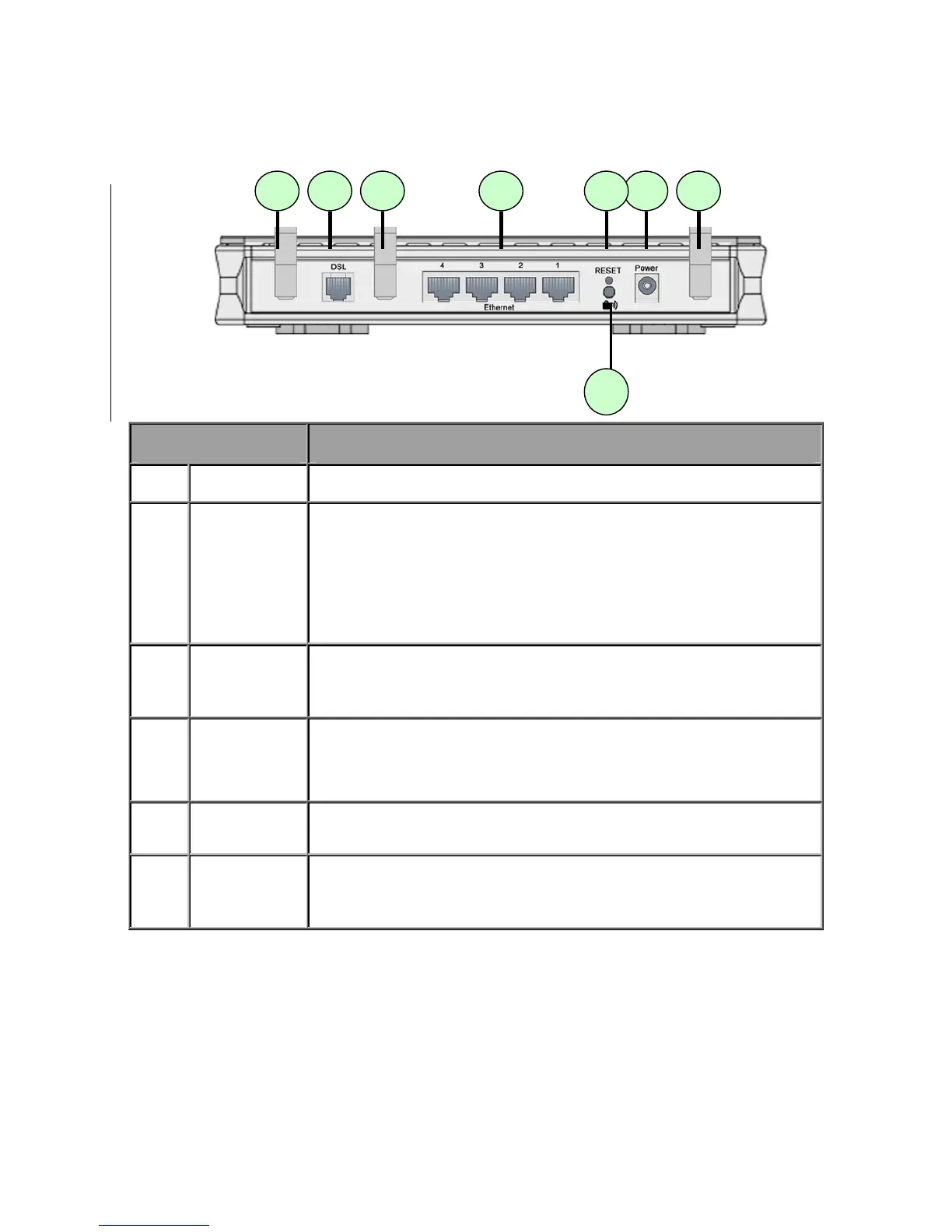
2.4 The Rear Ports
Port Description
1 Power
Connect the supplied power adapter to this jack.
2 Reset
After the router is powered on, press this reset button using the
end of paper clip or other small pointed object to reset the router
and to restore it to factory default settings.
1. Recovery procedures for non-working routers (e.g. after a
failed firmware upgrade flash).
2. Recovery procedures for a lost web interface password:
3
WPS (Only
available
for 7300N)
Push WPS button to trigger Wi-Fi Protected Setup function.
4
Ethernet
Connect a UTP Ethernet cable (Cat-5 or Cat-5e) to one of the
four LAN ports when connecting to a PC or an office/home
network of 10Mbps or 100Mbps.
Note: Only Ethernet port 1 can be used for EWAN.
5 DSL
Connect the supplied RJ-11 (“telephone”) cable to this port when
connecting to the ADSL/telephone network.
6
Antenna
(Only
available for
7300N)
Connect the detachable antenna to this port.













 To Next Page