92
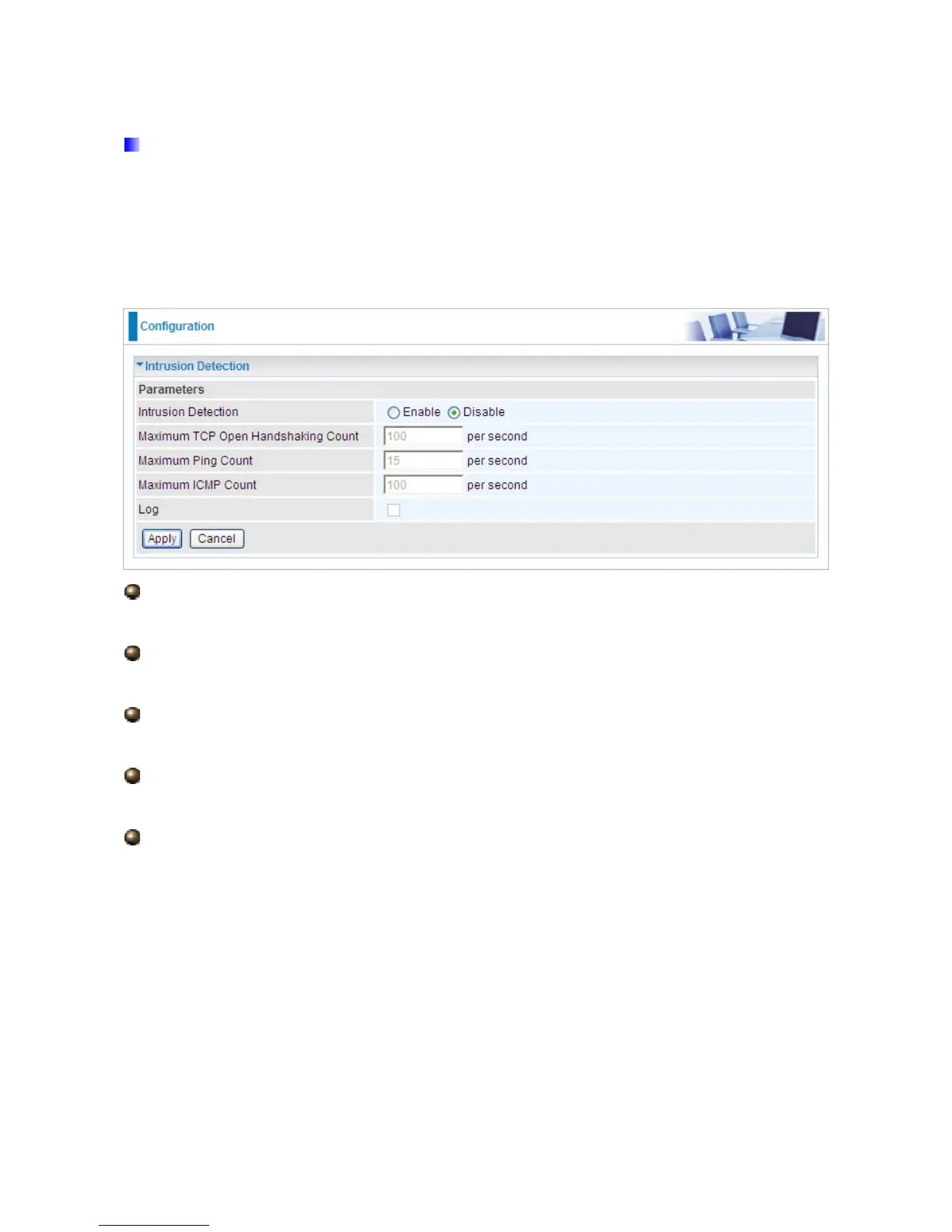
5.3.4.3 Intrusion Detection
Check Enable if you wish to detect intruders accessing your computer without permission.
The router automatically detects and blocks a DoS (Denial of Service) attack if a user
enables this function. This kind of attack is not to access confidential data on the network;
instead, it aims to disrupt specific equipment or the entire network. If this happens, users will
have trouble accessing the network resources.
Intrusion Detection: Check Enable if you wish to detect intruders accessing your
computer without permission.
Maximum TCP Open Handshaking Count: This is a threshold value to decide whether
a SYN Flood attempt is occurring or not. Default value is 100 TCP SYN per seconds.
Maximum Ping Count: This is a threshold value to decide whether an ICMP Echo Storm
is occurring or not. Default value is 15 ICMP Echo Requests (PING) per second.
Maximum ICMP Count: This is a threshold to decide whether an ICMP flood is occurring
or not. Default value is 100 ICMP packets per seconds except ICMP Echo Requests (PING).
Log: Check Log if you wish to generate logs when the filer rule is applied to the Intrusion
Detection.













 To Next Page