17
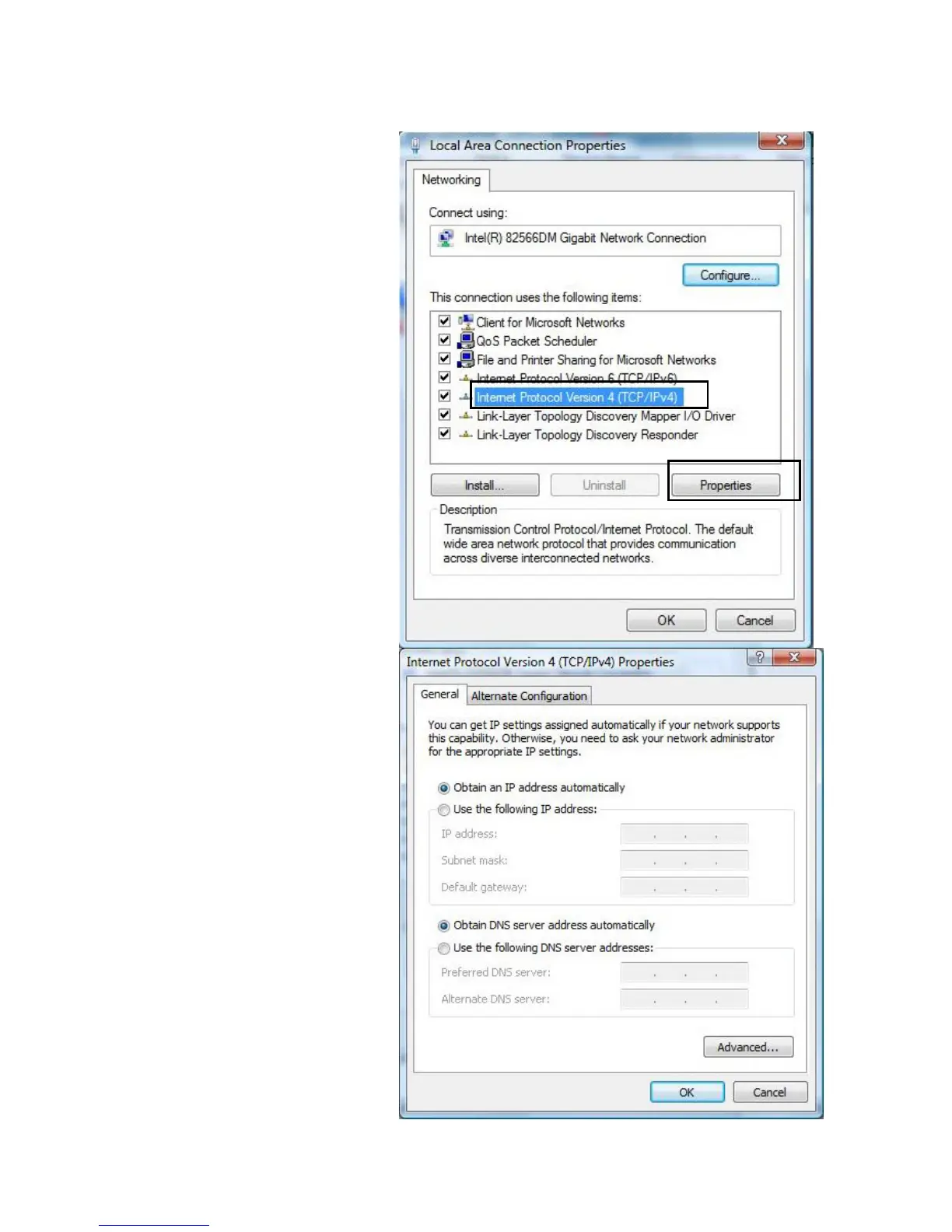
5. Select Internet Protocol
Version 4 (TCP/IPv4) then
click Properties.
6. In the TCP/IPv4 properties
window, select the Obtain an
IP address automatically
and Obtain DNS Server
address automatically radio
buttons. Then click OK to exit
the setting.
7. Click OK again in the Local
Area Connection
Properties window to apply
the new configuration.













 To Next Page