20
Configuring PC in Windows 98/Me
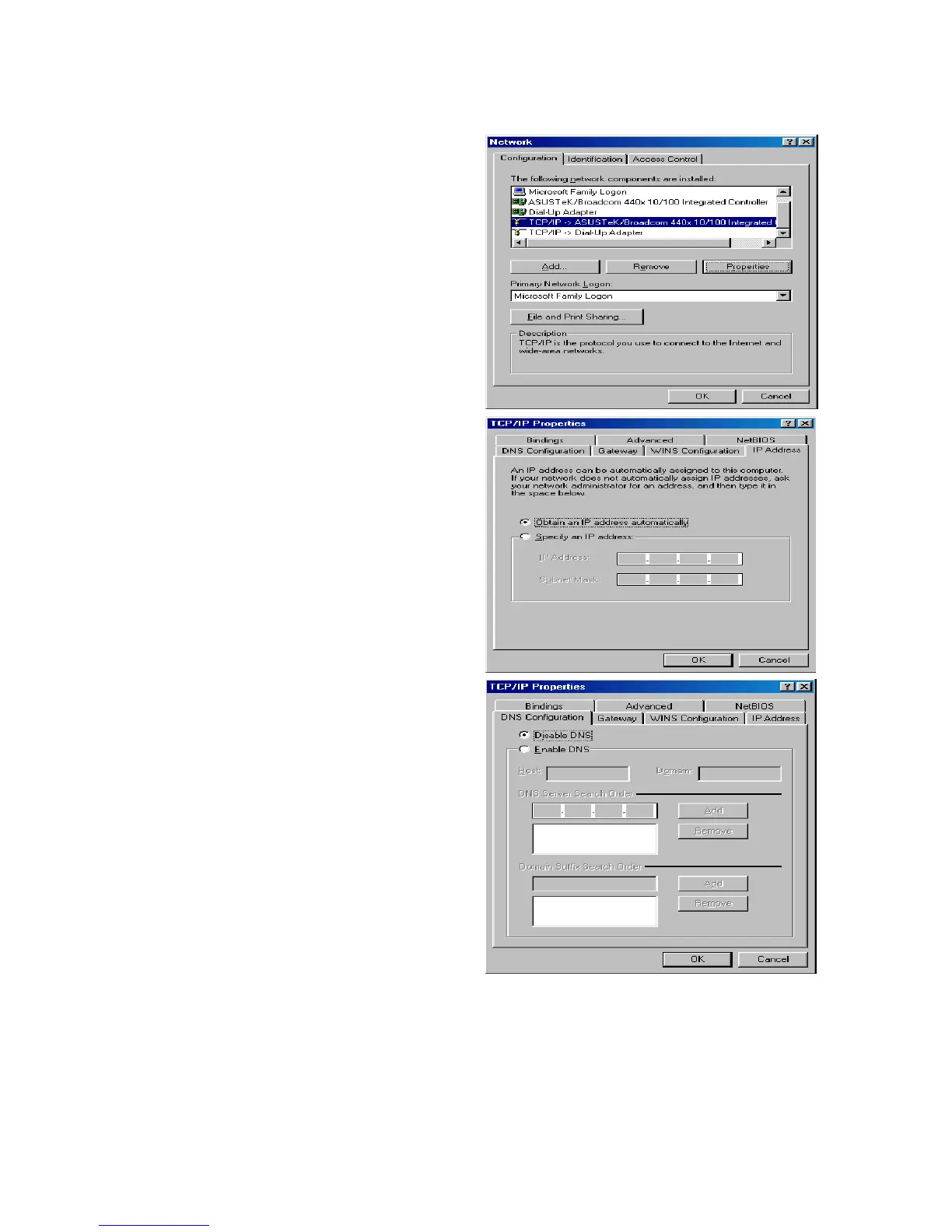
1. Go to Start / Settings / Control Panel.
In the Control Panel, double-click on
Network and choose the
Configuration tab.
2. Select TCP/IP ->NE2000 Compatible,
or the name of your Network Interface
Card (NIC) in your PC.
3. Select the Obtain an IP address
automatically radio button.
4. Then select the DNS Configuration
tab.
5. Select the Disable DNS radio button
and click OK to finish the configuration.













 To Next Page